Due to our policy of continuous product innovation, some specifications may change without notification.
“LG” is a registered trademark of LG Corp.
10
LG Smart AC
CAUTION
•
The Wi-Fi on smartphone must be turned on to start registering the product.
• If there is a problem with a connection, the ‘prevention of connection fail-
ing’ function in the advanced menu of the Wi-Fi setting in the smartphone
needs to be cancelled for some devices.
!
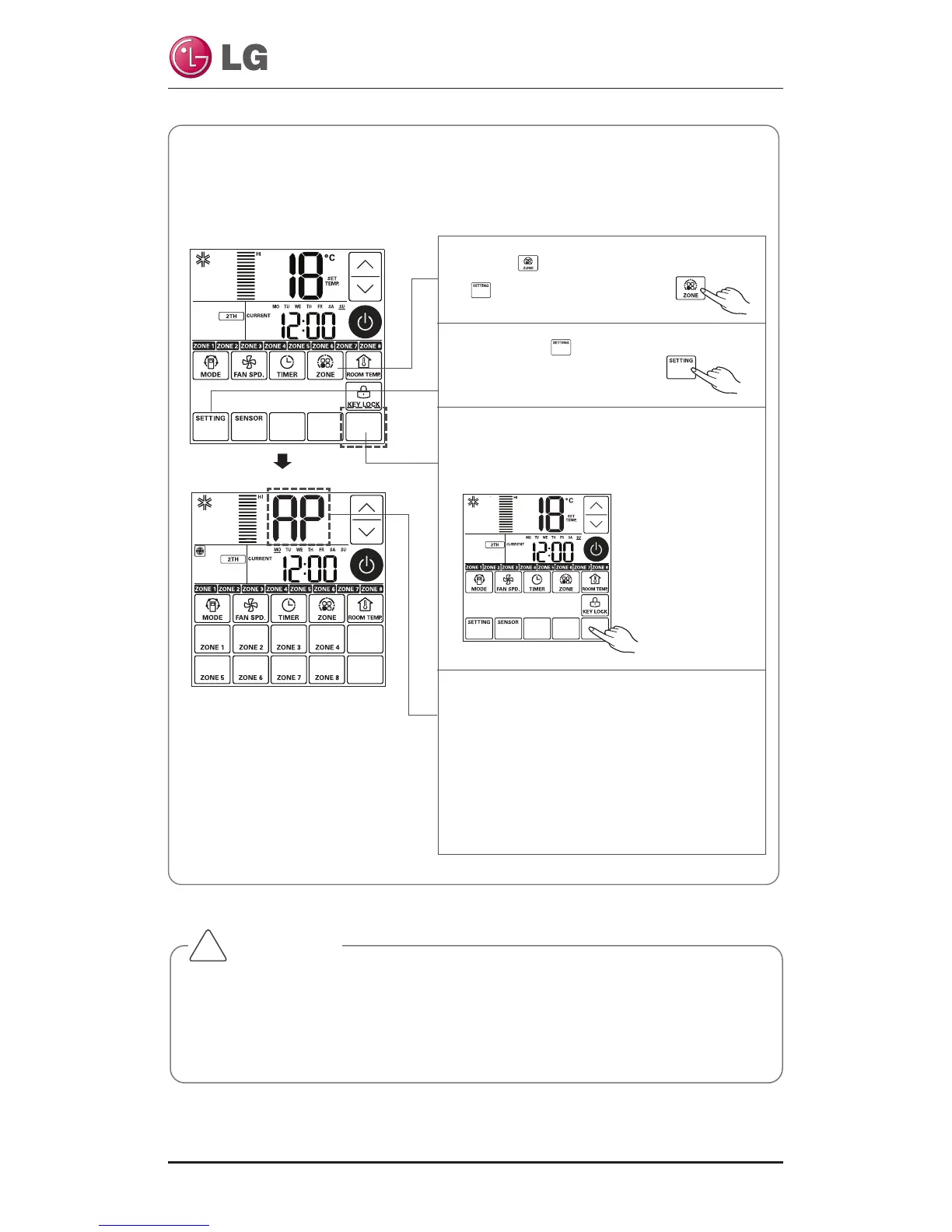
• Duct Setting – WLAN(Wireless LAN) Module Access Point mode
It is the function to operate WLAN (Wireless LAN) module connected to the
product in access point mode.
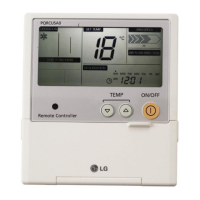
1 Press button to appear
button on the screen.
2 Press the button.
3 Push the position of the button at the
third row of the fifth column on the
left figure for three(3) seconds.
4 While WLAN module is operating in ac-
cess point mode, the term of 'AP' blinks
on the screen of cable remote control.
- It will take approx. five (5) seconds before
WLAN module operates in access point
mode.
- In the case WLAN module is not in-
stalled, the access point mode does not
work.



 To Next Page