Due to our policy of continuous product innovation, some specifications may change without notification.
“LG” is a registered trademark of LG Corp.
13
User Manual
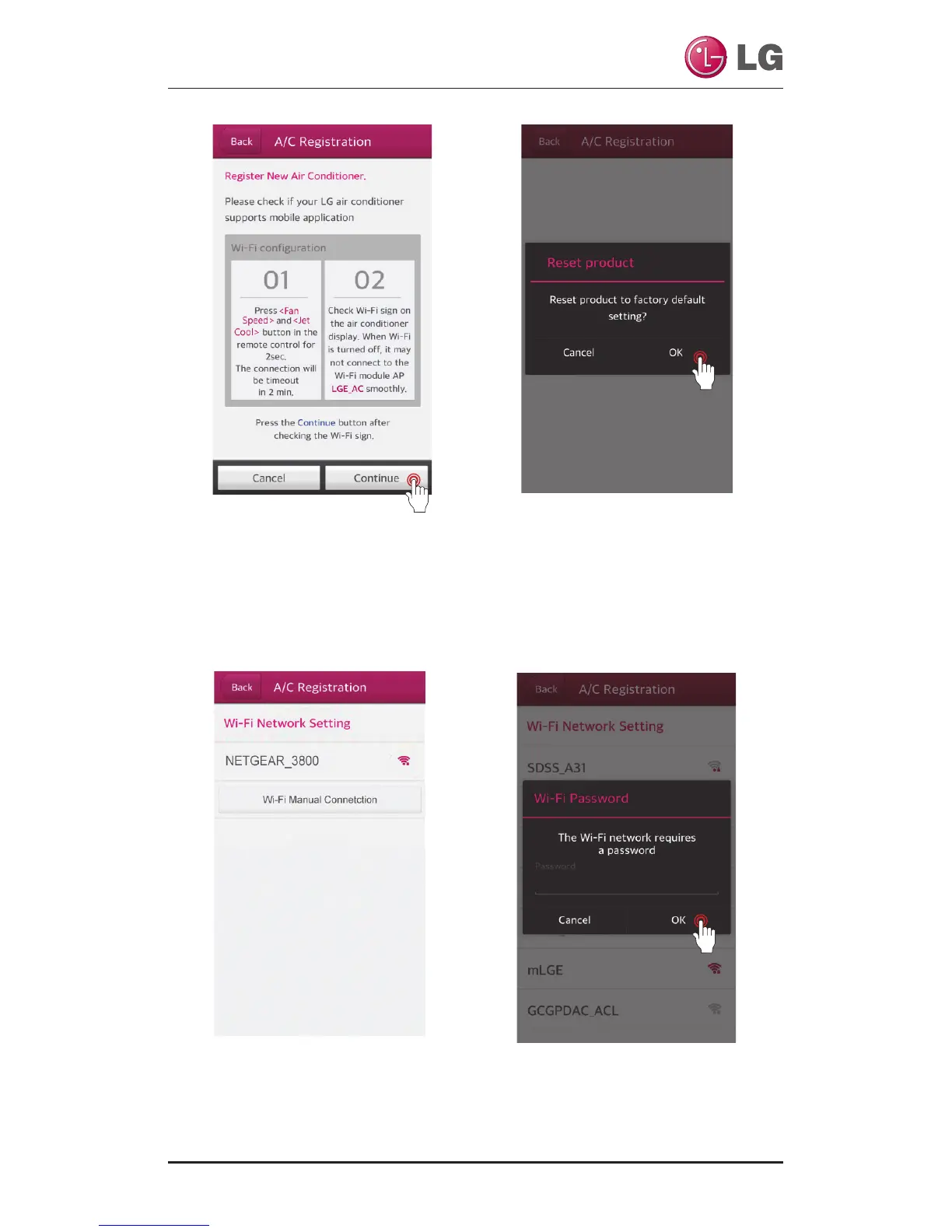
After complete setting reg-
istration mode and Wi-Fi
connection, touch the
“Continue” button
Once the product search
is complete, a pop-up to
ask initialization of the
product appears.
Touch the “OK” button
Please select a router that
you want to connect to.
Enter the password for the
router correctly, and then
touch the “OK” button.



 To Next Page