Due to our policy of continuous product innovation, some specifications may change without notification.
“LG” is a registered trademark of LG Corp.
14
LG Smart AC
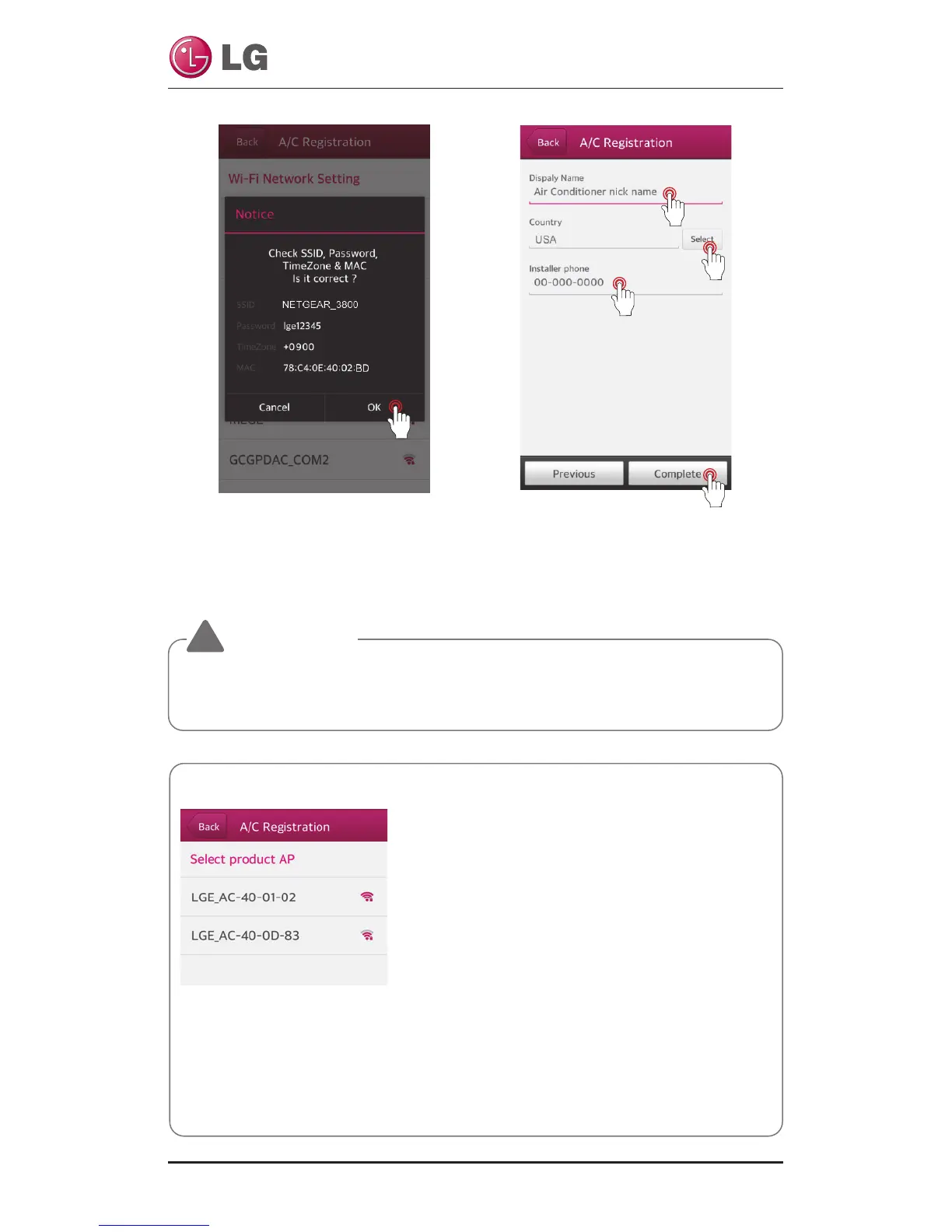
Please check the Mac Ad-
dress and Wi-Fi password.
Enter “Air Conditioner nickname”
and “Installer phone”, and then
touch the “Complete” button.
(Appropriate product name
must be selected correctly)
WARNING
!
If the router is WEP-open security method, you may fail to set up the network.
After you
have changed to other security method of router, please register of product again.
Check the “Reset product” pop-up
1.
It must be initialized for exhibition air-conditioning, because it has the information.
2. When you first register, you must initialize.
3. Information that has been initialized:
- Specific ID of the Product
- Accumulated filter use
Reference
In case of more than two Product APs, turn on
only one
A/C that you want to register.



 To Next Page