EasyManua.ls Logo

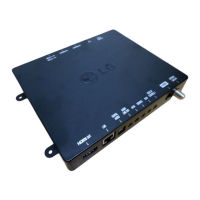
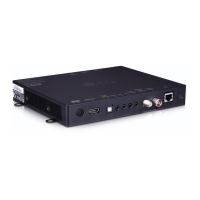
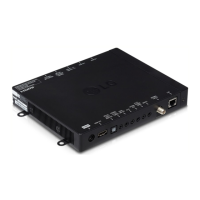
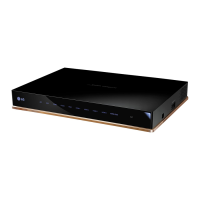
LG STB-3000 - User Manual

LG STB-3000
23 pages
Print Icon
To Next Page IconTo Next Page
Loading...
Please read this manual carefully before operating your
set and retain it for future reference.
SET-TOP BOX
OWNER’S MANUAL
www.lg.com
STB-3000

Other manuals for LG STB-3000

Questions and Answers

  • A
    Alicia SmithAug 11, 2025
    Why doesn't my LG Set-top boxes remote work?
    • A
      Ashley CampbellAug 11, 2025
      If the remote for your LG Set-top box isn't working, here's what you can check: * Ensure the Television/Display Control is properly connected using the provided cable. * Make sure the remote is in TV Mode by pressing the MODE key. * Point the remote directly at the IR receiver on the display panel. * Get closer to the IR receiver, reduce obstructions, and dim the room if needed. * If applicable, verify the MPI cable is connected to the MPI device. * Replace the batteries. * Check the battery polarity (+ and -) in the compartment. * Dim the room light if it's too bright. * Ensure you are using a compatible LG Installer Remote; contact your LG representative if needed.
  • H
    harringtonherbertAug 17, 2025
    What to do if my LG Set-top boxes has no picture?
    • R
      russell05Aug 17, 2025
      If you're not getting a picture on your LG Set-top box, try these steps: 1. Make sure the display panel is turned ON. 2. Check that the antenna or cable is properly connected to the STB. 3. Verify all connections on the STB, especially the HDMI cabling. 4. If applicable, connect the MPI cable to the MPI device. 5. Try switching to another channel in case the current program is encrypted. 6. Adjust the Installer Menu settings to ensure the correct tuning band is selected.
  • C
    Charles BrownAug 25, 2025
    How to fix poor sound on LG Set-top boxes?
    • M
      Margaret ClarkAug 26, 2025
      If you have a normal picture but poor or no sound on your LG Set-top box: * First, check if the audio is muted. Press the MUTE button or use the Volume Up key to increase the sound level. * If the audio isn't muted, try switching to a different channel. The problem might be with the broadcast itself.
  • S
    stephanielangSep 2, 2025
    Why can't I enter channel numbers directly on my LG Set-top boxes?
    • K
      Keith HernandezSep 2, 2025
      If you cannot directly enter a channel number on your LG Set-top box, here are the possible reasons and solutions: * If the STB is in Pass-through Mode, the Installer Menu item 028 CH. OVERIDE might be set to 0 (disabled). Change CH. OVERIDE to 1 to allow direct keypad entry. * If the STB is in FTG Mode, the channel you're trying to enter might not be in the FTG Channel Map. Use the FTG File Manager to make changes to the FTG Channel Map.

Summary

LICENSES

OPEN SOURCE SOFTWARE NOTICE INFORMATION

SAFETY INSTRUCTIONS

ASSEMBLING AND PREPARING

Unpacking

Check product box contents and initial setup procedures.

Separate Purchase Items

Details on items available for separate purchase to enhance functionality.

Parts and Components Overview

Identifies front and rear panel components of the set-top box.

Using Dual Lock for Mounting

Instructions for attaching the set-top box to a TV using Dual Lock.

MAKING CONNECTIONS

Antenna Connection Guide

Connecting the set-top box to a wall antenna socket with an RF cable.

Satellite Dish Connection

Connecting the set-top box to a satellite dish via a satellite RF cable.

Power Adapter Connection

Connecting the AC-DC power adapter to the set-top box and wall outlet.

External Device Connections

Connecting external devices via HDMI, DVI, and USB ports for optimal quality.

MAINTENANCE

Cleaning Your Set-Top Box

Instructions for cleaning the set-top box and its AC-DC adapter.

TROUBLESHOOTING

SPECIFICATIONS

Environment and System Specifications

Details on operating environment, TV systems, and program storage capacity.

Supported Video Modes

Lists supported resolution and frequency modes for DTV and PC connections.

Photo and Audio Format Support

Supported file formats for photos and audio playback on the device.

Video Codec Support

Lists supported video file extensions and their associated codecs.

LG STB-3000 Specifications

General IconGeneral
BrandLG
ModelSTB-3000
CategorySet-top boxes
LanguageEnglish

Related product manuals