EasyManua.ls Logo

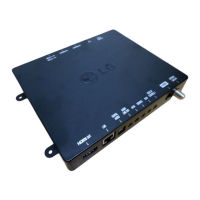
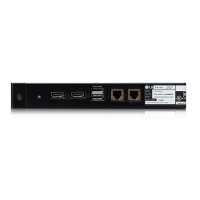
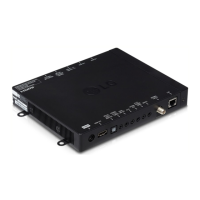
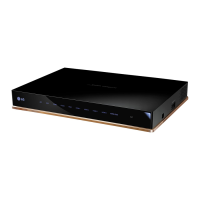
LG STB-5500 - User Manual

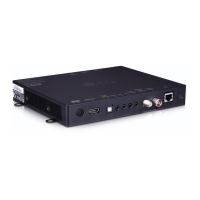
LG STB-5500
24 pages
Print Icon
To Next Page IconTo Next Page
Loading...
Please read this manual carefully before operating
your TV and retain it for future reference.
STB-5500
SET-TOP BOX
OWNER’S MANUAL
P/NO : MFL68080356 (1702-REV01)
www.lg.com
*MFL68080356*

Other manuals for LG STB-5500

Questions and Answers

  • A
    Alicia HallAug 12, 2025
    How to fix an LG Set-top boxes remote that doesn't work?
    • E
      Emily BennettAug 12, 2025
      If your LG Set-top box remote isn't working, ensure the Television/Display Control is properly connected using the provided cable. Also, verify the remote is in TV Mode by pressing the MODE key. Make sure you are pointing the remote at the IR receiver on the display panel and are close enough, without any obstructions. If applicable, ensure the MPI cable is connected to the MPI device. Try replacing the batteries, ensuring correct polarity (+ and -). Dim the room light if it's too bright. If none of these steps work, you may need a compatible LG Installer Remote; contact your LG representative.
  • A
    Amy MorrisAug 16, 2025
    What to do if the LG Set-top boxes remote control is not working?
    • T
      tiffany28Aug 16, 2025
      If you cannot control your LG Set-Top Box with the remote, first, check the remote control sensor on the product and try again. Then, ensure there are no obstacles blocking the path between the Set-Top Box and the remote. Finally, verify that the batteries in the remote are working and properly installed.
  • E
    Elizabeth DiazAug 19, 2025
    What to do if the LG STB-5500 Set-top boxes turns off suddenly?
    • R
      Russell SharpAug 19, 2025
      If your LG Set-Top Box is turning off suddenly, check the power control settings. It's possible that the power supply is being interrupted.
  • T
    Tyler WatersAug 25, 2025
    What to do if my LG Set-top boxes has normal picture but poor or no sound?
    • W
      William RichardsonAug 25, 2025
      If your LG Set-top box displays a normal picture but has poor or no sound, first check if the audio is muted and increase the sound level using the MUTE button or Volume Up key. If the issue persists, try tuning into a different channel, as the problem may be with the broadcast itself.
  • C
    christopherjohnsonAug 27, 2025
    Why is there no picture on my LG Set-top boxes?
    • N
      Nicole BryantAug 27, 2025
      If your LG Set-top box shows no picture, verify that the display panel is turned on and check the Television/Display Control cabling and HDMI cabling to ensure they are properly connected. Also, make sure the antenna/cable is connected to the STB. If you're still having trouble, try another channel, as the current one may be encrypted, or adjust the Installer Menu settings to correct the tuning band.
  • W
    Wesley StewartAug 31, 2025
    How to fix LG Set-top boxes when cannot direct enter channel number?
    • R
      Rebekah BlairAug 31, 2025
      If you cannot directly enter the channel number on your LG Set-top box, and it is in Pass-through Mode, ensure that Installer Menu item 028 CH. OVERIDE is set to 1 to allow direct keypad entry to all channels. If the STB is in FTG Mode, the channel may not be included in the FTG Channel Map; use the FTG File Manager to make changes to the FTG Channel Map.
  • M
    Melanie DaltonSep 3, 2025
    Why my LG STB-5500 does not output any video or audio?
    • K
      Kimberly PetersonSep 3, 2025
      If your LG Set-Top Box isn't outputting video or audio, make sure that the product is turned on. Also, check that the power cord is securely connected to a working wall outlet. You can verify the outlet by plugging in another device to see if it works.
  • R
    rachelguerraSep 7, 2025
    How to fix ‘No signal’ or ‘Invalid Format’ on LG STB-5500 when connecting to PC (HDMI)?
    • C
      Caitlin RyanSep 8, 2025
      If you see a ‘No signal’ or ‘Invalid Format’ message when connecting your LG Set-Top Box to a PC via HDMI, try turning the Set-Top Box off and on using the remote control. If that doesn't work, try reconnecting the HDMI cable. As a final step, restart your PC while keeping the Set-Top Box turned on.

Summary

Important Safety Instructions

Electrical Safety and Hazard Warnings

Covers risks of electric shock, fire, moisture, and chemical hazards for safe operation.

General Handling and Usage Precautions

Advises on ventilation, heat sources, power cord protection, and accessory use.

Power Cord, Grounding, and Antenna Safety

Power Cord Protection and Handling

Guidelines for protecting the power cord from damage and proper unplugging.

Grounding and Electrical Safety Rules

Explains grounding importance and outdoor antenna grounding precautions.

Product Ventilation, Cleaning, and Disconnection

Assembling and Preparing Your Set-Top Box

Unpacking and Included Accessories Check

Lists items included in the box and advises checking for missing accessories.

Connecting External Cables and Devices

Guidelines for optimal connection of HDMI and USB devices, and cable certification.

Set-Top Box Parts and Component Identification

Making Connections for Viewing

Connecting Various External Devices

Information on connecting external devices like DVD recorders, PCs, and gaming devices.

Antenna and Cable Connection Guide

Instructions for connecting an antenna or cable box for TV viewing.

Advanced Connections and Diagrams

Back Panel Connection Details

Maintenance and Troubleshooting Guide

Cleaning Procedures for Set-Top Box

Instructions for safely cleaning the set-top box and AC/DC adapter.

Troubleshooting Common Operational Issues

Solutions for common problems like remote control failure, no video/audio, or power issues.

Product Specifications and Technical Details

HDMI Input Supported Modes

Limited Warranty Coverage and Service

Scope of Limited Warranty Coverage

Outlines what the limited warranty covers, including defects in material and workmanship.

How to Obtain Warranty Service and Support

Provides contact information and procedures for obtaining warranty service and support.

Limited Warranty Exclusions and Non-Coverage

Regulatory Compliance and Notices

LG STB-5500 Specifications

General IconGeneral
Aspect ratio16:9
Signal sourceIPTV
Video resolutions3840 x 2160 pixels
Supported video modes1080p
Analog signal format systemNTSC
Personal Video Recorder (PVR) includedNo
Tuner typeAnalog & digital
Product colorBlack
Audio decodersDolby Digital
Number of tuners1 tuner(s)
Audio output channels- channels
Electronic Program Guide (EPG)-
MiracastYes
HDMI ports quantity3
USB 2.0 ports quantity2
Digital audio coaxial out0
Ethernet LAN (RJ-45) ports1
Audio formats supportedAAC, EAC3, MP3, PCM
Image formats supportedJPG
AC input voltage100-240 V
AC input frequency50-60 Hz
Power consumption (standby)0.5 W
Power consumption (typical)14.1 W
CertificationUL, FCC, cUL
Sustainability certificatesRoHS, ENERGY STAR
Package weight1769 g
Storage temperature (T-T)-20 - 60 °C
Operating temperature (T-T)0 - 40 °C
Weight and Dimensions IconWeight and Dimensions
Depth30.48 mm
Width208.28 mm
Height170.18 mm
Weight635 g

Related product manuals