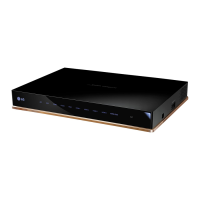
This document is an owner's manual for an LG Set-Top Box, specifically models STB-6500-UA and STB-6500-UB. The manual provides essential information for operating, maintaining, and troubleshooting the device, along with safety instructions and connection guides.
The LG Set-Top Box is designed to enhance your television viewing experience by connecting to various external devices and receiving broadcast signals. It acts as a central hub for your entertainment system, allowing you to connect HD receivers, DVD players, VCRs, audio systems, USB storage devices, PCs, and gaming devices. The device supports both digital (HDMI) and analog (A/V) connections, ensuring compatibility with a wide range of equipment.
Usage Features:
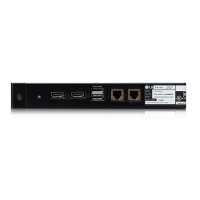
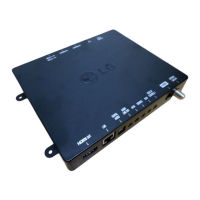
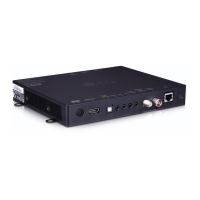
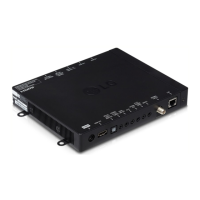
The Set-Top Box offers versatile connectivity options to integrate seamlessly into your home entertainment setup. For optimal picture and audio quality, it is recommended to connect digital devices using an HDMI cable. The front panel of the device includes two HDMI input ports (HDMI IN 1, HDMI IN 2) and two USB input ports (USB IN 1, USB IN 2), along with dedicated ports for external MPI control and MPI/MTI Television Control. The rear panel provides a more comprehensive array of connections, including:
- Power Outlet: For connecting the AC/DC adapter.
- HDMI OUT: To connect to your TV or monitor.
- DVI IN: For DVI-compatible devices.
- OPTICAL DIGITAL AUDIO OUT: For high-quality digital audio output.
- EXTERNAL RS-232C CONTROL: For remote control and system integration.
- AUDIO LINE OUT: For analog audio output to external audio systems.
- AV IN: For connecting older analog devices using an A/V adapter cable.
- EXTERNAL IR IN: For connecting an external IR receiver.
- ANTENNA/CABLE IN: For connecting an antenna or cable TV signal.
- SERVICE: A dedicated port for service and maintenance.
- LAN: For wired network connectivity, recommended with a CAT 7 cable for optimal performance.
The manual emphasizes the importance of using certified HDMI cables (3 m or less) to avoid display or connection errors. It also advises on USB device compatibility, recommending USB hubs or HDDs with external power supplies if the device's power is insufficient.
For antenna or cable connections, the Set-Top Box supports VHF and UHF antennas, as well as coaxial cable inputs. It is important to ensure that the copper wire of the RF cable is not bent to maintain signal integrity. The device supports DTV Audio Codecs such as MPEG and Dolby Digital.
Optional accessories, such as rubber pads and Dual Lock™ strips, are provided to secure the Set-Top Box. The rubber pads can be attached to the bottom of the product to prevent sliding, especially if the device is placed on a flat surface. The Dual Lock™ strips allow the Set-Top Box to be securely attached to the back of a TV, utilizing VESA screw holes for a firm mounting. When using Dual Lock™ strips, it is crucial to ensure the product surface is clean and to allow the adhesive to dry for at least three days before attaching the Set-Top Box to the TV. The manual also mentions an optional Magic Remote (AN-MR18HA) for enhanced control.
The Set-Top Box supports a variety of media formats, including popular photo formats like JPEG, PNG, and BMP, and audio formats such as MP3, OGG, WMA, and FLAC. For video playback, it supports numerous extensions and codecs, including H.264/AVC, HEVC, MPEG-1/2/4, and Dolby Digital. It also supports external and embedded subtitles in various formats.
A key feature for enhanced visual quality is the HDMI Ultra HD Deep Color setting. When connected to a compatible input port, enabling this feature can result in clearer pictures by supporting 4K resolution at 60 Hz with various color sampling modes (4:4:4, 4:2:2, 4:2:0). If the connected device does not support Deep Color, the setting should be turned off to avoid display issues.
Maintenance Features:
Regular maintenance is crucial for the Set-Top Box's peak performance and extended lifespan. The manual provides clear instructions for cleaning the device:
- General Cleaning: For dust or light dirt, wipe the surface with a dry, clean, and soft cloth.
- Major Dirt: For more significant dirt, use a soft cloth dampened with clean water or a diluted mild detergent, then immediately wipe dry.
- AC/DC Adapter: Regularly remove accumulated dust or dirt from the adapter.
Important Cleaning Precautions:
- Always turn off the power and disconnect the power cord and all other cables before cleaning.
- If the Set-Top Box will be unattended or unused for a long time, disconnect the AC/DC adapter from the wall outlet to prevent damage from lightning or power surges.
- Avoid pushing, rubbing, or hitting the surface with fingernails or sharp objects to prevent scratches.
- Do not use chemicals such as waxes, benzene, alcohol, thinners, insecticides, air fresheners, or lubricants, as these can damage the product's finish and cause discoloration.
- Never spray liquid directly onto the surface, as water ingress can lead to fire, electric shock, or malfunction.
Troubleshooting:
The manual includes a troubleshooting section to address common issues:
- Remote Control Issues: If the remote control is not working, check for obstructions, ensure no tape is covering the receiver, and replace batteries with fresh ones.
- No Video or Audio Output: Verify that the product is turned on, the power cord is securely connected to a wall outlet, and test the wall outlet with other products.
- Sudden Power Off: Check power control settings, ensure the power supply is not interrupted, and verify if the auto-off feature is activated in the Time settings.
- "No Signal" or "Invalid Format" with PC (HDMI/DVI): Turn the Set-Top Box off/on using the remote, reconnect the HDMI/DVI cable, and restart the PC with the Set-Top Box on.
The manual also notes that software updates may be available to improve performance, and users are responsible for ensuring compatibility with LG Electronics software.
Safety Instructions:
Safety is paramount, and the manual details several important safety instructions:
- Read and follow all instructions and warnings.
- Do not use the apparatus near water.
- Clean only with a dry cloth.
- Ensure proper ventilation and do not block openings or install near heat sources.
- Protect the power cord from physical abuse and ensure it is not damaged or loosely fitting.
- Use only manufacturer-specified attachments and accessories.
- Exercise caution when moving the apparatus on a cart to prevent tip-over.
- Unplug the apparatus during lightning storms or when unused for long periods.
- Refer all servicing to qualified personnel.
- Avoid placing the Set-Top Box in environments with direct sunlight, high humidity, heat sources, or excessive dust.
- Prevent the spread of fire by keeping candles or open flames away from the product.
- Do not allow children to climb or cling onto the Set-Top Box to prevent serious injury.
- The power plug serves as the disconnecting device and must remain readily accessible.
- Do not connect too many devices to the same AC power outlet to avoid fire or electric shock.
- Never disassemble the AC adapter or power cord.
- Handle the adapter carefully to avoid damage from dropping or striking.
- Do not touch the Set-Top Box with wet hands.
- Store batteries out of reach of children and do not short circuit, disassemble, overheat, or dispose of them in fire.
- For outdoor antennas, follow grounding precautions as per the National Electrical Code (NEC) to protect against voltage surges and static charges.
- If any issues like damage, water ingress, smoke, or odors occur, unplug the product immediately and contact customer service.
- Do not modify the product without authorization from LG Electronics.
- Avoid using high voltage electrical equipment near the Set-Top Box.
The manual also includes regulatory information regarding FCC and Industry Canada compliance, particularly for devices with wireless functions, emphasizing radiation exposure limits and interference requirements.


 To Next Page
 General