EasyManua.ls Logo

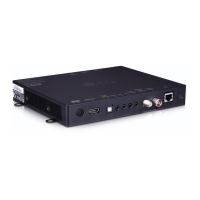
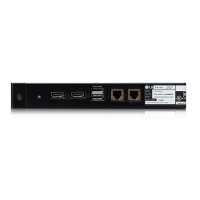
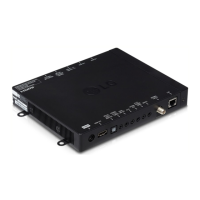
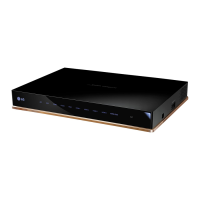
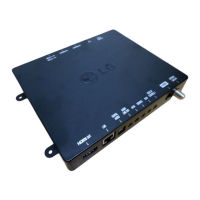
LG STB-2000 - User Manual

LG STB-2000
20 pages
Print Icon
To Next Page IconTo Next Page
Loading...
OWNER’S MANUAL
SET-TOP BOX
Please read this manual carefully before operating your
product and retain it for future reference.
P/NO : MFL68080365 (1406-REV00)
STB-2000
*mfl68080365*
www.lgsolutions.com

Other manuals for LG STB-2000

Questions and Answers

  • M
    Mr. Matthew MartinAug 1, 2025
    Why doesn't my LG Set-top boxes remote work?
    • B
      Beth GriffithAug 1, 2025
      If your LG Set-top box remote isn't working, here are some potential solutions: * Ensure the remote is in 'TV' mode by pressing the MODE key. * Point the remote directly at the IR receiver on the display panel. * Make sure the remote is not too far from the IR receiver and that nothing is blocking the path. Try moving closer, dimming the lights, or removing any obstructions. * Check and replace the batteries if they are weak, ensuring the correct polarity (+ and -) in the battery compartment. * If applicable, connect the MPI cable to the MPI device. * Also, ensure the Display Control is properly connected with the provided cable. * Note that a compatible LG Installer Remote might be required. Contact your LG representative.
  • O
    ojonesAug 7, 2025
    How to fix sound problems on LG Set-top boxes?
    • M
      morrisonaustinAug 7, 2025
      If you're getting normal picture but poor or no sound on your LG Set-top box, try the following: * First, check if the audio is muted. Press the MUTE button or use the Volume Up key to increase the sound level. * If the sound is still not working, the issue might be with the broadcast itself. Try switching to a different channel to see if the problem persists.
  • C
    Connie JonesAug 13, 2025
    What to do if my LG Set-top boxes has no picture?
    • M
      Michael ForbesAug 13, 2025
      If your LG Set-top box isn't displaying a picture, here's what you can check: * Make sure the display panel is turned ON. * Verify that the antenna or cable is securely connected to the STB. * Check all connections on the STB, paying special attention to the HDMI cabling. * If applicable, ensure the MPI cable is connected to the MPI device. * The program might be encrypted, so try switching to another channel. * Confirm that the tuning band is correctly set by adjusting the Installer Menu settings.
  • E
    Erica CardenasAug 19, 2025
    How to fix LG Set-top boxes when I cannot enter channel number?
    • W
      williamwardAug 19, 2025
      If you cannot directly enter a channel number on your LG Set-top box, it could be due to the following reasons: * If the STB is in Pass-through Mode, the Installer Menu item 028 CH. OVERIDE might be set to 0 (disabled). To enable direct keypad entry, set CH. OVERIDE to 1. * If the STB is in FTG Mode, the channel you're trying to enter may not be included in the FTG Channel Map. Use the FTG File Manager to make changes to the FTG Channel Map if necessary.
  • E
    Evan WarrenAug 25, 2025
    What to do if 'Check the Display Control connection' blinks off twice on LG Set-top boxes?
    • B
      Bruce DorseyAug 26, 2025
      If the 'Check the Display Control connection' message blinks off twice on your LG Set-top box, check the Display Control and HDMI connections between the STB and the display panel.

Summary

Important Safety Instructions

General Safety Warnings

Essential precautions regarding electric shock, fire, and product usage.

Power Cord and Outlet Safety

Guidelines for safe use and maintenance of the power cord and outlets.

Usage Environment Precautions

Warnings about outdoor use, wet locations, and avoiding direct air conditioning.

Antenna Grounding and Electrical Safety

Instructions for safe antenna grounding and general electrical precautions.

Product Care and Ventilation

Procedures for cleaning and ensuring proper ventilation for the STB.

FCC Compliance and Notices

Information regarding FCC rules, cable installation, and product compliance.

LG Recycling Policy Information

Details on LG's e-waste take-back and recycling services.

Assembling and Preparing

Unpacking Your Set-Top Box

Details on checking product box contents and identifying supplied accessories.

Identifying Parts and Ports

Identifies and illustrates the front and back panel ports and features.

Using the Dual Lock Accessory

Instructions on attaching the set-top box to a TV using Dual Lock.

Making Connections

Connecting to Antenna or Cable

Guide for connecting the set-top box to an antenna or cable source.

Connecting External Digital Devices

Instructions for connecting the set-top box to various external digital devices via HDMI.

Maintenance

Cleaning Your Set-Top Box

Procedures and precautions for cleaning the set-top box.

Troubleshooting

Remote Control Issues

Solutions for problems related to the remote control not working.

Video;Audio Output Problems

Troubleshooting steps for no video or audio output from the STB.

Sudden Power Off Troubleshooting

Explains potential causes and solutions for the STB turning off unexpectedly.

PC Connection Display Errors

Addresses 'No signal' or 'Invalid Format' errors when connecting to a PC.

Specifications

Television System Specifications

Details on supported TV systems and program coverage.

Environmental Operating Conditions

Specifications for operating and storage temperature and humidity.

STB-2000 Model Specifications

Technical details including dimensions, weight, and power requirements.

Wireless LAN Module Details

Information on the wireless LAN module, including standards and output power.

HDMI Supported Display Modes

Lists supported resolutions and frequencies for PC and DTV connections via HDMI.

Warranty

LGs Warranty Responsibilities

Details LG's warranty obligations regarding parts, labor, and service.

Owners Warranty Responsibilities

Outlines the owner's responsibilities for warranty claims and product care.

LG STB-2000 Specifications

General IconGeneral
BrandLG
ModelSTB-2000
CategorySet-top boxes
LanguageEnglish

Related product manuals