EasyManua.ls Logo

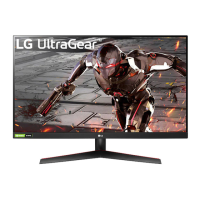
LG UltraGear 32GN650-B.AEU - User Manual

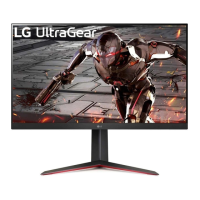
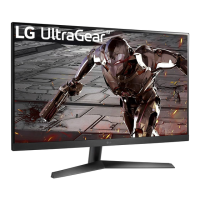
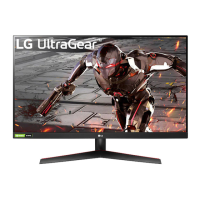
LG UltraGear 32GN650-B.AEU
48 pages
Print Icon
To Next Page IconTo Next Page
Loading...
* LG LED Monitor applies LCD screen with LED
backlights.
Please read this manual carefully before operating
your set and retain it for future reference.
24GN650
27GN650
32GN650
32GN63T
www.lg.com
Copyright © 2019 LG Electronics Inc. All Rights Reserved.
OWNER’S MANUAL
(LED Monitor*)

Questions and Answers

  • M
    Michele SimpsonAug 5, 2025
    Why is nothing displayed on my LG UltraGear 32GN650-B.AEU Monitor screen?
    • T
      Tiffany RamirezAug 5, 2025
      If your LG Monitor screen is blank, try these steps: First, ensure the power cord is securely plugged into the outlet. Next, verify the power cable connection and press the power button. Also, confirm that the correct input is enabled by going to Menu > Input. If the monitor is in sleep mode, move the mouse or press a key. Check that your computer is turned on. If you see a message about the signal cable, inspect the cable between the PC and monitor, and reconnect it if necessary. Finally, install the display driver from LG's website and check that your graphics card supports Plug and Play.
  • K
    Katherine ZimmermanAug 10, 2025
    How to troubleshoot no sound from the headphone port on LG UltraGear 32GN650-B.AEU Monitor?
    • S
      Stephanie NelsonAug 10, 2025
      If you're not getting any sound from the headphone port on your LG Monitor, first ensure that the headphone connections are properly made. Next, try increasing the volume using the joystick. Finally, set the audio output of your PC to the monitor by going to Control Panel > Hardware and Sound > Sound and setting the Monitor as the default device.
  • D
    David ShepardAug 14, 2025
    What to do if the display color is abnormal on my LG UltraGear 32GN650-B.AEU Monitor?
    • C
      Carol KellyAug 14, 2025
      If the display color on your LG Monitor seems off, try setting the color to 24 bit (true color) or higher via Control Panel > Display > Menu > Color Quality in Windows. Also, check the signal cable connection, reconnecting it or reinserting the PC's graphics card. Note that some pixilated spots (red, green, blue, white, or black) may appear – this is normal and not a defect.
  • J
    Jason CalderonAug 20, 2025
    How to fix unstable and shaky screen display on LG Monitor?
    • V
      Veronica NewmanAug 20, 2025
      If your LG Monitor's screen display is unstable or shaky, and images leave shadow trails, it might be due to the resolution being set to HDMI 1080i 60/50 Hz (interlaced). Try changing the resolution to 1080p or the recommended resolution to resolve the flickering.
  • K
    Kristen MooreAug 25, 2025
    Why does my LG UltraGear 32GN650-B.AEU Monitor screen retain an image?
    • B
      Brett VelezAug 25, 2025
      If your LG Monitor screen retains an image, it might be due to displaying a still image for a long time, which can damage the screen. To extend the monitor's life, use a screensaver.
  • N
    Natalie FloresAug 30, 2025
    What to do if some features are disabled on LG Monitor?
    • C
      Cindy WilliamsAug 30, 2025
      If some features are disabled on your LG Monitor, the OSD might be locked. To unlock it, go to Menu > General and set OSD Lock to Off.

Summary

License Information

Open Source Software Notice Information

Assembling and Preparing

Product and Button Description

Details the monitor's components and control buttons.

Joystick Operation and Monitor Handling

Explains joystick use and provides instructions for safely moving the monitor.

Installing on a Table

Guides on placing the monitor on a table for proper ventilation.

Adjusting Stand Height and Angle

Instructions for adjusting the monitor's screen height and tilt angle.

Pivot Feature

Describes how to rotate the monitor 90 degrees clockwise.

Cable Management and Security

Instructions for organizing cables and using the Kensington security lock.

Wall Mounting Installation

Steps for attaching a wall mount plate and mounting the monitor on a wall.

Using the Monitor

Connecting to a PC

How to connect the monitor to a computer using various interfaces.

HDMI Connection

Details on transmitting digital video and audio via HDMI.

DisplayPort Connection

Details on transmitting digital video and audio via DisplayPort.

Connecting AV Devices

Instructions for connecting audio-visual devices to the monitor.

Connecting Peripherals

Guidance on connecting external devices like headphones to the monitor.

Upgrading the Software via USB

Steps to update the monitor's firmware using a USB drive.

User Settings

Activating the Main Menu

How to access and navigate the monitor's main menu using the joystick.

Main Menu Features

Overview of the options available within the monitor's main menu.

Menu Settings

Detailed guide to configuring various monitor settings via the OSD menu.

Game Mode Settings

Options for optimizing the display for different gaming genres.

Game Adjust Settings

Adjustments for motion blur, response time, and game-specific features.

Picture Adjust Settings

Controls for brightness, contrast, color temperature, and other picture quality aspects.

Input Settings

Configuration for selecting input sources and aspect ratio.

General Settings

Options for language, energy saving, power LED, and compatibility modes.

Troubleshooting

Screen Display Issues

Troubleshooting common problems like no display, flickering, or image retention.

Feature Availability Issues

Resolving issues where monitor features are disabled or locked.

Color and Sound Problems

Solutions for abnormal display colors and issues with audio output.

Product Specification

Factory Support Mode

Technical settings for factory support and PC input modes.

HDMI Timing (Video)

Video signal timings for HDMI connections across different resolutions.

Power LED

Information on the monitor's power LED status indicators.

LG UltraGear 32GN650-B.AEU Specifications

General IconGeneral
BrandLG
ModelUltraGear 32GN650-B.AEU
CategoryMonitor
LanguageEnglish

Related product manuals