3
c Connect the speaker to the Game Console via an optical cable ([
See “Connecting via Optical Cable” on page 13.)
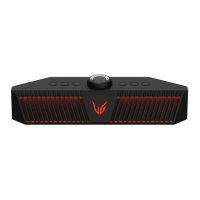
A Connect the speaker to the Game Console via an optical cable.
B Press the Power
button on the speaker to turn it on.
C Press the Function
button on the speaker repeatedly until the Function LED turns red.
d Connect the speaker to a smartphone via Bluetooth ([ See
“Connecting to Bluetooth” on page 15.)
A Press the Power button on the speaker to turn it on.
B Press the Function
button on the speaker repeatedly until the function LED turns blue.
C Press the Settings
button on the smartphone and select Bluetooth. Turn on the Bluetooth function. (
Off > On)
D Find "LG-GP9 (XX)" on the device list on the smartphone and connect to it. Once the smartphone is
connected via Bluetooth, the Function LED turns blue.
E On the smartphone, play a music of your choice
e Connecting the LG XBOOM App ([ See “Connecting to the LG
XBOOM App” on page 21.)
A Find the LG XBOOM app on the Play Store or App Store and install it on your smartphone.
B Run the LG XBOOM app and use more features (EQ , Voice Chat, Setting etc.)
Press and hold the Headset button for 2 seconds or use the App to turn the front lighting on or off.
If you are using a headset or earphones, connect it to the terminal.


 To Next Page