7
Notifications
Notifications alert you to the arrival of new messages, calendar events, alarms, as well as to
ongoing events, such as downloads. From the Notifications panel, you can view your tablet’s
current status and pending notifications.
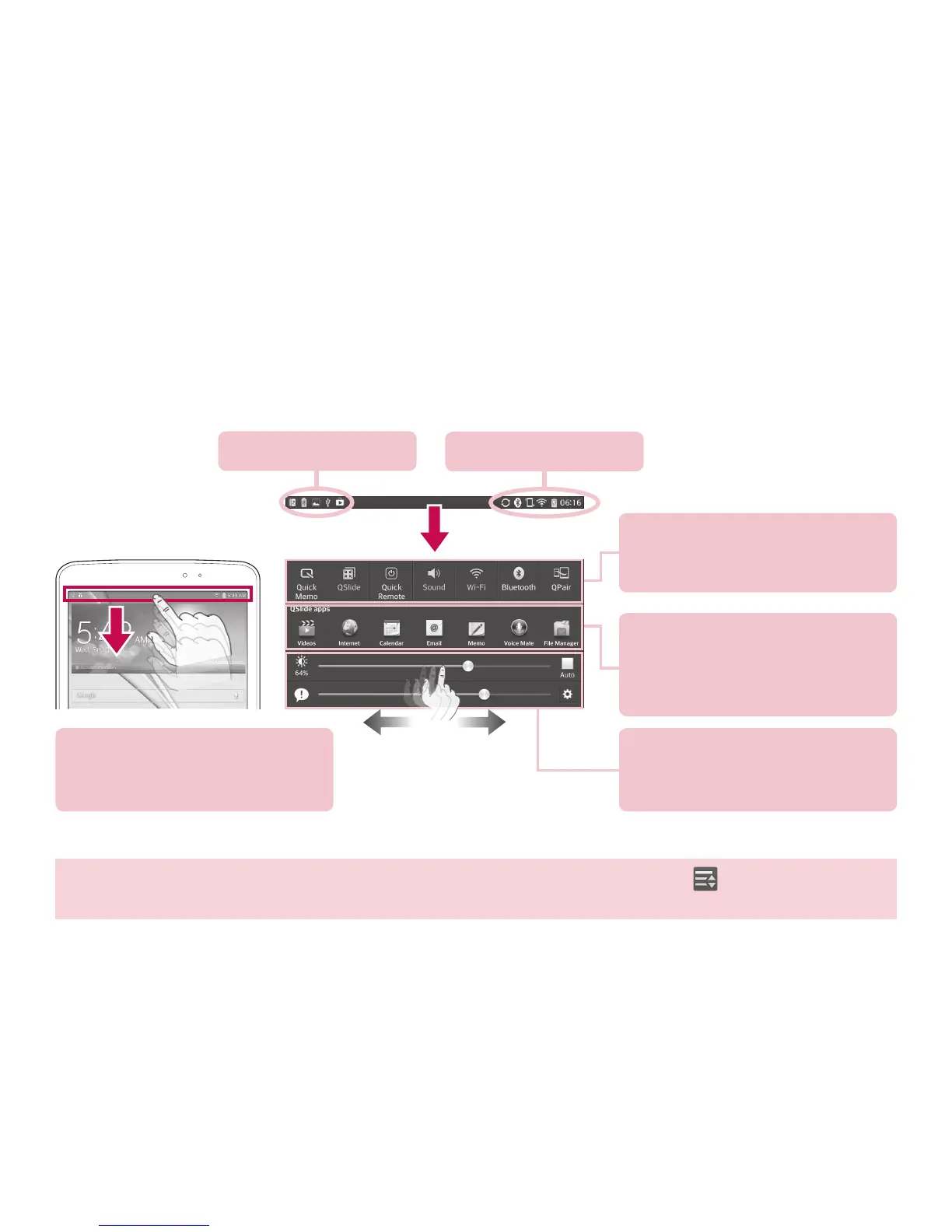
Pending notifications
System notifications
Use the Quick Settings to easily
toggle function settings like
Wi-Fi.
Tap an app on the QSlide apps
bar. QSlide provides a quick,
convenient way to multi-task on
the same screen.
Slide to the left and right to
adjust the screen brightness and
the volume.
Swipe the Status Bar down to
open the Notifications Panel to
access notifications.
TIP! Open the Notifications Panel, swipe the Quick Settings to the left, tap Edit and select the items
you want displayed on the Notifications Panel.



 To Next Page