How to Use Your Watch 25
Managing the Quick Settings
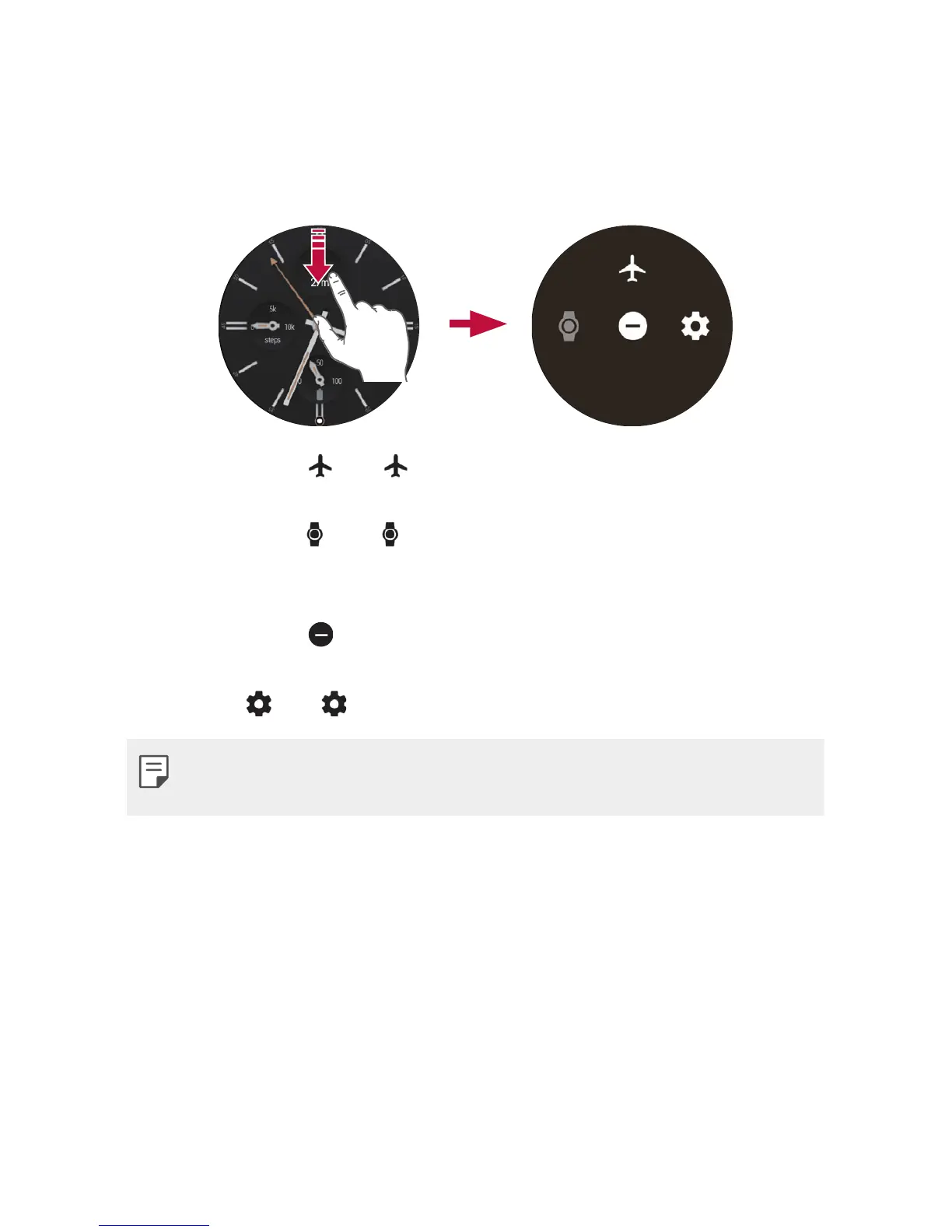
To open the Quick settings, swipe down on the watch face home screen.
The Quick settings allow you to quickly and easily change commonly used
settings.
• Airplane mode : Tap to disconnect all networks and turn off your
device’s connectivity on your watch.
• Theater mode
: Tap to turn off your watch’s screen. When
theater mode is turned on, your watch’s display does not light up and
notifications do not appear.
• Do not disturb
: Your watch will not show any notifications and
alerts while this setting is turned on.
• Settings
: Tap to open the Settings app.
• Some content may differ from your companion device depending on
the OS version.


 To Next Page