EasyManua.ls Logo

LG W95 - User Manual

LG W95
96 pages
Print Icon
To Next Page IconTo Next Page
Loading...
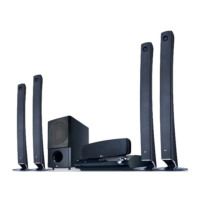
OWNER’S MANUAL
Network Blu-ray Disc™
/ DVD
Wireless Home Theater System
MODEL
HB965TXW (HB965TXW, SB95TX-S/C/W / W95)
P/NO : MFL65220873
Please read this manual carefully before operating
your set and retain it for future reference.
HB965TXW-AD.BZAFLLK_ENG_0447.ind1 1HB965TXW-AD.BZAFLLK_ENG_0447.ind1 1 2010.3.9 6:14:47 PM2010.3.9 6:14:47 PM

Table of Contents

Other manuals for LG W95

Questions and Answers

  • J
    John TaylorSep 12, 2025
    Why won't my DVD/CD play on my LG W95?
    • M
      Maxwell WeberSep 12, 2025
      If your LG Home Theater System isn't playing a DVD or CD, first, ensure that a disc is inserted. Check that the inserted disc is playable by verifying the disc type, colour system, and regional code. Make sure the disc is placed with the label or printed side facing up. Lastly, if applicable, enter your password or change the rating level.
  • J
    Jean MartinSep 9, 2025
    How to improve poor DVD picture quality on LG W95 Home Theater System?
    • M
      Megan LambertSep 9, 2025
      If the DVD picture quality is poor on your LG Home Theater System, clean the disc using a soft cloth, wiping from the center outwards.
  • M
    matthewfosterSep 8, 2025
    What to do if there is no picture on my LG Home Theater System?
    • L
      Larry HenrySep 8, 2025
      If there's no picture on your LG Home Theater System, make sure you've selected the correct video input mode on your TV so the picture from the unit is visible. Also, check that the video cables are securely connected to both the TV and the unit.
  • S
    Stephen BurnettSep 7, 2025
    How to improve radio tuning on LG W95 Home Theater System?
    • L
      Laura ClarkSep 7, 2025
      To improve radio tuning on your LG Home Theater System, check the antenna connection and adjust its position. If the signal strength is weak, tune to the station manually. If tuning by scanning preset channels, ensure stations have been preset.
  • M
    Marcus ChavezAug 23, 2025
    Why is my LG Home Theater System remote control not working?
    • E
      emmahughesAug 23, 2025
      Your LG Home Theater System remote might not be working for several reasons. Ensure you are pointing the remote directly at the unit and are within 23 feet (7m). Remove any obstacles between the remote and the unit. Also, check the batteries and replace them if they are flat.
  • Y
    ysmithSep 5, 2025
    Why is the DVD picture quality poor on my LG W95?
    • S
      stacey28Sep 5, 2025
      If the DVD picture quality is poor on your LG Home Theater System, the disc may be dirty. Clean the disc using a soft cloth, wiping from the center outwards.
  • T
    Timothy LandrySep 4, 2025
    Why does my LG W95 Home Theater System have no power?
    • S
      Shane HudsonSep 4, 2025
      If your LG Home Theater System has no power, the power cord may be disconnected. Ensure the power cord is securely plugged into the wall outlet.
  • C
    Carla MitchellSep 3, 2025
    What to do if my LG W95 Home Theater System won't play DVD/CD?
    • S
      Stacy MitchellSep 3, 2025
      If your LG Home Theater System won't play a DVD or CD, first ensure that a disc is inserted correctly with the label side facing upwards. Make sure the disc is playable by checking its type, colour system, and regional code. If there is a parental lock, enter your password or change the rating level.
  • C
    Christine DownsSep 2, 2025
    What to do if my LG W95 Home Theater System has no picture?
    • J
      jessicacrawfordSep 2, 2025
      If your LG Home Theater System shows no picture, ensure that your TV is set to the correct video input mode to receive the signal from the unit. Also, check that the video cables are securely connected to both the TV and the unit.
  • M
    Marie WilsonSep 1, 2025
    How to stop humming noise on LG W95 while playing DVD/CD?
    • H
      howard10Sep 1, 2025
      If you hear a humming noise while playing a DVD or CD on your LG Home Theater System, clean the disc using a soft cloth with outward strokes. Additionally, try moving the unit and audio components further away from your TV.

LG W95 Specifications

General IconGeneral
BrandLG
ModelW95
CategoryHome Theater System
LanguageEnglish

Related product manuals