EasyManua.ls Logo

LG W95 - User Manual

LG W95
96 pages
Print Icon
To Next Page IconTo Next Page
Loading...
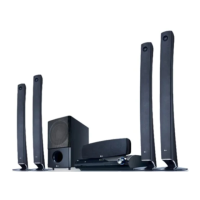
OWNER’S MANUAL
Network Blu-ray Disc™
/ DVD
Wireless Home Theater System
MODEL
HB965TXW (HB965TXW, SB95TX-S/C/W / W95)
P/NO : MFL65220873
Please read this manual carefully before operating
your set and retain it for future reference.
HB965TXW-AD.BZAFLLK_ENG_0447.ind1 1HB965TXW-AD.BZAFLLK_ENG_0447.ind1 1 2010.3.9 6:14:47 PM2010.3.9 6:14:47 PM

Table of Contents

Other manuals for LG W95

Questions and Answers

  • K
    kathrynfloydAug 30, 2025
    How to improve DVD picture quality on LG Home Theater System?
    • J
      John ArmstrongAug 30, 2025
      If the DVD picture quality on your LG Home Theater System is poor, clean the disc using a soft cloth, wiping from the center outwards.
  • B
    berryashleyAug 29, 2025
    Why is there no sound from my LG Receiver?
    • N
      Nicholas WilsonAug 30, 2025
      If you are experiencing little or no sound from your LG Receiver, ensure that the connected equipment is set to receive the DVD signal output. Check that the audio cables are correctly connected to the speakers and the unit. If the problem persists, the audio cables may be damaged; consider replacing them.
  • A
    Andrew CruzAug 28, 2025
    What to do if LG W95 remote control doesn’t work?
    • C
      Chris AndersonAug 28, 2025
      If your LG Home Theater System remote control isn’t working, make sure you're pointing it directly at the unit and that you're within 23 feet (7 meters). Remove any obstacles between the remote and the unit. If it still doesn't work, replace the batteries with new ones.
  • R
    Rachel HutchinsonAug 27, 2025
    Why is there little or no sound on my LG W95?
    • P
      petersenlauraAug 27, 2025
      If you're experiencing little or no sound with your LG Home Theater System, first, select the correct input mode on the unit to ensure you can hear the sound. Next, verify that the audio cables are correctly connected to the terminals. If the issue persists, try replacing the audio cable with a new one.
  • M
    Maria HooverAug 27, 2025
    How to fix no sound on LG W95 Home Theater System?
    • W
      William SmithAug 27, 2025
      If there is little or no sound from your LG Home Theater System, verify that the equipment connected via the audio cable is set to receive the DVD signal output. Ensure the audio cables are correctly connected to both the speakers and the unit. If the audio cables are damaged, replace them.
  • L
    lisa46Aug 25, 2025
    What to do if there is little or no sound on LG W95 Home Theater System?
    • H
      Haley MorrisAug 26, 2025
      If you're experiencing little or no sound from your LG Home Theater System, select the correct input mode on the unit to ensure you can hear the sound. Check that the audio cables are correctly connected to the terminals. If the issue persists, try replacing the audio cable with a new one.
  • D
    Derrick SmithAug 25, 2025
    Why is my LG Receiver remote control not working?
    • J
      Jennifer LesterAug 25, 2025
      If your LG Receiver remote control isn't working, first ensure you're pointing it directly at the unit and are within 23 feet (7m). Check for any obstacles blocking the path between the remote and the unit. If it still doesn't work, the batteries might be flat; replace them with new ones.

LG W95 Specifications

General IconGeneral
BrandLG
ModelW95
CategoryHome Theater System
LanguageEnglish

Related product manuals