EasyManua.ls Logo

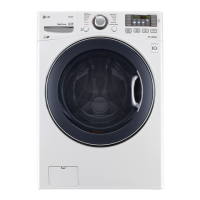
LG WM3570H - User Manual

LG WM3570H
46 pages
Print Icon
To Next Page IconTo Next Page
Loading...
OWNER’S MANUAL
WASHING MACHINE
WM3570H*A
P/No.: MFL67737668
www.lg.com
Before beginning installation, read these instructions carefully. This will sim plify
installation and ensure that the washer is installed correctly and safely.
Leave these instructions near the washer after installation for future reference.
ENGLISH
ESPAÑOL

Table of Contents

Questions and Answers

  • M
    Matthew ThomasAug 20, 2025
    Why is my LG WM3570H Washer draining slowly or not at all?
    • L
      Laura SchwartzAug 20, 2025
      Your LG washer might be draining slowly or not at all due to several reasons. To resolve this, ensure the drain hose is positioned within 3 feet below the end of the elbow bracket. Also, make sure the drain hose lies on a smooth surface to prevent bending. If the drain hoses are frozen, thaw them with warm water. Additionally, try opening the drain pump plug cap and removing any accumulated dirt.
  • D
    Douglas DanielAug 22, 2025
    What to do if my LG Washer is leaking water around it?
    • V
      Valerie HarrisAug 22, 2025
      If you notice water leaking around your LG washer, inspect the faucets and water lines for proper connections. Also, unclog the drain pipe or drain hose. If needed, contact a plumber for assistance.
  • K
    Katherine McleanAug 25, 2025
    What to do if LG Washer door does not open after cycle?
    • R
      Robert RamosAug 25, 2025
      If the door of your LG washer doesn't open after a cycle, it may be due to the safety lock feature that prevents burning. Wait until the door lock icon disappears from the display. Alternatively, allow the washer to complete the programmed cycle, or press the Spin button.
  • R
    rserranoAug 26, 2025
    How to fix LG WM3570H Washer power not turning on?
    • P
      Peter MorenoAug 26, 2025
      If your LG washer isn't powering on, first, check that the plug is securely inserted into a grounded 3-prong, 120 V (60 Hz) outlet. If it is, reset the circuit breaker or replace the fuse. Avoid increasing the fuse capacity. If a circuit overload is the issue, consult a qualified electrician to correct it.
  • D
    David RobinsonAug 28, 2025
    What to do if my LG WM3570H Washer has a power failure?
    • E
      Edward AndersonAug 28, 2025
      If a power failure has occurred with your LG washer, press the power button to turn it off, and then press it again to turn it back on.
  • E
    Emily CohenAug 29, 2025
    What to do if LG WM3570H tub does not rotate?
    • D
      Dylan WatsonAug 29, 2025
      If the tub in your LG washer isn't rotating, make sure the door is closed and secured. If the issue persists, unplug the power and contact your nearest LG service center.
  • M
    mgonzalezAug 31, 2025
    Why is my LG Washer making excessive suds or failing to rinse?
    • G
      garciajonSep 1, 2025
      Excessive suds or failure to rinse in your LG washer can be due to using too much detergent. Ensure you're using the recommended amount of detergent for the load size. If the contamination level is low, reduce the detergent quantity to less than the recommended level. Only use detergent with the HE (High-Efficiency) logo.
  • A
    Amy CrawfordSep 2, 2025
    What to do if my LG WM3570H has staining on clothes?
    • C
      Cheryl WilsonSep 3, 2025
      If your clothes are coming out stained from the LG washer, make sure to load detergent into the detergent dispenser drawer. Also, remove the load immediately after it finishes. Sort and separate dark colors from light or white ones, and heavily soiled items from lightly soiled ones.
  • M
    Mr. Jeremy WilkersonSep 4, 2025
    Why is item of clothing gathered on one side of the tub of my LG WM3570H?
    • C
      Christopher KeithSep 5, 2025
      If clothing gathers on one side of the tub in your LG washer, rearrange the items to help balance the load. Stuffed animals or mats can cause unbalance during spinning, potentially preventing draining. Rearrange knitwear to balance the load and drain again. When washing blankets, put one in at a time.
  • C
    coxstevenSep 6, 2025
    Why is the water not supplied to my LG Washer or why is the water pressure low?
    • J
      Judy FitzgeraldSep 6, 2025
      If water isn't being supplied to your LG washer, ensure the faucets are turned on. If a faucet is frozen, thaw it with warm water. If the inlet filter is clogged, clean it. Connect the water line properly with the cold water inlet.

Summary

PRODUCT FEATURES

INVERTER DIRECT-DRIVE MOTOR

Explains the direct-drive motor's capabilities and benefits.

SMART DIAGNOSIS

Feature for remote technical diagnosis via phone.

HIGH TEMPERATURE STEAM CYCLES

Steam cycles for effective stain removal.

IMPORTANT SAFETY INSTRUCTIONS

BASIC SAFETY PRECAUTIONS

General safety guidelines for appliance use.

GROUNDING INSTRUCTIONS

Requirements for proper electrical grounding.

SAFETY INSTRUCTIONS FOR INSTALLATION

Guidelines for safe installation procedures.

SAFETY INSTRUCTIONS FOR USE, CARE, CLEANING, AND DISPOSAL

Precautions for operating, maintaining, and disposing.

INTRODUCING YOUR WASHING MACHINE

CONTROL PANEL FEATURES

Overview of buttons, display icons, and operation.

INSTALLATION INSTRUCTIONS

PREVIEW INSTALLATION ORDER

Step-by-step visual guide to the installation process.

CHECKING AND CHOOSING THE PROPER LOCATION

Guidelines for selecting a suitable installation site.

UNPACKING AND REMOVING SHIPPING BOLTS

Instructions for safely removing transit packaging and bolts.

CONNECTING THE WATER LINES

Steps for attaching water supply hoses correctly.

CONNECTING THE DRAIN LINE

How to properly install the drain hose.

LEVELING THE WASHING MACHINE

Procedures to ensure the machine is stable and level.

PLUGGING IN THE POWER CORD AND GROUNDING

Instructions for electrical connection and grounding.

TEST RUN

Procedure to verify proper installation and operation.

USING YOUR WASHING MACHINE

BASIC OPERATION

Step-by-step guide to starting a wash cycle.

CYCLE GUIDE

Overview of cycles and recommended fabric types.

TAG ON SELF-DIAGNOSIS

Using the app for diagnostic troubleshooting.

TAG ON SMART DIAGNOSIS

Steps for contacting LG service via Smart Diagnosis.

TAG ON CYCLES DOWNLOAD

Downloading new wash cycles via smartphone.

TAG ON CYCLE SET

Automatically adjusting cycles based on laundry needs.

MAINTENANCE

TROUBLESHOOTING

CHECKING ERROR MESSAGES

Interpreting and resolving common error codes.

BEFORE CALLING FOR SERVICE

Troubleshooting common noises and minor issues.

USING SMART DIAGNOSIS

SMART DIAGNOSIS USING YOUR SMART PHONE

Troubleshooting via smartphone app.

SMART DIAGNOSIS THROUGH THE CALL CENTER

Troubleshooting via phone call to LG support.

LG WM3570H Specifications

General IconGeneral
Appliance CategoryWasher
TypeFront Load
Capacity4.5 cu. ft.
Energy Star CertifiedYes
Number of Wash Cycles14
Steam TechnologyYes
ColorWhite
Width27 inches
Height39 inches
Cycle TimeVaries by cycle
Voltage120 V
Spin Speed1300 RPM
Warranty1 Year Parts and Labor

Related product manuals