EasyManua.ls Logo

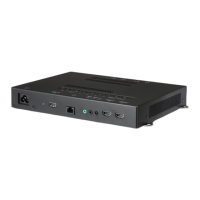
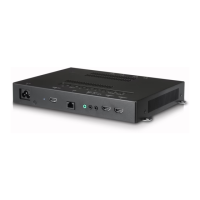
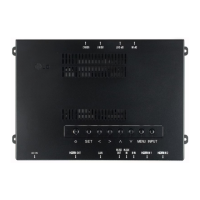
LG WP400 - User Manual

LG WP400
25 pages
Print Icon
To Next Page IconTo Next Page
Loading...
www.lg.com
Copyright © 2018 LG Electronics Inc. All Rights Reserved.
OWNER’S MANUAL
LG Digital
Signage
(Signage webOS Box)
Please read this manual carefully before operating your set and retain it
for future reference.
WP400

Other manuals for LG WP400

Questions and Answers

  • J
    johnsonjenniferAug 8, 2025
    Why is the screen color abnormal on my LG WP400 Digital Signage?
    • T
      tmedinaAug 9, 2025
      If the screen color on your LG Digital Signage appears abnormal, and you see poor color resolution (16 colors), set the number of colors to more than 24 bits (true color). In Windows, this can be adjusted via [Control Panel] ? [Display] ? [Settings] ? [Color Table]. Note that the specific settings might vary based on your operating system. If the screen color is unstable or mono-colored, check the connection status of the signal cable, or try re-inserting the PC graphics card.
  • J
    justin63Aug 13, 2025
    How to fix no image displayed on LG Digital Signage?
    • M
      Mary StewartAug 13, 2025
      If your LG Digital Signage isn't displaying an image, there are a few things to check: * Ensure the power cord is correctly plugged into the power outlet. * Verify that the signal from your PC (graphics card) is within the product's vertical or horizontal frequency range. Adjust the frequency range by referring to the Specifications in this manual. * Confirm the signal cable between your PC and the product is connected properly. Access the input menu to check the input signal.
  • B
    Brenda PierceAug 18, 2025
    What to do if the screen image looks abnormal on LG WP400?
    • M
      Michael JohnsonAug 19, 2025
      If the screen image on your LG Digital Signage looks abnormal, check the following: 1. Verify that the graphics card resolution and frequency are supported by the product. If the frequency is out of range, set to the recommended resolution in the Control Panel “Display” Setting menu. 2. Ensure the proper input signal is connected to the signal port by connecting the signal cable that matches the source input signal. 3. If the monitor’s screen size setting is cutting off part of the image, change the ARC of the connected device to use it.
  • C
    Courtney ChaseAug 23, 2025
    What to do if no image is displayed on LG WP400 Digital Signage?
    • M
      Matthew WilliamsAug 25, 2025
      If no image appears on your LG Digital Signage, ensure the power cord is securely plugged into the outlet. Also, verify the signal cable connection and use the input menu to check the input signal. If the signal from your PC's graphics card is beyond the product's vertical or horizontal frequency range, adjust the frequency range according to the specifications.
  • R
    Raymond MillerAug 29, 2025
    Why does the screen image look abnormal on my LG WP400 Digital Signage?
    • G
      Gabrielle ReedAug 29, 2025
      An abnormal screen image on your LG Digital Signage can occur if the graphics card resolution and frequency aren't supported. Check compatibility and set to the recommended resolution in the Control Panel 'Display' settings. Ensure the correct input signal is connected to the signal port. Also, the monitor’s screen size setting may cut off part of the image, so change the ARC of the connected device.
  • T
    thomas86Sep 3, 2025
    What to do if the operation does not work normally on LG WP400?
    • J
      johnrossSep 3, 2025
      If your LG Digital Signage isn't operating normally, check if the sleep timer is set and review the power control settings. Also, verify that there hasn't been a power interruption.

LG WP400 Specifications

General IconGeneral
Operating Temperature0 °C to 40 °C
Standby Power Consumption0.5W
Resolution1920 x 1080 (FHD)
Response Time8 ms
Viewing Angle (H x V)178° x 178°
Input PortsHDMI
Screen Size40 inches

Related product manuals