26
EN
Using Smart Diagnosis™
Smart Diagnosis™ Through the
Customer Information Centre
Use this function if you need an accurate diagnosis
by an LG Electronics customer information centre
when the appliance malfunctions or fails. Use this
function only to contact the service representative,
not during normal operation.
1
Press the Encendido/Apagado (Power)
button to turn on the washing machine. Do not
press any other buttons.
2
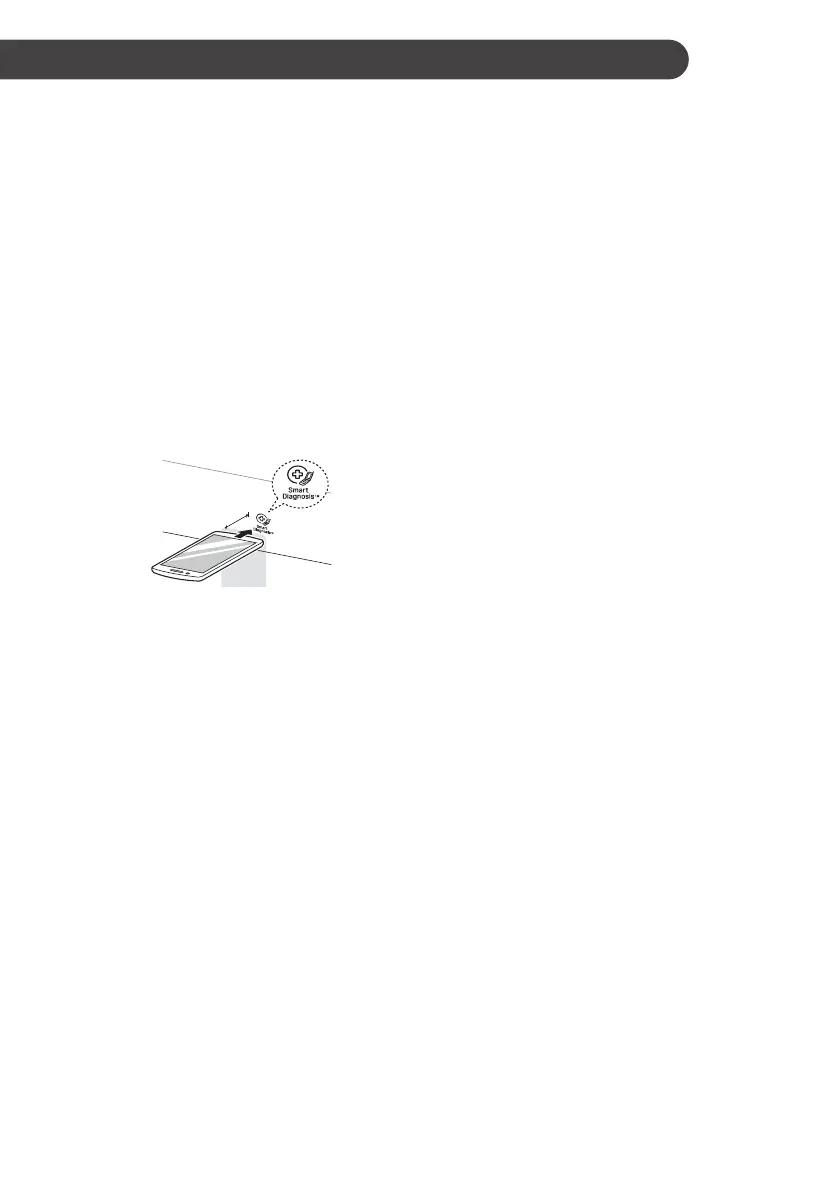
When instructed to do so by the call centre,
place the mouthpiece of your phone close to
the Smart Diagnosis™ icon.
Max.
10 mm
3
Press and hold the Temp. Lavado (Water
Temperature) button for 3 seconds.
4
Keep the phone in place until the tone
transmission has finished. Time remaining for
data transfer is displayed.
• For best results, do not move the phone
while the tones are being transmitted.
• If the call centre agent is not able to get an
accurate recording of the data, you may be
asked to try again.
5
Once the countdown is over and the tones
have stopped, resume your conversation with
the call centre agent, who will then be able to
assist you using the information transmitted for
analysis.
NOTE
• The Smart Diagnosis™ function depends on the
local call quality.
• The communication performance will improve
and you can receive better service if you use the
home phone.
• If the Smart Diagnosis™ data transfer is poor
due to poor call quality, you may not receive the
best Smart Diagnosis™ service.
SMART FUNCTIONS


 To Next Page