EasyManua.ls Logo

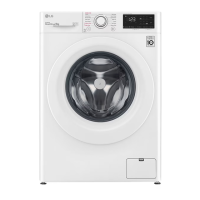
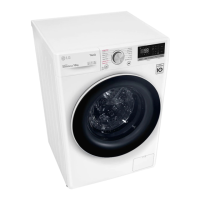
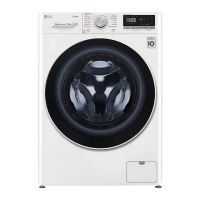
LG WV5-1275W - User Manual

LG WV5-1275W
44 pages
Print Icon
To Next Page IconTo Next Page
Loading...
www.lg.com
Copyright © 2019 LG Electronics Inc. All Rights Reserved
OWNER'S MANUAL
WASHING
MACHINE
Before beginning installation, read these instructions carefully. This will simplify
installation and ensure that the product is installed correctly and safely. Leave
these instructions near the product after installation for future reference.
AU ENGLISH
WV5-1275W
MFL71445942
Rev.01_091019

Questions and Answers

  • M
    Mrs. Samantha DavisAug 20, 2025
    What to do if my LG Washer does not operate?
    • C
      Christopher WellsAug 20, 2025
      If your LG Washer isn't operating, there are several things to check: * Ensure the control panel hasn't powered off due to inactivity by pressing the Power button. * Verify the appliance is securely plugged into a working outlet. * Make sure the water supply is fully turned on. * Confirm the cycle is correctly set, the door is closed properly, and press the Start/Pause button. * Check for tripped circuit breakers or blown fuses and reset or replace them. Note that the appliance should be on a dedicated branch circuit and will resume the cycle once power is restored.
  • B
    Benjamin BrownAug 21, 2025
    Why is my LG WV5-1275W leaking water?
    • E
      Edward ScottAug 22, 2025
      If your LG Washer is leaking, the issue might be with your house drain pipes being clogged; unclog them or contact a plumber if needed. Alternatively, the drain hose may be improperly installed or clogged; in that case, clean and straighten the drain hose and regularly check and clean the drain filter. Also, make sure the drain pump filter cap is correctly refitted.
  • M
    Miguel SheaAug 25, 2025
    Why does my LG WV5-1275W Washer show a UE UNBALANCE ERROR?
    • M
      Michael WestAug 25, 2025
      The UE UNBALANCE ERROR on your LG Washer indicates that the appliance has detected an imbalance. This can be due to: * The laundry being too wet: rearrange the load for proper spinning. * The load being too small: add 1 or 2 similar items to balance it. After rearranging or adding items, close the door and press Start/Pause. Note that the door must be locked before spinning can begin.
  • C
    Colleen JeffersonAug 26, 2025
    Why is detergent not dispensed completely in my LG WV5-1275W?
    • J
      Joshua WintersAug 26, 2025
      If detergent is not dispensed completely in your LG Washer, it could be because too much detergent is being used. Follow the detergent manufacturer's guidelines for the correct amount.
  • B
    billy18Aug 28, 2025
    Why are there stains on my clothes after washing in my LG WV5-1275W?
    • G
      Gregory MackAug 28, 2025
      If you notice staining on your clothes after washing in your LG Washer, it could be due to several reasons: * Bleach or softener being dispensed too soon because the dispenser compartment is overfilled; always measure these to prevent overfilling and close the dispenser drawer slowly. * Bleach or softener was added directly to the wash load in the drum; always use the dispensers. * Clothes were not properly sorted; always wash dark colors separately from light colors and whites and never wash heavily soiled items with lightly soiled items.
  • S
    Sydney YoungAug 30, 2025
    What to do if my LG Washer displays a PF POWER FAILURE?
    • P
      Peter NelsonAug 30, 2025
      If your LG Washer displays a PF POWER FAILURE, it indicates that the appliance experienced a mains power failure. Restart the cycle.
  • L
    Lori TorresSep 1, 2025
    What to do if my LG WV5-1275W Washer displays an LE MOTOR LOCKED ERROR?
    • R
      Randall StephensonSep 1, 2025
      If your LG Washer displays an LE MOTOR LOCKED ERROR, it indicates an overload in the motor. Let the appliance wait for 30 minutes until the motor cools down, and then restart the cycle.
  • M
    martinezmelissaSep 2, 2025
    What to do if my LG WV5-1275W displays an FE OVERFLOW ERROR?
    • M
      Morgan WrightSep 3, 2025
      If your LG Washer displays an FE OVERFLOW ERROR, it means that water is overfilling due to a faulty water valve. Close the water tap, unplug the power plug, and call for service.
  • K
    kingjimmySep 4, 2025
    What to do if my LG Washer cycle time is longer than usual?
    • K
      Kristy BrooksSep 5, 2025
      If your LG Washer's cycle time is longer than usual, consider these factors: if the load is too small, add more items to balance it. If heavy articles are mixed with lighter ones, wash items of similar weight together to allow even weight distribution during spinning. If the load is out of balance, manually redistribute tangled articles.
  • B
    Brian GainesSep 6, 2025
    Why does my LG Washer have a musty odour?
    • W
      wdavisSep 7, 2025
      A musty or mildewy odor in your LG Washer may be due to the inside of the drum not being cleaned properly; run the Tub Clean function regularly. Also, the detergent dispenser drawer may not be cleaned regularly; clean it, especially the top and bottom of the drawer’s opening.

Summary

Important Safety Instructions

Read All Instructions Before Use

Emphasizes the importance of reading all safety instructions before operating the appliance.

Installation

Parts and Specifications

Details the components and technical specifications of the washing machine model.

Specifications

Provides detailed technical data including capacity, power, dimensions, and weight.

Installation Place Requirements

Outlines the necessary conditions and clearances for installing the washing machine safely and correctly.

Unpacking the Appliance

Guides users through the process of removing the appliance from its packaging and foam base.

Removing the Bolt Assemblies

Explains how to remove transit bolts before operating the appliance for the first time.

Adjusting and Levelling the Feet

Details the process of aligning and levelling the appliance using its adjustable feet for stability.

Connecting the Water Inlet Hose

Provides step-by-step instructions for connecting the water supply hose to the appliance.

Connecting Hose to Water Tap

Explains different methods for connecting the water inlet hose to various types of taps.

Connecting One Touch Type Hose to Tap Without Thread

Details the procedure for connecting a specific type of hose to a tap without threads.

Installing the Drain Hose

Installing the Drain Hose with the Elbow Bracket

Guides on correctly installing the drain hose, including the use of an elbow bracket for proper drainage.

Operation

Operation Overview

Provides a general introduction to using the washing machine and its basic functions.

Preparing the Wash Load

Offers guidance on sorting laundry and preparing it for optimal washing results.

Checking the Clothes Care Label

Explains how to interpret garment care labels for correct washing procedures.

Adding Detergents and Softeners

Details the correct dosage and placement of detergents and fabric softeners in the dispenser.

Adding Fabric Softener

Guidance on how to properly add fabric softener to avoid overfilling and staining.

Control Panel

Describes the various buttons, knobs, and the display on the washing machine's control panel.

Programme Table

Presents a comprehensive table detailing available wash programmes, their descriptions, temperatures, and load capacities.

Extra Options and Functions

Explains how to use additional functions like Intensive, Rinse+, and Pre Wash to customize wash cycles.

Delay End

Describes how to set a delayed start time for the wash cycle.

Add Item

Instructions on how to add or remove laundry items after the wash cycle has begun.

Child Lock

Explains how to activate and deactivate the child lock feature to prevent unintended operation.

Smart Functions

Using LG SmartThinQ Application

Guides on connecting the appliance to a smartphone via the LG SmartThinQ app.

Wi-Fi Function

Details how to communicate with the appliance using smart features via a Wi-Fi connection.

Using the Appliance Remotely

Explains how to control the washing machine remotely using a smartphone app.

Using Smart Diagnosis

Describes how to use the smart diagnosis feature to troubleshoot appliance issues via phone.

Maintenance

Cleaning After Every Wash

Provides instructions for routine cleaning of the door, seal, and drum after each wash.

Cleaning the Exterior

Guides on how to clean the external surfaces of the washing machine.

Cleaning the Interior

Details how to clean the inside of the appliance, including the door opening and glass.

Cleaning the Water Inlet Filter

Explains how to clean the filter that collects sediment from the water supply.

Cleaning the Drain Pump Filter and Performing an Emergency Water Evacuation

Guides on cleaning the drain pump filter and how to evacuate water in case of an emergency.

Cleaning the Dispenser Drawer

Instructions for removing and cleaning the detergent and softener dispenser drawer.

Troubleshooting

Before Calling for Service

Offers initial steps to take before contacting customer service for appliance issues.

Error Messages

Lists common error messages, their possible causes, and solutions for the appliance.

Noises You Might Hear

Describes common operational noises and their potential causes and solutions.

Operation Issues

Covers troubleshooting steps related to the appliance's operation, including water leakage and control panel issues.

Performance Issues

Poor Stain Removal

Discusses causes and solutions for ineffective stain removal during washing cycles.

Staining

Addresses issues related to staining from incorrect detergent or softener usage.

Wrinkling

Provides tips to prevent clothes from wrinkling due to washing or unloading timing.

Wi-Fi Connectivity Issues

Troubleshooting tips for connecting the appliance to a Wi-Fi network.

LG WV5-1275W Specifications

General IconGeneral
Capacity12 kg
Spin Speed1200 RPM
ColorWhite
Inverter MotorYes
Smart FunctionalityYes
Wash Programs14
Delay StartYes
Child LockYes
Loading typeFront Load
Energy efficiency classA+++
TypeFront Load
Dimensions (WxDxH)600 x 850 mm
Energy RatingA+++

Related product manuals