EasyManua.ls Logo

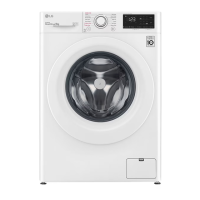
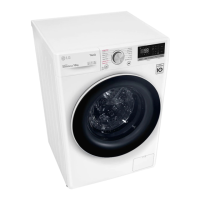
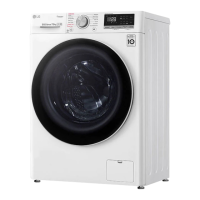
LG WV9-1412W - User Manual

LG WV9-1412W
48 pages
Print Icon
To Next Page IconTo Next Page
Loading...
OWNER'S MANUAL
WASHING
MACHINE
Before beginning installation, read these instructions
carefully. This will simplify installation and ensure that the
product is installed correctly and safely. Leave these
instructions near the product after installation for future
reference.
EN ENGLISH
WV9-1410B, WV9-1412W
MFL71485444
Rev.00_030420
www.lg.com
Copyright © 2020 LG Electronics Inc. All Rights Reserved.

Questions and Answers

  • B
    Brent ObrienDec 1, 2025
    Why won't my LG WV9-1412W Washer connect to Wi-Fi?
    • A
      alvaradomelissaDec 1, 2025
      If your LG appliance and smartphone are not connecting to Wi-Fi, the password for the Wi-Fi that you are trying to connect to is incorrect, find the Wi-Fi network connected to your smartphone and remove it, then register your appliance on LG ThinQ. Mobile data for your smartphone is turned on, turn off the Mobile data of your smartphone and register the appliance using the Wi-Fi network. The wireless network name (SSID) is set incorrectly, the wireless network name (SSID) should be a combination of English letters and numbers (do not use special characters). The router frequency is not 2.4 GHz, only a 2.4 GHz router frequency is supported, set the wireless router to 2.4 GHz and connect the appliance to the wireless router (to check the router frequency, check with your internet service pro...
  • K
    Kyle MccormickAug 25, 2025
    Why is my LG WV9-1412W not working?
    • M
      Michael RossAug 25, 2025
      There are several reasons why your LG Washer might not be operating. First, ensure the control panel hasn't powered off due to inactivity by pressing the Power button. Check that the appliance is securely plugged into a working outlet and the water supply is fully turned on. Make sure the programme is correctly set, the door is properly closed, and the Start/Pause button is pressed. Also, inspect your house circuit breakers/fuses and reset them if necessary. If these steps don't work, try resetting the control by pressing the Power button, reselecting the programme, and pressing Start/Pause. In case of extremely low water pressure, check another tap in the house. Finally, remember that the drum may stop temporarily during heating or steaming cycles.
  • A
    Amanda TerryAug 25, 2025
    Why is my LG WV9-1412W Washer leaking water?
    • B
      Brenda MayerAug 26, 2025
      If your LG Washer is leaking, it could be due to several reasons. Check for clogged house drain pipes and unclog them, contacting a plumber if needed. Also, inspect the drain hose for improper installation or clogs; clean and straighten it, and regularly check the drain filter. Ensure the drain pump filter cap is correctly fitted.
  • R
    Rebecca HarrisAug 27, 2025
    What to do if my LG Washer shows a UE error?
    • A
      Alexandria HughesAug 27, 2025
      If your LG Washer displays a UE UNBALANCE ERROR, it means the load is unbalanced. The clothes may be too wet at the end of the cycle. Rearrange the load to allow proper spinning. Close the door and press Start/Pause button. It may take a few moments before the appliance begins to spin. The door must be locked before spin can be achieved. If the load is too small, add 1 or 2 similar items or smaller articles of clothes to help balance the load. Close the door and press Start/Pause button. It may take a few moments before the appliance begins to spin. The door must be locked before spin can be achieved.
  • J
    johnnyblackAug 27, 2025
    Why is my LG WV9-1412W Washer not filling with water properly?
    • K
      Kim JonesAug 27, 2025
      If your LG Washer is not filling properly, start by checking if the inlet filters on the fill valves are clogged. Also, inspect the inlet hoses for any kinks or clogs. Ensure that both hot and cold water taps are fully turned on. Finally, verify that the hot and cold supply hoses are correctly connected.
  • T
    taylorsmithSep 15, 2025
    Why is the cycle end delayed on my LG WV9-1412W Washer?
    • B
      bhillSep 15, 2025
      If the cycle end is delayed on your LG Washer, it is normal because unbalance is detected or suds removing programme is on. The time remaining shown on the display is only an estimated duration. Actual time may vary.
  • R
    Ronald ThomasSep 12, 2025
    Why are the buttons not working on my LG WV9-1412W Washer?
    • Y
      ytaylorSep 12, 2025
      If the buttons on your LG Washer are not functioning properly, the Child Lock option may be activated. Deactivate the Child Lock option if necessary.
  • E
    Elizabeth MiddletonSep 13, 2025
    Why are my clothes getting stained in my LG WV9-1412W Washer?
    • M
      Madison JohnsonSep 14, 2025
      Staining in your LG Washer can occur if bleach or softener is dispensed too soon, so dispenser compartment is overfilled, it makes bleach or softer dispensed rapidly, always measure bleach or softener to prevent overfilling and close the detergent dispenser slowly. If bleach or softener was added directly to the clothes in the drum, always use the detergent dispenser to ensure that bleach or softener is properly dispensed at the right time in the programme. If clothes were not properly sorted, always wash dark colours separately from light colours and whites to prevent discoloration and never wash heavily soiled items with lightly soiled items.
  • R
    Rodney CabreraSep 5, 2025
    Why is my LG Washer making a rattling noise?
    • K
      Kristie CookeSep 5, 2025
      If your LG Washer is making a rattling or clanking noise, there might be foreign objects like keys, coins, or safety pins in the drum. Stop the appliance and check the drum for such objects. If the noise continues after restarting, call for service.
  • M
    Miguel JonesSep 3, 2025
    Why is my LG WV9-1412W Washer making a vibrating noise?
    • N
      Nathan WellsSep 3, 2025
      A vibrating noise in your LG Washer can be caused by several factors. First, make sure all package materials have been removed. If not, remove package materials. The clothes may be unevenly distributed in the drum. Pause the programme and redistribute the clothes after the door unlocks. Ensure all levelling feet are resting firmly and evenly on the floor; refer to the Levelling the Appliance instructions for adjustment. Also, check if the floor is solid and doesn't flex; see the Installation Place Requirements to select the proper location.

Summary

Safety Instructions

Technical Safety Guidelines

Covers user safety, power cord, ventilation, and intended use of the appliance.

Installation

Installation Place Requirements

Details requirements for the installation location and floor type.

Electrical Connection

Instructions for safely connecting the appliance to power.

Adjusting and Levelling Feet

How to adjust the appliance's feet for stability.

Checking Appliance Level

Steps to ensure the appliance is perfectly level.

Connecting Water Supply Hose

Instructions for connecting the water inlet hose.

Installing Drain Hose

Instructions for correctly installing the drain hose.

Operation

Adding Detergents and Softeners

Guidance on using detergents and fabric softeners.

Using the Dispenser

Instructions for adding detergent and softener to the dispenser.

Control Panel Overview

Explanation of the washing machine's control panel features and buttons.

Customizing Programme Settings

How to adjust settings like temperature, spin speed, and soil level.

Washing Programme Table

Details of available washing programmes, temperatures, and load sizes.

Customizing Washing Programme

Step-by-step guide to customize programme settings.

Smart Functions

LG ThinQ Application Introduction

Overview of the LG ThinQ app for smartphone communication.

Smart Diagnosis and Settings

Diagnosing issues and setting options via the app.

Using the Appliance Remotely (Remote Start)

Detailed guide on using the Remote Start function.

Audible Diagnosis Procedure

Using sound to diagnose appliance problems via the app.

LG ThinQ Diagnosis with Smartphone

Transmitting troubleshooting data to a smartphone.

Maintenance

Drain Pump Filter Cleaning

Steps to clean the drain pump filter.

Troubleshooting

Before Calling for Service Checklist

Advice on checks to perform before contacting service.

Common Error Messages Explained

Lists common error codes and their causes/solutions.

Appliance Not Operating Troubleshooting

Common reasons why the appliance may not start.

Wi-Fi Connection Troubleshooting

Troubleshooting Wi-Fi connection issues.

LG WV9-1412W Specifications

General IconGeneral
Loading typeFront loading
Capacity12 kg
Spin speed1400 RPM
Washing efficiency classA
ColorWhite
Dimensions (WxDxH)600 x 850 mm
ProgramsAllergy Care, Cotton, Easy Care, Silent Wash
Smart FeaturesSmart Diagnosis
TypeFront Load Washer

Related product manuals