Hooking up the unit - I
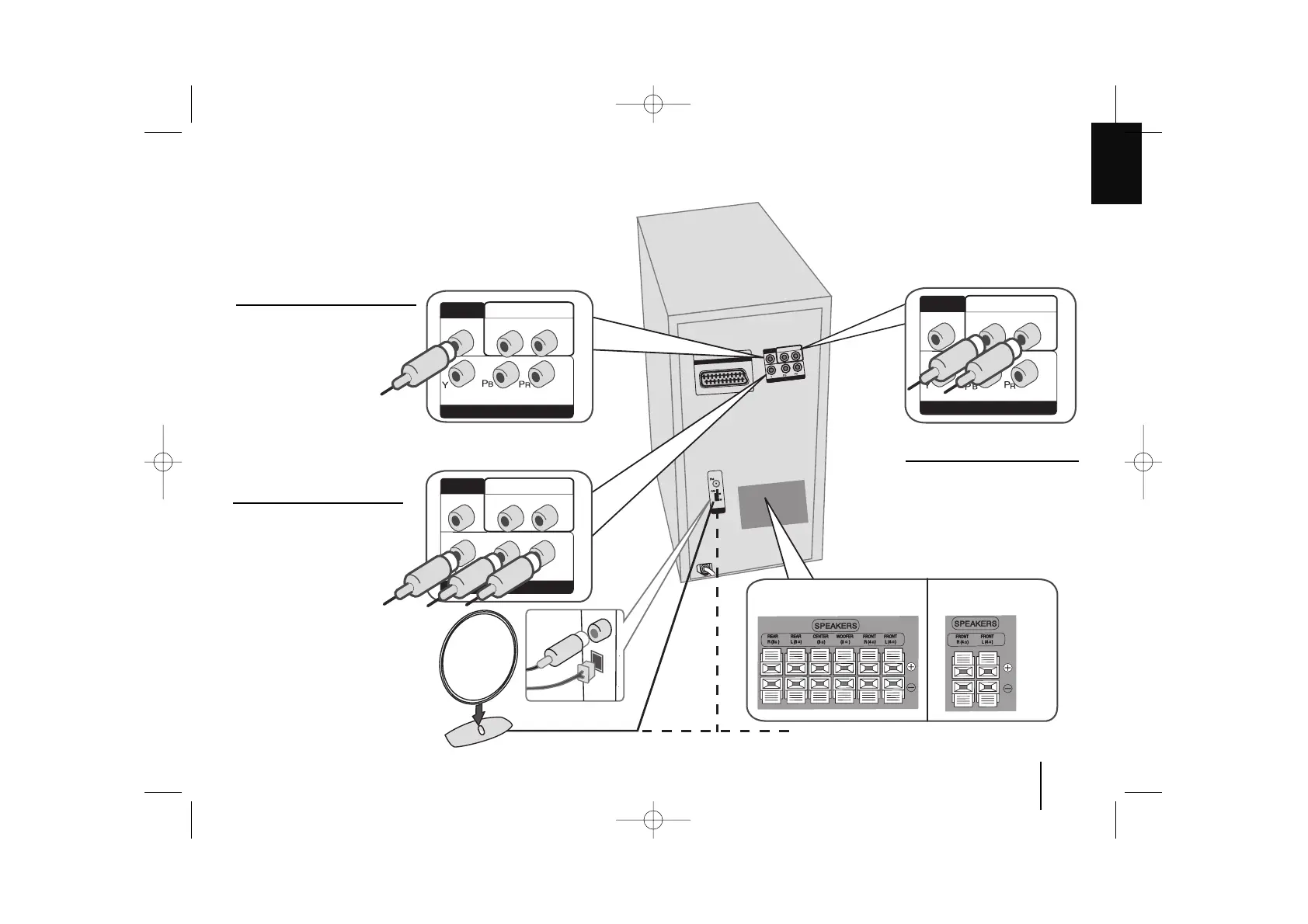
MONITOR jack connection
Connect the MONITOR jack on
the unit to the corresponding input
jacks on your TV using a Video
cable.
INPUT (L-AUX-R) jacks
connection
Connect a VCR or Auxiliary
device, etc. to the INPUT jack of
this unit.
Press the INPUT button on the
remote control until the “AUX”
indicator is displayed in the dis-
play window.
OUT PUT (COMPONENT
VIDEO) jacks connection
Connect one end of the compo-
nent(Y PB PR )cable to the
COMPONENT VIDEO jack on
the unit and other end to the
COMPONENT INPUT jack on
your TV.
MONITOR OUT / Component (OUTPUT) / INPUT(L-AUX-R) connections
XD533
XD203



 To Next Page