16
INSTALLATION INSTRUCTIONS
ENGLISH
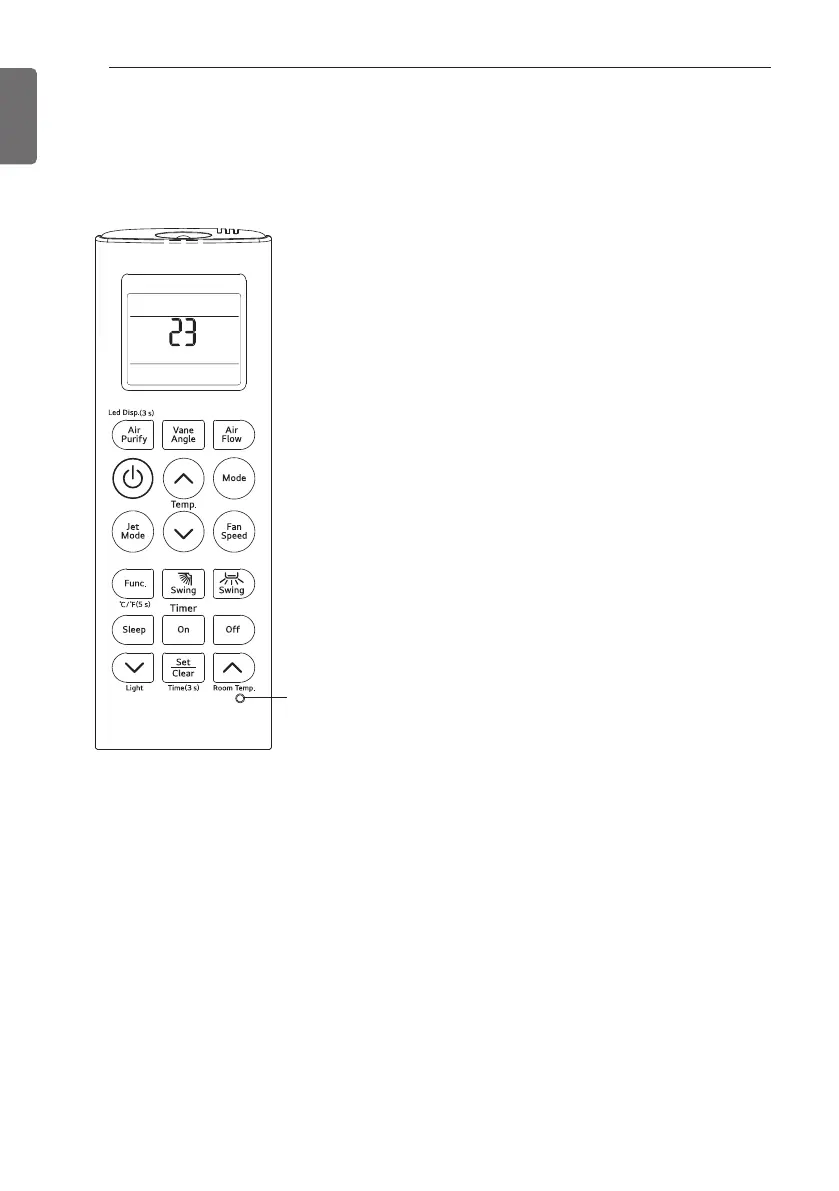
1 With the MODE button pressed, press the
RESET button.
2 By using the temperature setting button,
set the indoor unit address.
- Setting range : 00 ~ FF
3 After setting the address, press the
ON/OFF button toward the indoor unit 1
time.
4 The indoor unit will display the set address
to complete the address setting.
- The address display time and method can
differ by the indoor uint type.
5 Reset the remote controller to use the
general operation mode.
Installer Setting - Checking Address of Central Control
1 With the Air Purify button pressed, press the RESET button.
2 Press the ON/OFF button toward the indoor unit 1 time, and the indoor unit will display the
set address in the display window.
- The address display time and method can differ by the indoor unit type.
3 Reset the remote controller to use the general operation mode.
RESET button
INSTALLATION INSTRUCTIONS
Installer Setting - Setting Address of Central Control



 To Next Page