OWNER'S INSTRUCTION
23
ENGLISH
Individual vane angle control
It is the function that can control 4 vane
angles individually in the ceiling type 4Way
cassette product group.
1 Press the VANE ANGLE button.
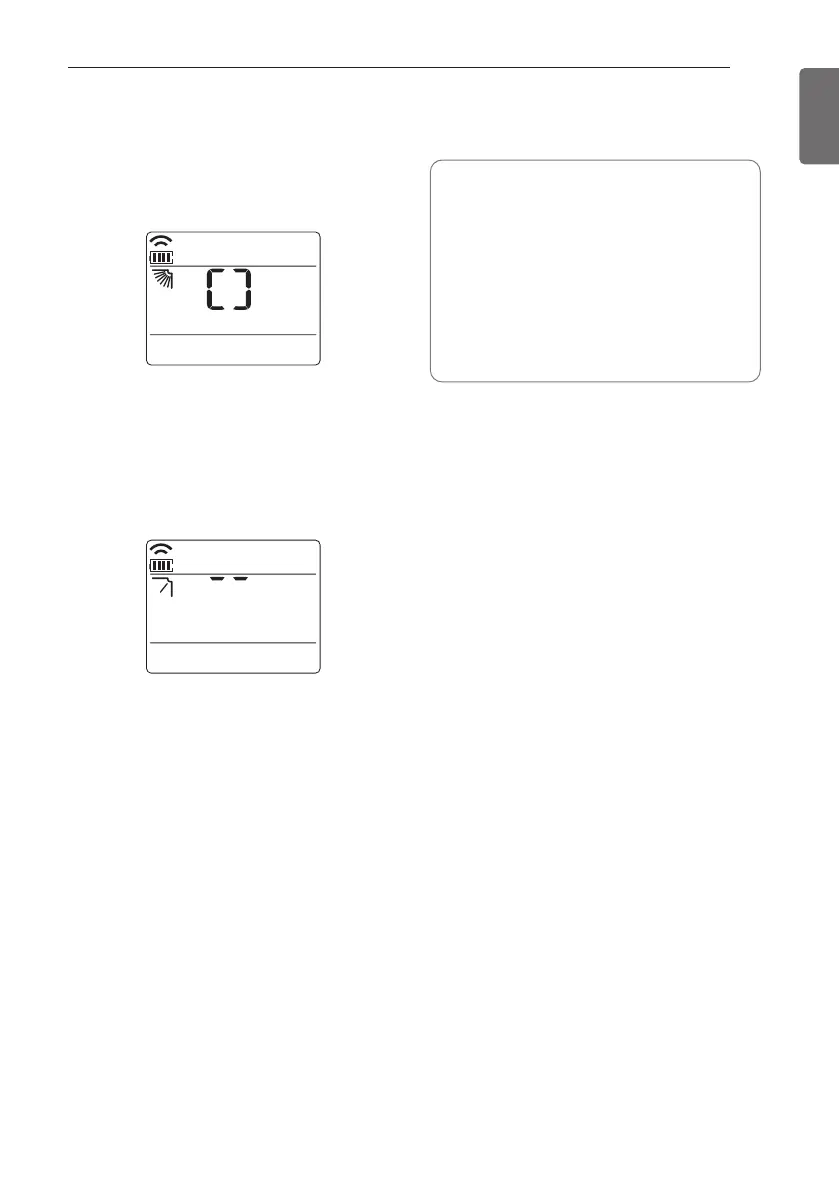
Individual vane angle control symbol will
blink.
- If you press the VANE ANGLE button for
3 seconds in that time, all vanes are set
to standard angle.
2 Set each vane angle by pressing the VANE
ANGLE button.
- Every time the button is pressed,
corresponding vane angle and set values
are displayed.
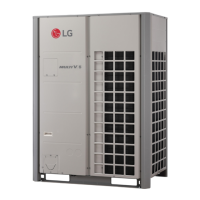
- When up direction button is pressed, the
display window appears as of the figure
in the right, and the angle can be set to
1~6.
3 Press SET/CLEAR button to reserve or
cancel the individual vane angle control
function.
• There may be differences between
wireless remote controller
up/down/left/right buttons and the wind
discharge port directions.
• Set desired angle with checking the
vane angle movement of the product.
• The individual vane control function is
an additional function of a product, and
it may not work in some products.



 To Next Page