10
1 - GENERAL FEATURES
− put the device in the non-self-resetting yarn threading state
“WAIT:YarnWinding” (see chapter 3.1). To this purpose, hold this button
pressed for about 1 second.
“ ” Button
This button is used to scroll menus and submenus upwards. Moreover, it is
used to increase values in data entry/edit sessions.
If it is held pressed while a datum is being edited in the programming mode,
the value will go up quickly.
This button is also used to reinstate the device when it is in the yarn
threading state “WAIT:YarnWinding”.
Tasto “ ”
This button is used to scroll menus and submenus downwards. Moreover, it
is used to decrease values in data entry/edit sessions.
If it is held pressed while a datum is being edited in the programming mode,
the value will go down quickly.
This button is also used to reinstate the device when it is in the yarn
threading state “WAIT:YarnWinding”.
“ ” & “ ” pressed simultaneously
While entering/editing parameters which may have a very large range of
values, the increase/decrease step can be changed by simultaneously
pressing the buttons “+” and “-”.
Note: his function is only enabled in the parameter entry/edit mode.
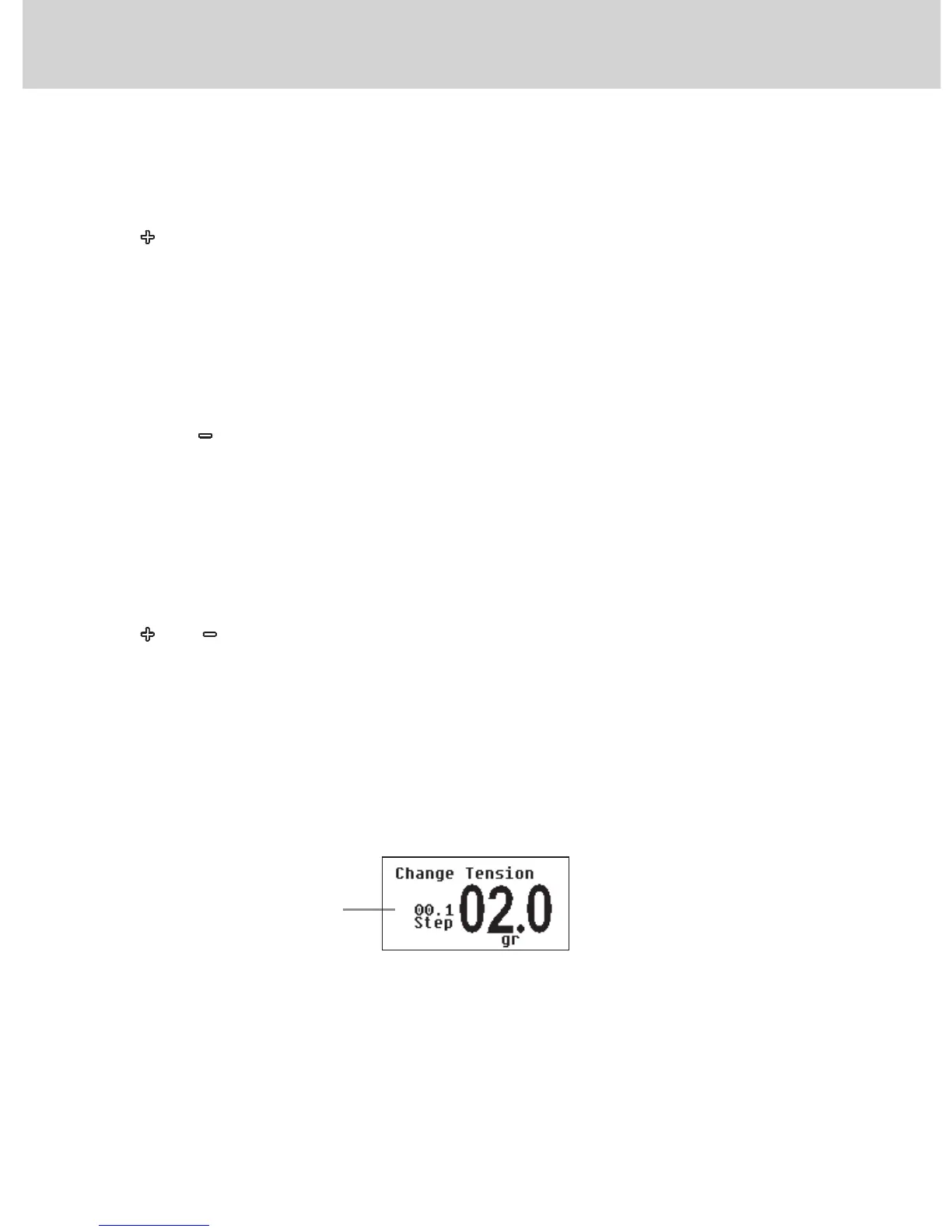
See figure below:
Increase/decrease step


 To Next Page