Chapter 5 Operation of Display Panel
62
2001-11-08
UL33-0400L
12:50:30
Inv. On Units 2/4 ID: 1
Input Breaker Closed
11£ -08 12:09
UPS in Battery Mode
Battery low
11£ -08 12:09
11£ -08 12:28
11£ -08 12:28
11£ -08 12:50
Records
Out
System
Local
Settings
Byp. Breaker Closed
Mains Volt. Abnormal
Battery
m
ÊÖ¶¯µç³Ø×Ô¼ì
Phone Call No. 2
Phone Call No. 3
*******************
Phone Call No. 1
*******************
*******************
c
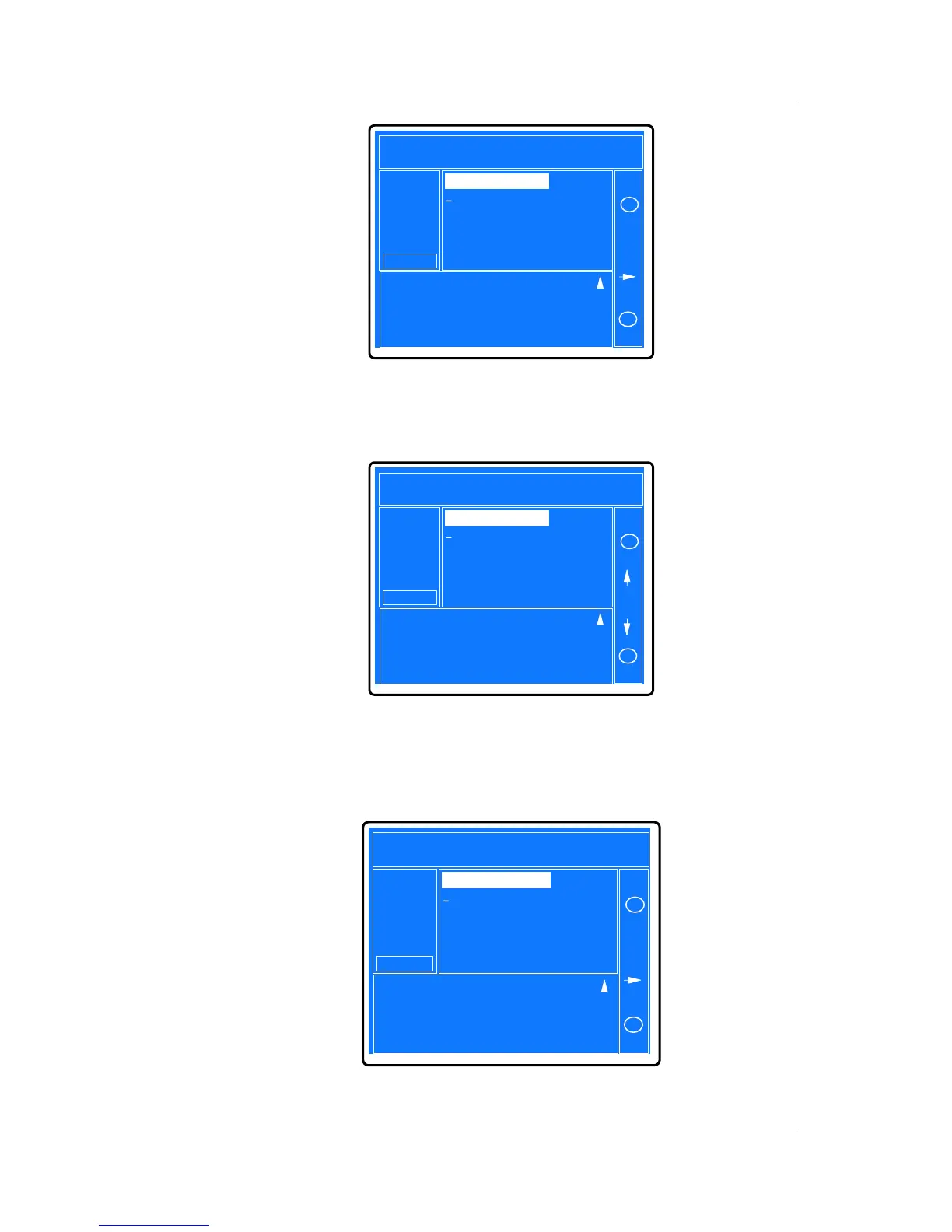
Fig. 5-36 Setup fault call-back number 1
Pressing F4 key to confirm and save the changed parameter, and then the
functions of keys will be re-defined again, as shown in Fig. 5-37.
2001-11-08
UL33-0400L
12:50:30
Inv. On Units 2/4 ID: 1
Input Breaker Closed
11£ -08 12:09
UPS in Battery Mode
Battery low
11£ -08 12:09
11£ -08 12:28
11£ -08 12:28
11£ -08 12:50
Records
Out
System
Local
Settings
Byp. Breaker Closed
Mains Volt. Abnormal
Battery
ok
ÊÖ¶¯µç³Ø×Ô¼ì
Phone Call No. 2
Phone Call No. 3
*******************
Phone Call No. 1
*******************
*******************
c
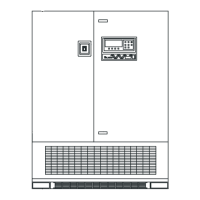
Fig. 5-37 Setup fault call-back number 2
The range of each digit is 0, 1, 2, 3, 4, 5, 6, 7, 8, 9, *. “*” means the digit is void.
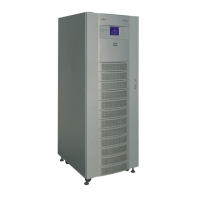
Pressing F3 (down key) to change the first digit to 0 and pressing F4 to confirm and
return to the higher level menu, as shown in Fig. 5-38.
2001-11-08
UL33-0400L
12:50:30
Inv. On Units 2/4 ID: 1
Input Breaker Closed
11£ -08 12:09
UPS in Battery Mode
Battery low
11£ -08 12:09
11£ -08 12:28
11£ -08 12:28
11£ -08 12:50
Records
Out
System
Local
Settings
Byp. Breaker Closed
Mains Volt. Abnormal
Battery
m
ÊÖ¶¯µç³Ø×Ô¼ì
Phone Call No. 2
Phone Call No. 3
*******************
Phone Call No. 1
*******************
0******************
c
Fig. 5-38 Setup fault call-back number 3


 To Next Page