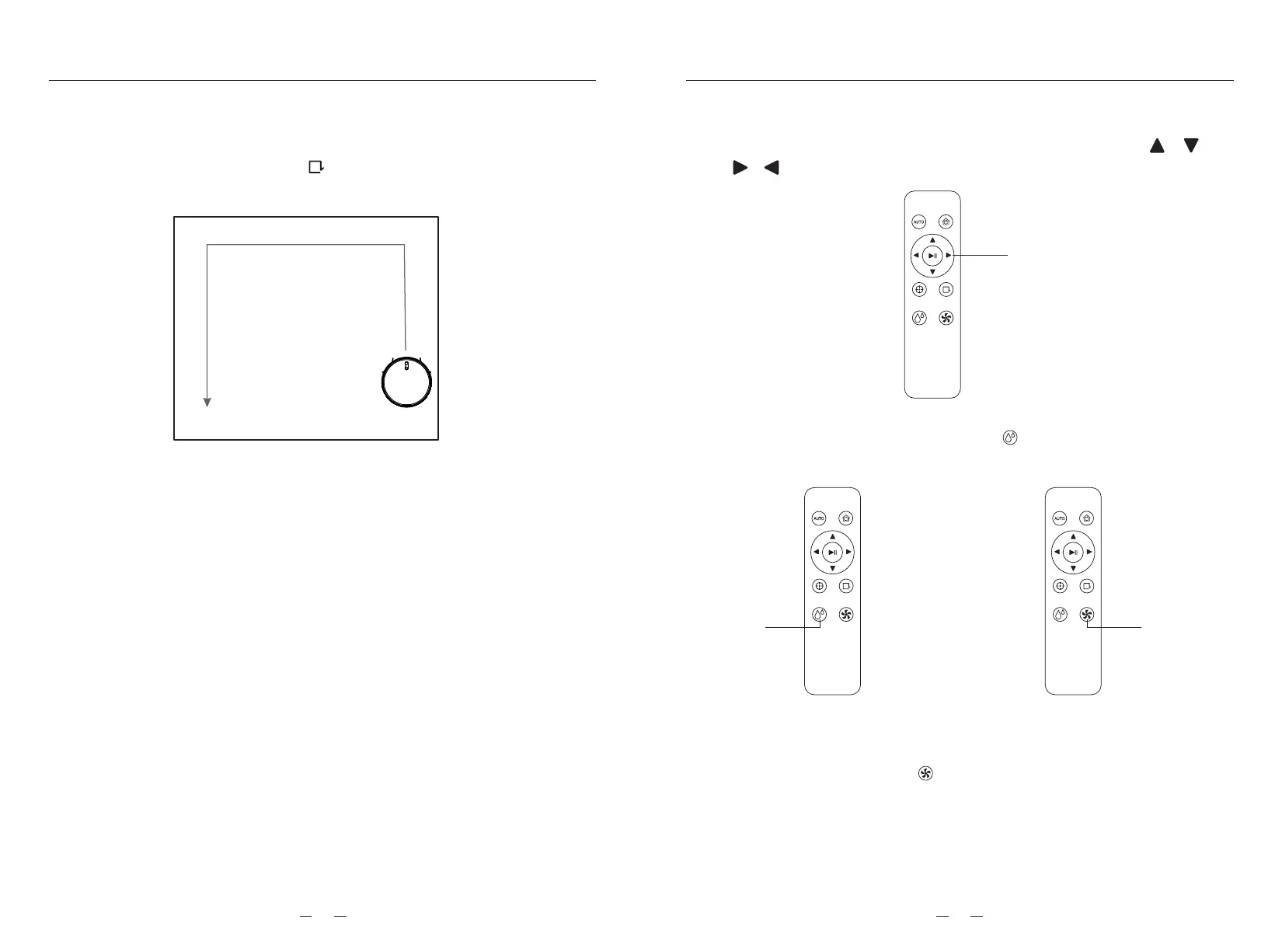
7.6. Manual mode( After the manual mode is turned on in the APP, the device can be
controlled by the arrow key in the interface of the APP, or press the “
”button on remote control to control the device direction)
8. Water adjustment(Using the APP or press the “ ” on the remote control can choose
high-grade, mid-grade, low-grade mode, the default is mid-grade mode.)
9. Suction adjustment( The suction level such as strong, normal and quiet modes could
be chosen by APP or press the “ ” on the remote control, the default is normal
mode.)
Water flow
adjustment
Suction
adjustment
Direction button
7.3. Edge Cleaning(The robot vacuum cleans the periphery of the indoor fixed objects
(such as walls, table corners, etc.), and returns to the charging dock after working
along the edges. Also could press “ ” on the remote controller or App to quickly
start edge cleaning mode.)
7.4. Appointment timing function (The cleaning time can be set on the App and support
7x24 hours appointment. The device will automatic cleaning your house in your
appointment time, and finally return to the charging dock for charging when cleaning
is finished.)
7.5. Quiet mode (Turn on quiet mode, the device will not play voice, you can use the
APP to turn on or turn off quiet mode.)
METHOD OF USAGEMETHOD OF USAGE
1615



 To Next Page