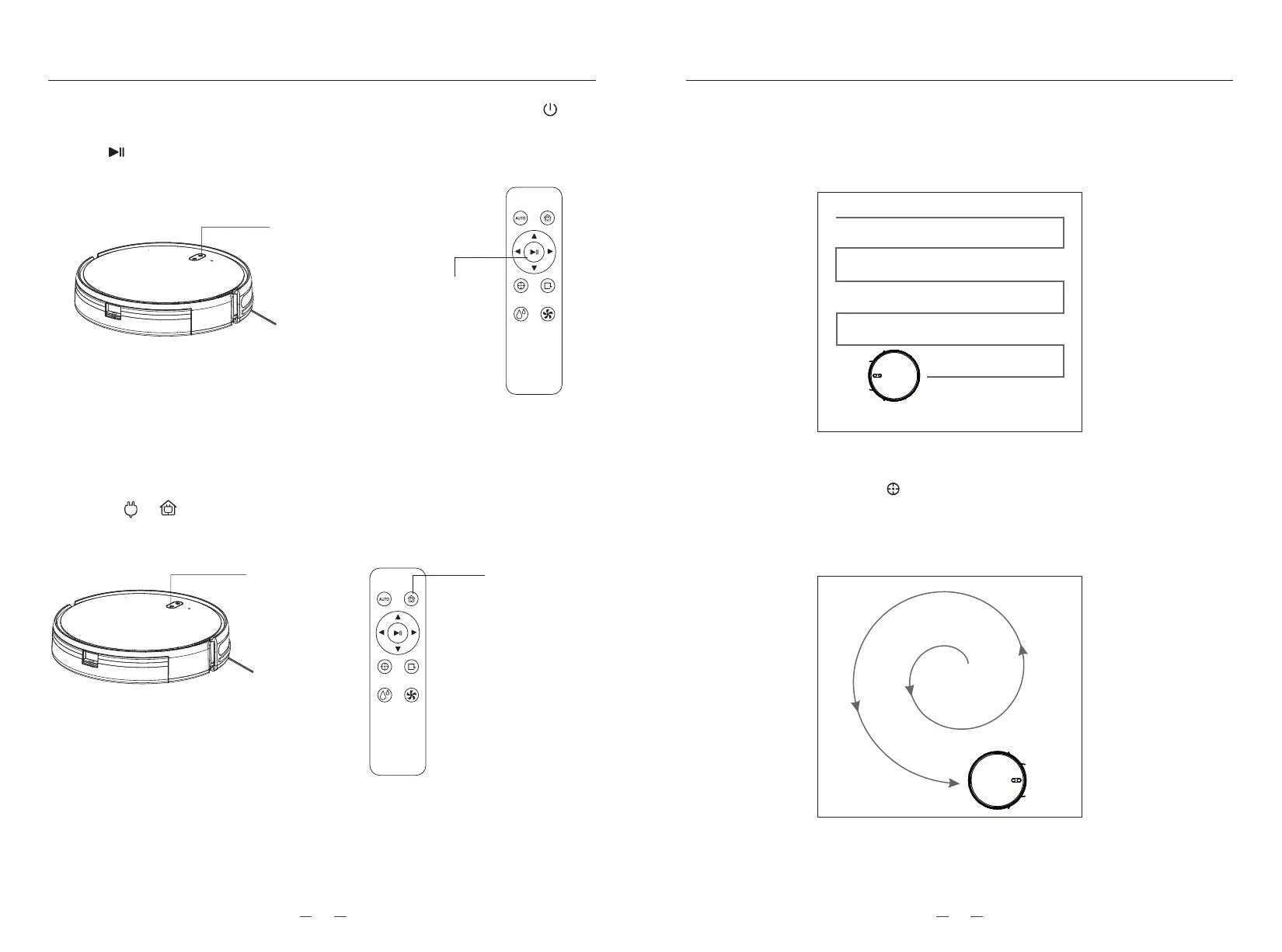
5. Start/Pause( After the robot vacuum power on, short press the “ ”
button on the device to start or pause the device, or use App or press
the “ ” button by remote control to start or pause the device.)
Short press
to start/pause
Short press
to start/pause
Short press
to recharge
Short press
to recharge
7. Working modes
7.1. Automatic cleaning (after startup, the vacuum cleaner will clean the whole house in
a bow shape. After cleaning, the equipment will automatically return to the charging
stand, which is also the default mode.)
7.2. Spot cleaning(Press the “ ”button on the remote control, clean in a spiral
clockwise from the inside to the outside. After spiraling with the maximum radius of
24.6 inches, clean in a spiral from the outside to the inside, and finally return to the
starting position and finish the cleaning. It’s also support using the direction button
on the App to control the robot vacuum to the location that need to be clean)
6. Recharge(If robot with low power, it will automatically return to charge .
when it’s at sleeping or working mode. It can also return to charge by
press “ ”/“ ” or be controlled by remote control and App.)
METHOD OF USAGE METHOD OF USAGE
1413



 To Next Page