OPERATION
5
10
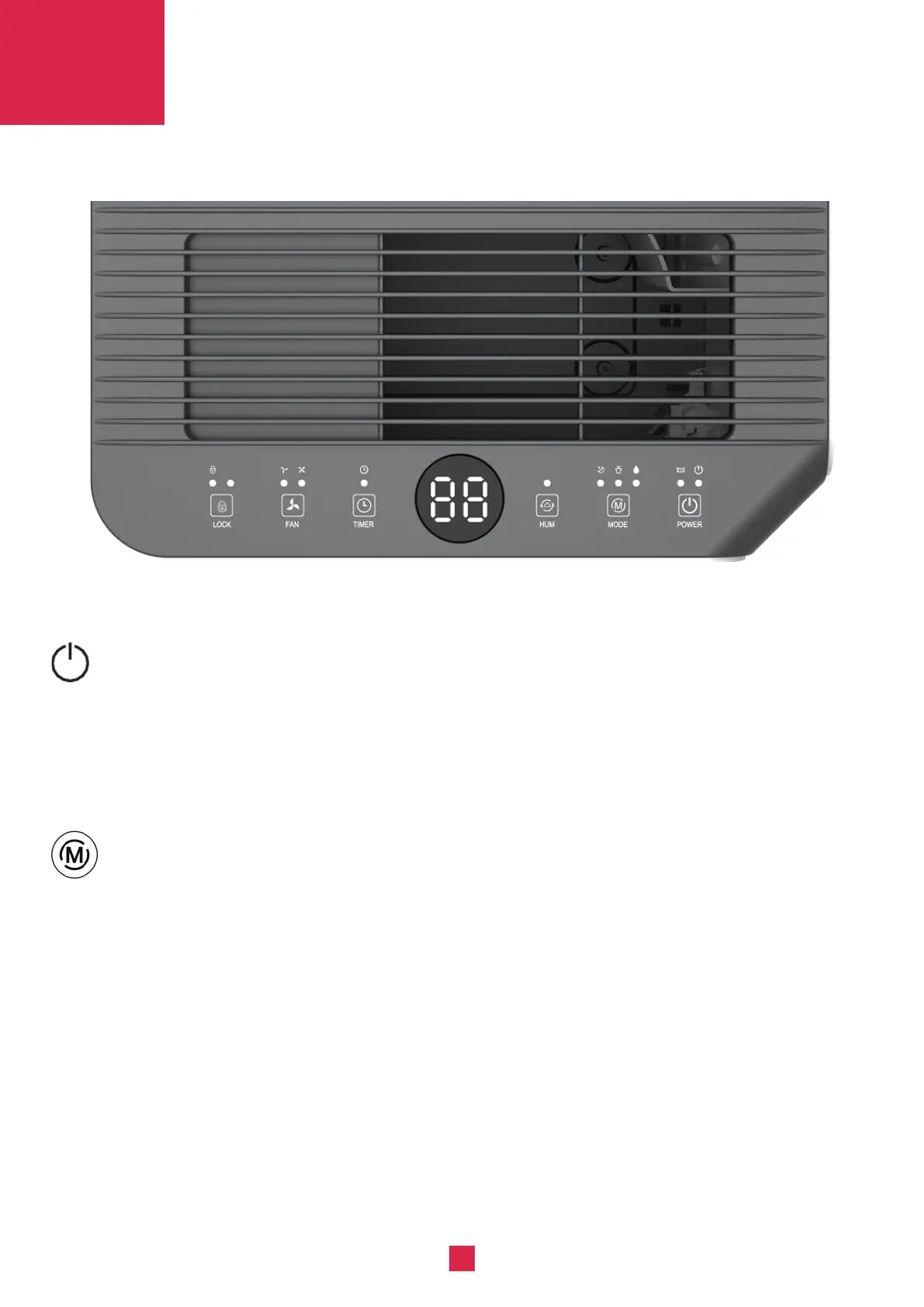
CONTROL PANEL
SETTINGS
POWER
MODE
In the standby state, press the power button to turn on, the operation indicator lights up and the
default fan speed is high, and the default humidity is 50%. In the power-on state, press the power
button to turn off, the running indicator light goes off and the compressor stops immediately, and
then the fan shut down after 30 seconds delay.
Press the mode button to switch between Auto and Continuously dehumidify mode.
Auto mode - continuously dehumidify mode cycle, press once to switch the mode from one to
another, the corresponding indicator will light up.
Auto mode: when environmental humidity ≥ set humidity +3%, the fan starts working and
compressor starts working after 3 seconds. When environmental humidity ≤ set humidity -3%,
the compressor stops working and fan stops working after 30 seconds’ delay.
Both fan speed and humidity setting can be adjusted under Auto mode.
● Continuously dehumidify mode: In this mode,The machine will continue to run in high fan speed ,
fan speed is adjustable,humidity setting can not be adjusted.



 To Next Page