Need help?
Do you have a question about the Lifepro ECOSTRIDE and is the answer not in the manual?
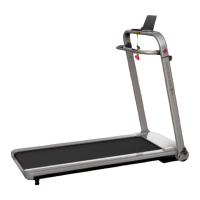
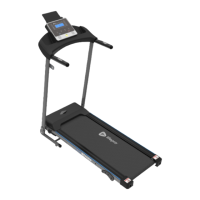
The LifePro EcoStride Treadmill is a home fitness device designed for cardiovascular exercise, strength building, and stamina improvement. It is part of the LifePro Endurance Training collection, emphasizing power, efficacy, and built-in support.
The EcoStride Treadmill allows users to engage in various fitness programs, including walking, jogging, and running, to improve cardiovascular health, build muscle tone, burn calories, and increase endurance. It offers a range of speeds and incline levels to customize workouts. The treadmill is designed for in-home use, providing a convenient way to achieve fitness goals.
The EcoStride Treadmill is designed for ease of use and offers several features to enhance the workout experience:
Unpacking and Setup: The treadmill comes with all necessary hardware for assembly, including a hex key, silicone oil, and an open wrench. Users are guided through laying out the treadmill parts, assembling the upright posts, attaching the console, and connecting the media holder and safety key.
Console and Display Panel: The console features a control panel and display, showing workout data such as distance, time, speed, calories burned, and pulse. It includes buttons for Start, Stop, Speed +/-, Speed -/+, Mode, and Program. The display panel allows users to monitor their progress and adjust settings during their workout.
Safety Features: A magnetic safety key is a crucial safety feature. When removed, the treadmill will automatically stop, preventing accidents. Users are advised to wear appropriate athletic clothing and shoes, and to ensure the treadmill is placed on a flat, non-slip surface with adequate clearance around it.
Adjusting Incline: The treadmill offers three incline settings (Hole 1 = high, Hole 2 = moderate, Hole 3 = low) that can be manually adjusted by lifting the rear corner of the treadmill and placing an adjuster pin in one of the three holes.
Folding, Moving, & Storing: The EcoStride can be folded for compact storage. To fold, users unscrew the lock pin/knob, return the incline adjuster to the base level, and lift the running board until it is upright. The treadmill is equipped with transport wheels for easy relocation.
Training Programs: The treadmill offers various training programs:
Heart Rate Monitoring: The treadmill includes pulse rate monitoring sensors on the handrails. Users can grip these sensors to measure their heart rate, which is displayed on the console. This feature helps users stay within their target heart rate zones for effective training.
Measuring Body Mass Index (BMI): The console can be used to measure BMI by inputting gender, age, height, and weight. The display will show the BMI category (underweight, normal weight, overweight, or obesity).
Training Recommendations: The manual provides guidance on hydration, training frequency (3-4 days a week for 30 minutes), and exercise intensity. It emphasizes the importance of consulting a physician before starting any new exercise program.
Training Documentation: A weekly training plan example is provided, allowing users to track exercise duration, number of steps, calories burned, and pulse rate.
Training Instructions: Warm-up and cool-down exercises are detailed, including stretches for the legs, calves, glutes, quads, groin, and inner thighs.
Proper maintenance ensures the longevity and optimal performance of the EcoStride Treadmill:
Cleaning & General Maintenance:
Adjusting the Running Belt: Instructions are provided for adjusting the running belt if it is running to the left or right of the center, or if it is too loose or too tight. This involves using the hex key to turn the adjustment screws at the rear of the treadmill.
Troubleshooting & Error Codes: The manual includes a troubleshooting guide for common issues such as the treadmill not working, magnetic safety key not in position, power surge, short circuit, running belt skidding, or running belt not smooth. It also lists error codes (E00-E09) with possible reasons and solutions.
Lifetime Warranty: LifePro offers a lifetime warranty on all products. Users can register their EcoStride at warranty.lifeprofitness.com to activate their warranty within 14 days of purchase. This ensures support for replacement parts and repairs.

 To Next Page
 General