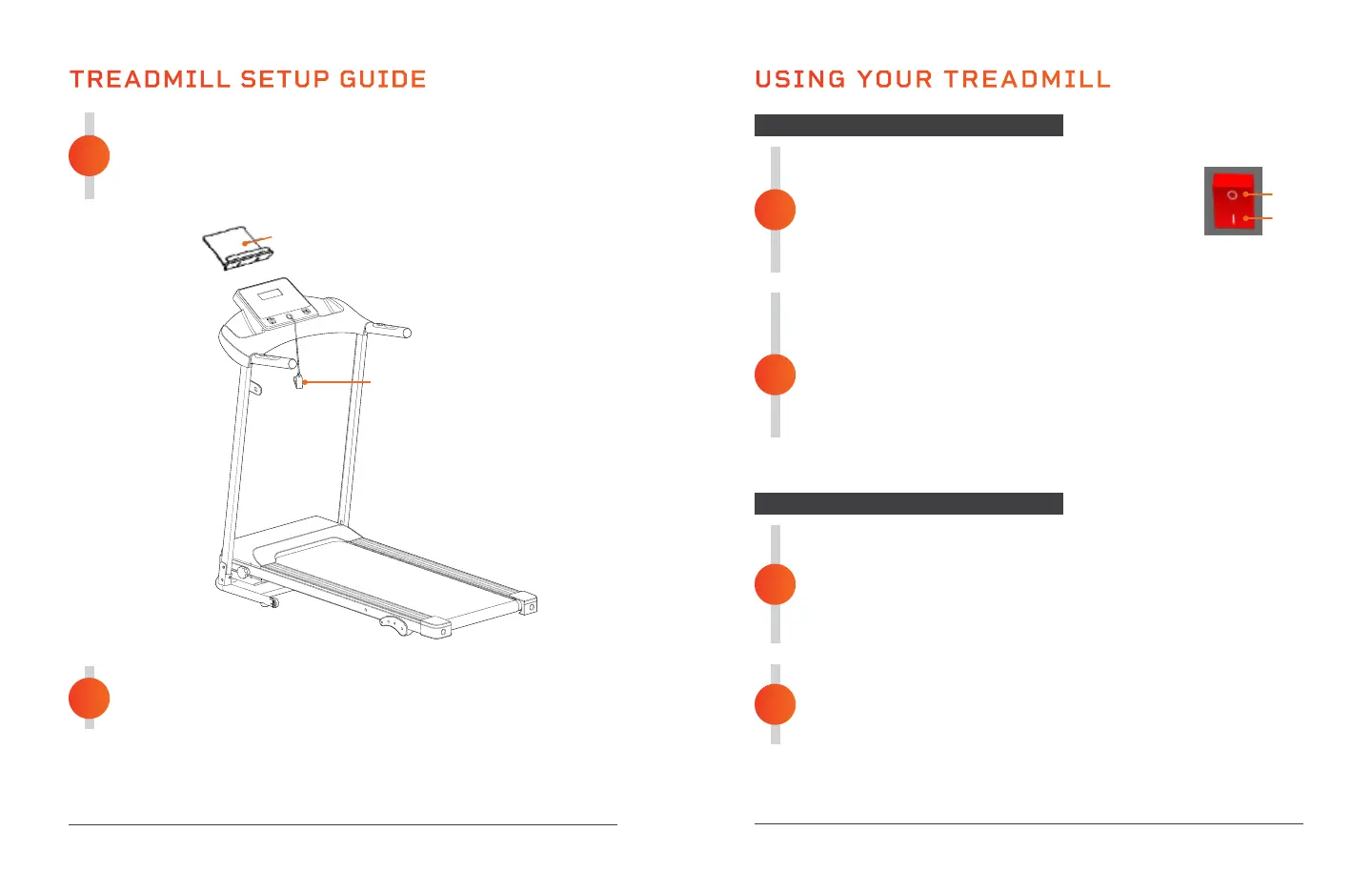
ATTACH THE MEDIA HOLDER AND SAFETY KEY
1. Attach the media holder (69) to the console.
2. Place the safety key (61) onto the magnetic port on the front of
the treadmill.
4
CONNECT TO POWER
Plug the power cord into a dedicated wall socket.
5
12 EcoStride User Manual Lifepro
USING YOUR TREADMILL
READY THE ECOSTRIDE
1. Flip the Power switch on the front to the ON
position. The display will light up.
2. Place the safety key onto the magnetic port on
the front of the treadmill.
3. Clip the other end of the safety key securely to your clothing.
GET ON THE TREADMILL
1. Stand with your feet on the foot rails, one foot on either side of
the running belt.
2. Press the Start button on the control panel. Wait for the
countdown.
3. As the treadmill begins to move, begin walking along the
running belt.
1
GET OFF THE TREADMILL
1. Press the Stop button on the control panel to stop the
running belt.
2. Wait until the treadmill has come to a complete stop
before removing the safety key and getting off the
treadmill.
POWER OFF AND UNPLUG THE ECOSTRIDE
1. Once the treadmill is stopped, flip the Power switch to the
OFF position.
2. Unplug the power cord.
2
2
1
STARTING THE TREADMILL
STOPPING THE TREADMILL
OFF
ON
Endurance Training Collection 13
69
61
TREADMILL SETUP GUIDE (Continued)


 To Next Page