OPERATING INSTRUCTIONS
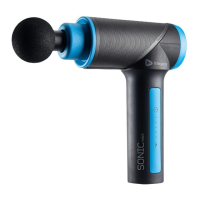
Please read the operating instructions before using the Sonic Mini.
Keep this manual for reference.
CHARGING
• Fully charge your Sonic Mini (for up to 5 hours) before using it for the
first time.
• After the first charge, your Sonic Mini will take between 3 and 5 hours
to charge.
• Full charge is indicated when the Battery Indicator LED is green.
• Average run-time is about 3-6 hours (varies by speed level used).
USING YOUR Sonic Mini
1. Press and hold the Power/Speed Button for at least 2 seconds to
power ON the Sonic Mini.
2. Press the Power/Speed button to toggle through the 5 speed levels:
a. Press once to select vibration speed level 1, a second time for
speed level 2, a third time for level 3, a fourth time for level 4, a
fifth time for level 5.
4. At the desired speed, float the head of the massage attachment along
a muscle group. Apply pressure as needed.
5. Press and hold the Power/Speed Button for at least 2 seconds to
power OFF the unit after each use.
10 Sonic Mini User Manual Lifepro
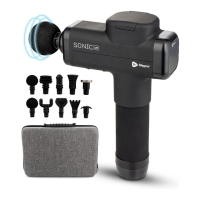
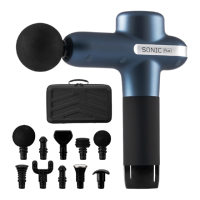
REMOVING AND REPLACING
A MASSAGE ATTACHMENT
1. Press and hold the Power/Speed Button to power OFF the Sonic Mini.
2. Grab the inserted attachment and firmly pull out to remove it.
3. Insert the stem of a new attachment into the nozzle of the unit.
4. Press the attachment in firmly to secure it.
SoarFX Collection 11
TIPS FOR USING YOUR Sonic Mini
• Move the Sonic Mini over the desired
muscle groups, about 60 seconds per
region.
• Apply pressure as needed; however,
there should never be a need to press
very hard. The vibration pulses do all the
hard work.
• Use the Sonic Mini for 15-20 minute
sessions, up to 3 times per day.
• Avoid keeping the massage head in one
area for more than 3 minutes.
• Prolonged application can traumatize
tissues.


 To Next Page