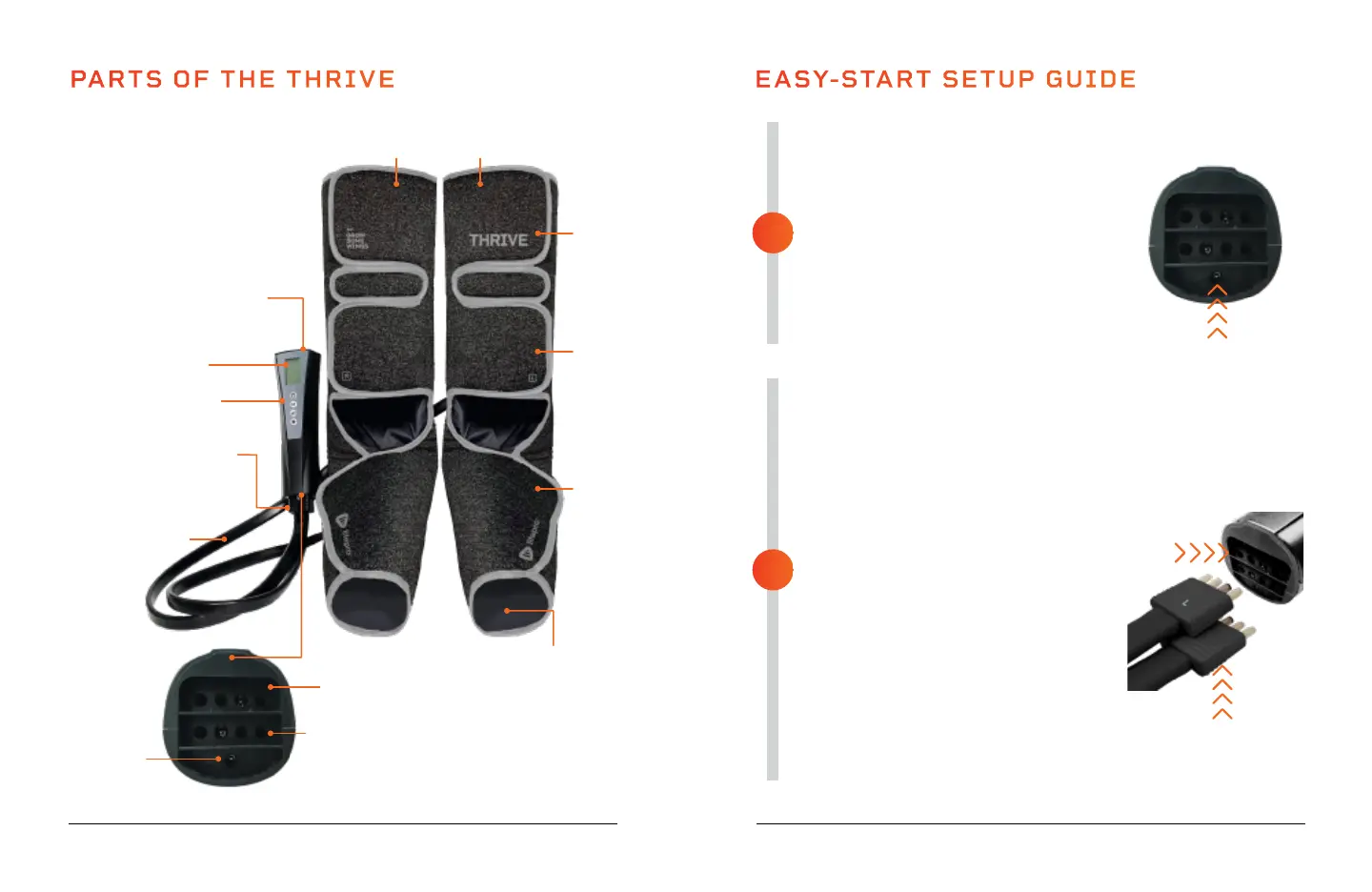
Remote Control
Base of Remote Control
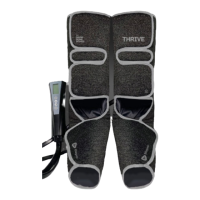
PARTS OF THE THRIVE
LCD Screen
Velcro
Strap
Velcro
Strap
Velcro
Strap
Port for Left Air
Pressure Hose
Connector
Port for DC
Charging
Adapter
Port for Right Air
Pressure Hose
Connector
Air Pressure Hose Connectors
(Left & Right)
Control Panel
SoarFX Collection 9 8 Thrive User Manual Lifepro
FULLY CHARGE THE BATTERY
• Ensure the Thrive is powered OFF
before charging.
• Charge the battery fully (for up to
3 hours) before using your Thrive
for the first time.
• Connect the DC adapter to the
charging port on the bottom of the
remote control.
• Plug the charging adapter into a wall
outlet.
SECURE THE THRIVE TO YOUR LEGS
• Make sure the Thrive is fully charged
and powered OFF.
• Pull each velcro strap to open it.
• While sitting in a chair, place one air
compression boot on each leg. Your feet
should rest flat in the bottom of the
boots. The boots are marked L (left) and
R (right) to ensure correct placement.
• Use the velcro straps to secure the
boots tightly to your feet and then to
your calves.
• Insert the air pressure connector
labeled “L” (with the “L” facing up)
into the top port in the base of the
remote. Insert the connector labeled
“R” (with the “R” facing down) into
the other port.
• See OPERATING INSTRUCTIONS on
the next page for usage instructions.
EASY-START SETUP GUIDE
2
1
Air Compression Boots
(Left & Right)
Air Pressure Hoses
(Left & Right)
“R” label faces
down
Heated Foot Area
Heats bottom of foot
(Left & Right)



 To Next Page