TIPS FOR USING YOUR VITALIZE
• Start at the lowest speed and
increase incrementally.
• Long-term use will help you reach
your goals.
• Drink plenty of water before and
after exercise.
• Stop use if you feel tired or dizzy.
• Do not use on a full stomach.
• Do not use for more than 20
minutes at a time.
CHOOSING A PROGRAM
8 Vitalize User Manual Lifepro Recovery + Fitness Collection 9
To get the best results, alternate between the preset programs and custom
workouts to keep your body guessing. Your body tends to adapt to a workout
routine over time, so you want to change up your workouts to keep improving
your fitness and mobility.
CHOOSE A PRESET PROGRAM
You can select from five preset programs: P1-P5. Each preset program is 10
minutes long and uses different training intensities to challenge your body.
To begin a preset program:
1. Press the Power button to turn the system ON.
2. Choose a preset program:
a. Press the Auto Mode button on display to toggle between P1-P5, OR
b. Press the button corresponding to the desired preset program on the
remote.
3. Press the Start/Stop button to activate the selected program.
NOTE: You cannot adjust speed, time, or turn the roller on/off for preset programs.
CREATE A CUSTOM WORKOUT
You can create your own custom workout by setting a workout time and
speed. The default time for custom workouts is 10 minutes. You may set a
custom workout duration of 1-20 minutes (in one-minute increments) while
in standby mode. Once you begin your workout program, you cannot adjust
the workout time.
The speed for manual workouts begins automatically at level 1. You may
adjust the speed after your custom workout has begun from 1-20. When
using the acupressure roller, you may not adjust the speed.
To create a custom workout:
1. Press the Power button to turn the system ON.
2. The default time duration is 10 mintues. To adjust the time, use the
+ / - buttons on the hands-free remote control.
3. Press the Start/Stop button to begin the manual workout.
4. The speed will automatically begin at level 1. To adjust the speed:
a. Use the Up/Down Arrow buttons on the hands-free remote, OR
b. Use the + / - buttons on the LCD touch display.
5. You may turn the roller on and off by pressing the M button on the
remote or display at any time before or during the custom workout.
TURN THE ROLLER MOVEMENT ON AND OFF
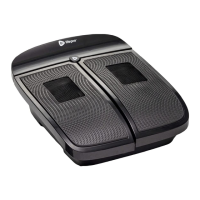
An acupressure massage roller is located in each footwell beneath the black
mesh rectangles. You can toggle the roller movement on and off before
beginning a workout or at any time during a workout.
To turn the roller on or off:
1. Press the M button on the display or remote control to turn on the
roller. Press the button again to turn off the roller.
NOTE: You cannot adjust the speed while the roller is in use.
WORKOUT INTENSITY & SPEED
Workout intensities correspond to
the following speeds:
INTENSITY SPEED
Low 1-6
Medium 7-13
High 14-20


 To Next Page