14
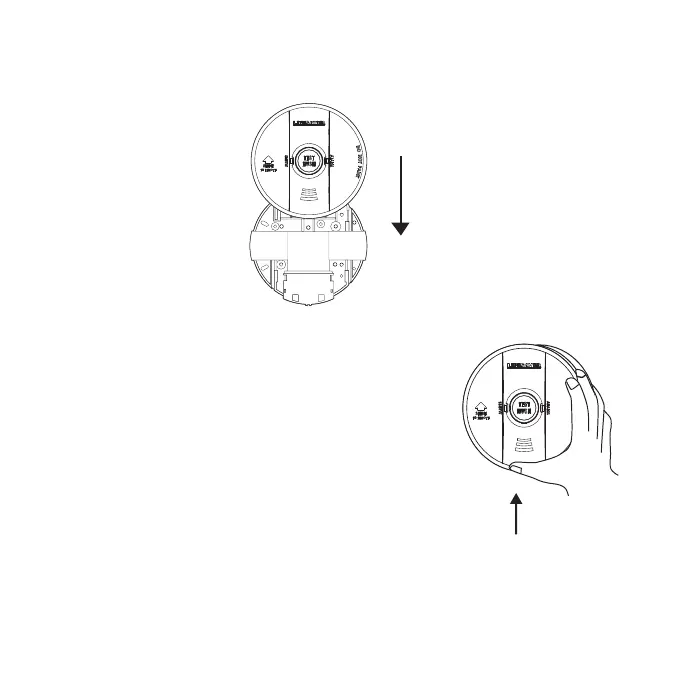
Slide smoke alarm cover in direction of
arrow (as shown on cover) to remove
from base plate
Remove smoke alarm
Remove smoke alarm from base plate
NOTE: AC power should be turned off at this stage.
1. Look for ‘SLIDE TO REMOVE’.
2. Remove tamper locking screw if installed (see Figure 3).
3. Push firmly in direction of arrow until smoke alarm
is free from its base plate.
4. To re-install smoke alarm follow the steps on page 10.
Figure 4: Wall mounting smoke alarm
For wall mounting,the connector must be at the bottom. Ensure“ SLIDE TO REMOVE ” arrow on the
Smoke Alarm is pointing upwards (vertical) as shown.


 To Next Page