SETTING THE METER
Before using your meter for the first time or if you change the meter
battery, you should check and update these settings.
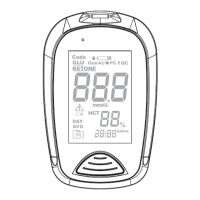
Entering the Setting Mode (a)
Start with the meter off (no test strip inserted). Press S (Small
Orange button Beside Batteries).
1. Setting the date
The sequence of the date setting is: YEAR → MONTH → DAY.
With the YEAR / MONTH / DAY flashing in sequence, press M until
the correct year/month/day appears. Press S.
2. Setting the time format
Press M to select the desired time format --- 12h or 24h. Press S.
3. Setting the time
With the HOUR / MINUTE flashing in sequence, press M until the
correct hour/minute appears. Press S.
4. Setting the buzzer
With the buzzer displays, press M to switch between “On” and “OFF”.
Press S.
5. Deleting the memory
With “dEL” and a “ ” on the display, press M and select “no” to
keep the results in memory then press S to skip. To delete all the
results, press M and select “yes” to delete all the memory records.
6. Setting the reminder alarm
Your meter has four reminder alarms. The meter will display “OFF”
and “AL1 ”. If you don’t want to set an alarm, press S to skip this step;
Or press M to select “On”, then press S.


 To Next Page