AM-HLTMC-OM
Rev AA January 2018
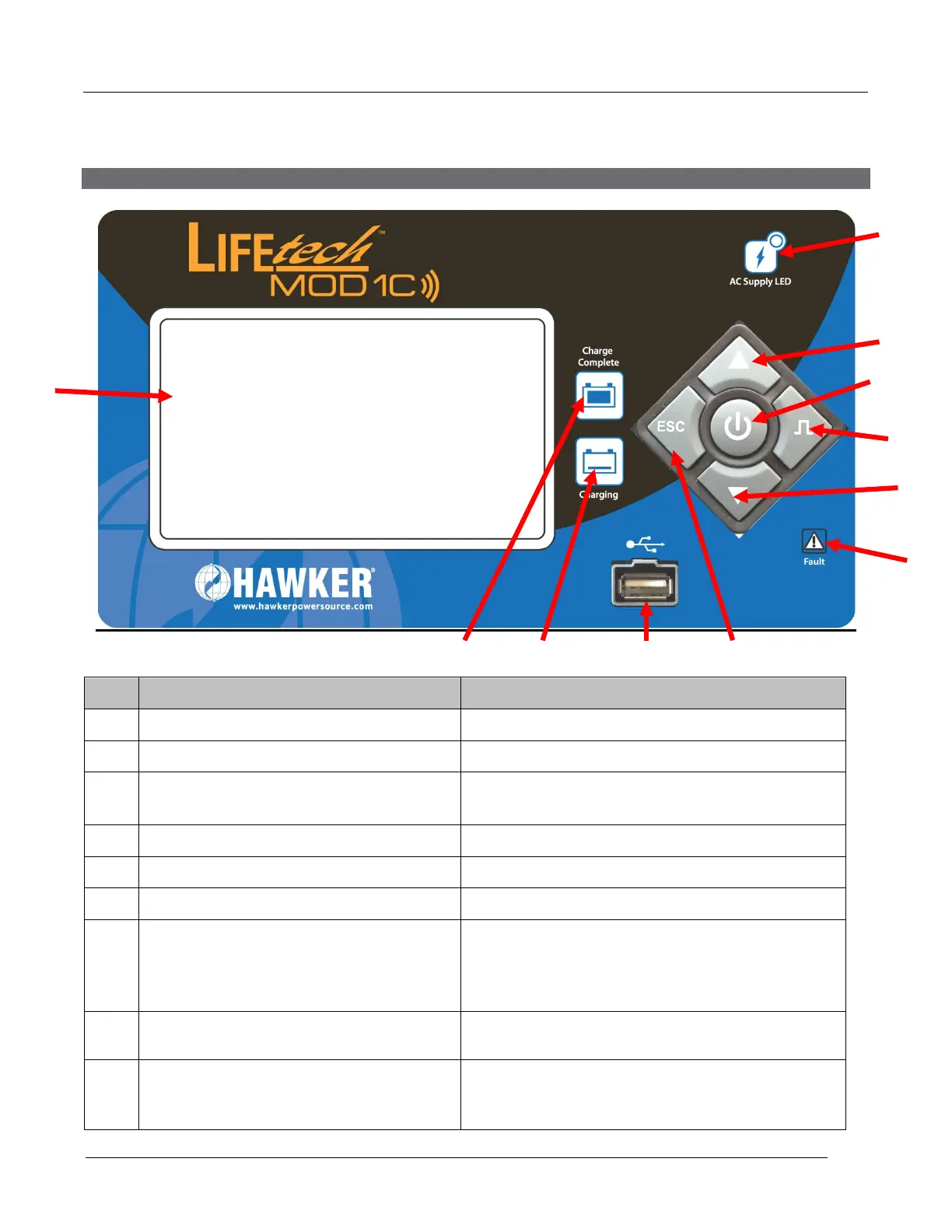
Control Panel
0
Ref. Function Description
1. Graphical TFT LCD Display. Display charger operation info/Menus
2. Navigate UP button Navigate menus/Change values
3. ENTER/STOP&START button Select menu items/Enter values/Stop and
restart battery charge
4. Navigate RIGHT/EQUALIZE button Scroll right/Start equalize or desulfation
5. Navigation DOWN button Navigate menus/Change values
6. Navigation LEFT/ESC button Enter Main Menu/Scroll left/Exit menus
7.
FLASHING = ongoing fault detected or no
modules installed.
8. YELLOW charging indicator
OFF = charger output is off
ON = charging in progress
9. GREEN charge complete indicator
OFF = charger off or battery not available
Flashing = cooling phase
ON = battery ready and available



 To Next Page