AM-HLTMC-OM
Rev AA January 2018
Logs
Memorizations Display Screen
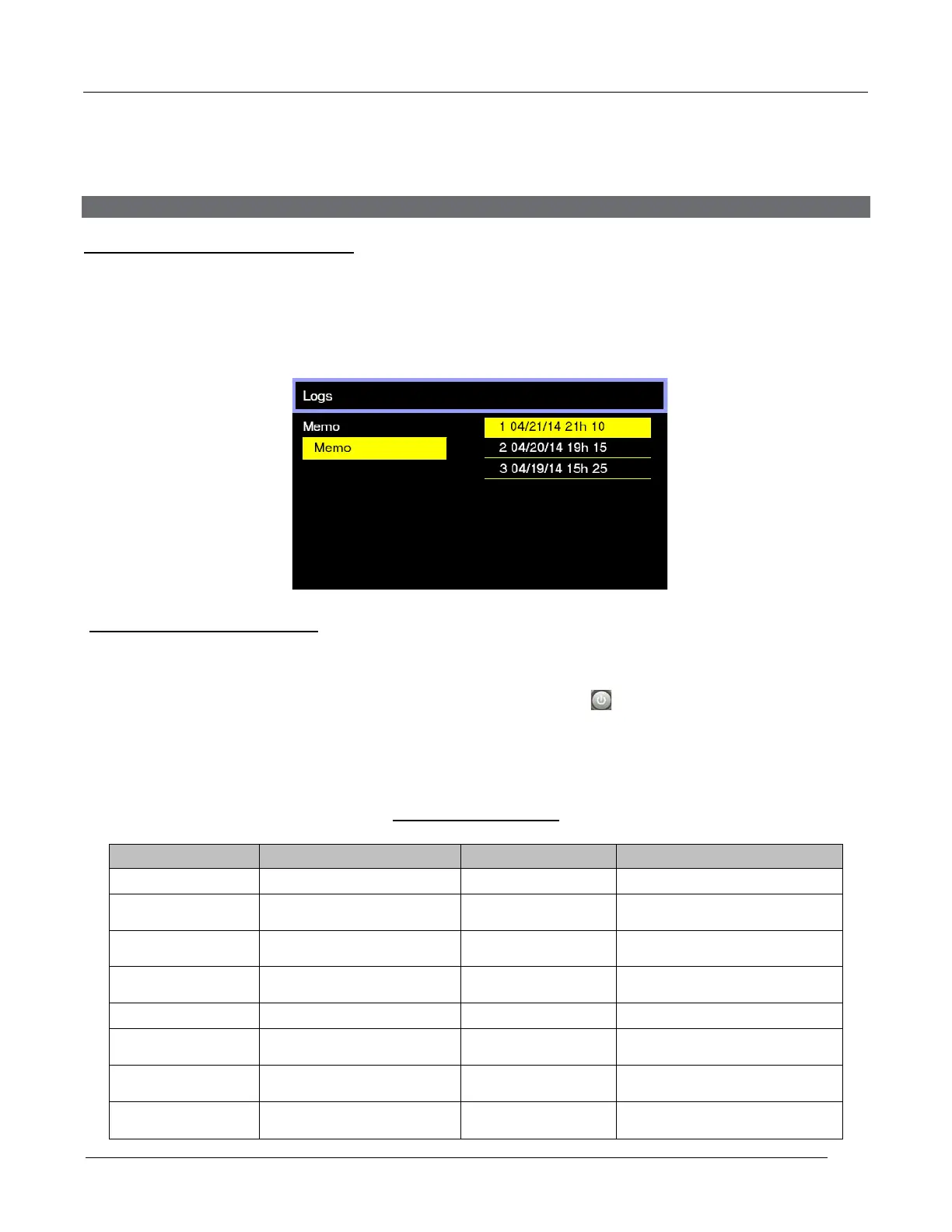
The charger can display the details of the last 200 charge cycles.
The display shows here that 3 charges have been stored in memory (title line). Memo 1 is the
latest charge memorized. After memorizing the two-hundredth charge, the oldest record is
deleted and replaced by the next oldest.
Displaying a charge cycle
Proceed as follows:
1. Select a Memo using the ▲/▼ buttons.
2. Display the highlighted Memo screen by pressing the button.
3. Display the next Memo screen by pressing▼.
4. Return to the Main Menu by pressing Esc.
Memorization Data
S/N
Current at end of charge
Capacity
Rated Battery Capacity
(AH)
Time of the charge cycle
(minutes)
U batt
Rated Battery Voltage (V)
Amp-hours returned during
charge cycle
Temp
Battery Temperature at
start of charge (F)
Full or partial charge cycle
Techno
Fault Codes
Profile
Start of Charge Date and
Time
% init
State of charge at start
of charge (%)
Battery Disconnect Date
and Time
U start
Battery Voltage at Start of
charge (Vpc)
U end
Battery Voltage at End of
charge (Vpc)



 To Next Page