
 Need help?
Do you have a question about the Lighthouse ActiveCount100 and is the answer not in the manual?
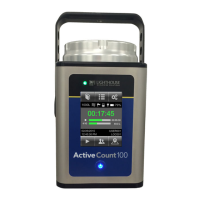
Overview of the ActiveCount100's function and application in air monitoring.
Essential safety precautions and warnings for operating the ActiveCount100.
Explanation of how microorganisms are sampled and detected using impaction.
Details on the two sampling modes: Constant and Periodic.
Details on the eight programmable sampling volumes supported by the ActiveCount100.
Explains how the active sampling volume is applied to subsequent sampling runs.
Procedure for assigning an active location for saving sampling run metadata.
Procedure for assigning an active user for saving sampling run metadata.
Instructions for saving sampling run metadata to a USB flash drive.
Explanation of status indicators displayed on the Home screen and their meanings.
How to display and edit various device settings like date, time, and options.
Instructions for placing or mounting the ActiveCount100 for vertical or horizontal sampling.
Procedure to verify the nominal flow rate before using the compressed gas sampler.
Methods to sterilize the ActiveCount100 and hands to prevent cross-contamination.
Instructions for cleaning the external surface of the ActiveCount100.
Procedures for cleaning and sterilizing the sampling head and dust cover.
Guidance on cleaning and disinfecting the unit before transporting it.
Information on factory calibration and annual calibration requirements.
Key advantages and benefits of using the ActiveCount100 instrument.
Detailed list of the functional features and capabilities of the ActiveCount100.
List of standards and regulations to which the ActiveCount100 conforms.
Contact information for service and support for the ActiveCount100.
Explanation of how ActiveCount100 data is stored in comma-delimited files on USB.
Information about the CSV file format for storing location data.
Information about the CSV file format for storing user data.
Details on the CSV files containing sampling metadata for each run.
Details on the limitations and exclusions of the product warranty.
Information regarding the warranty coverage for repairs after the initial two-year period.
 General
| Brand | Lighthouse |
|---|---|
| Model | ActiveCount100 |
| Category | Samplers |
| Language | English |

 To Next Page