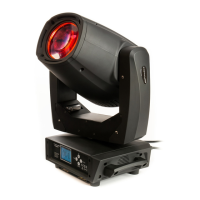
LightmaXX Shaft 5R Beam Moving Head ______
2. Installation and replacement bulbs.
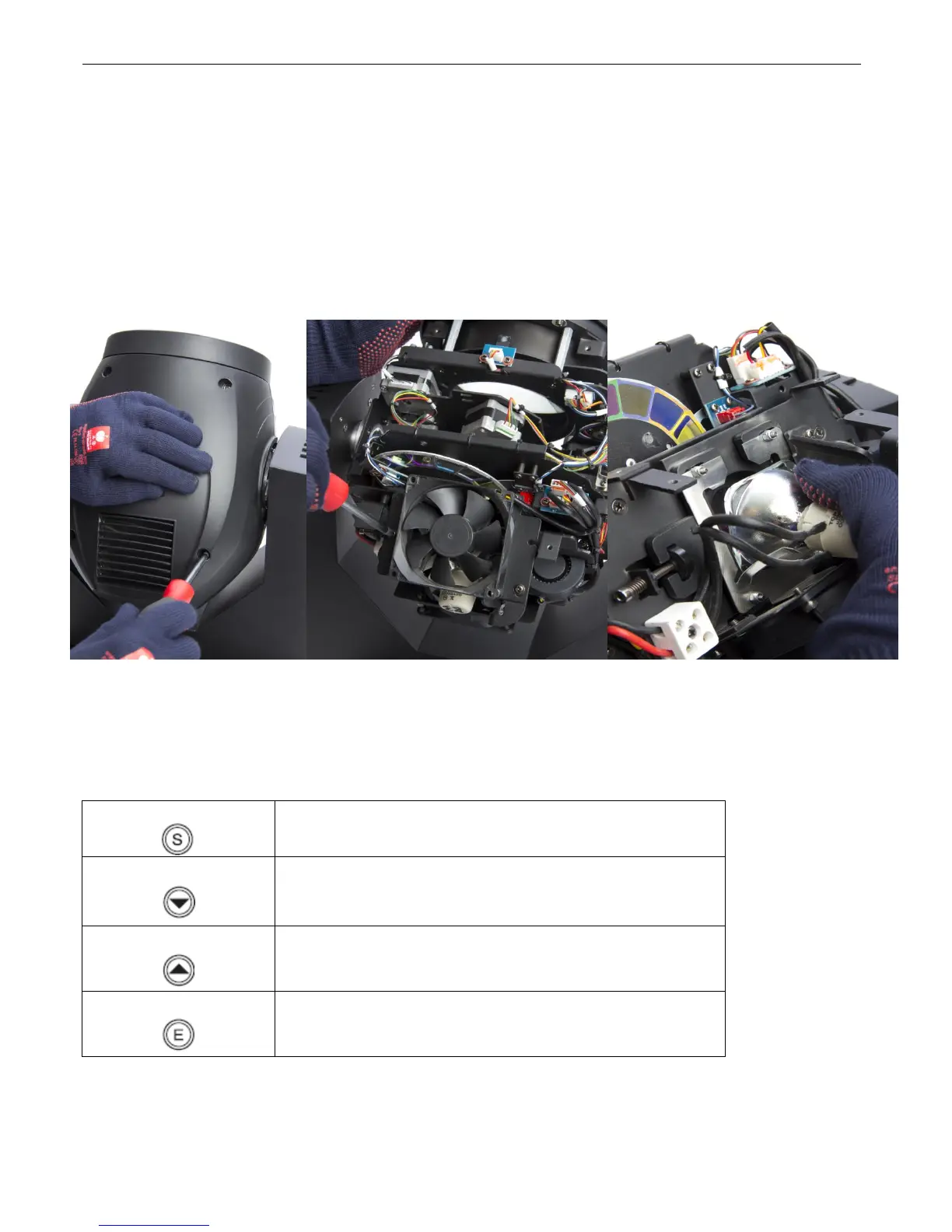
Caution! Replace the Lamp carefully. To avoid oil contamination, do NOT touch the surface of the bulb. Bulbs
must be kept clean, if not, clean it with the attached paper. The bulb leading wire must be inserted firmly . Bad
contact of the terminal may cause that bulbs won’t work or even damage .Ensure bulbs are in place and
cooling fans wire is well after changed. Please make sure, that no routing wires block the fan blades,
otherwise the cooling of the bulb can get affected.
1. Disconnect the power supply and let the device cool down for at least 35 min. Get the
Head in a horizontal position and lock the Y axle for an easy Lamp change.
2. Screw off the four cross screws of the 4*12 type on the top.
3. Screw off the 3 wires speed fan of 80*80 types.
4. Screw off connection plug of the bulb then change the bulb.
5. Operating and Control Methods
5.1 Control panel instruction
Reduce the value show or lead to the next item .when
setting parameters, keep holding the DOWN key can reduce
the parameters rapidly.
Increase the value show or lead to the previous item .when
setting parameters, keep holding the UP key can increase the
parameter rapidly.
Enter into setting menu on standby, enter into next menu or
confirmation and save the parameter .if you don’t press the
key ,all the setting won’t be confirmed .
Pressing the DOWN and UP keys simultaneously while the display is in the rest mode can achieve the display
reversal function .It’s easy for hanging upside down! Please notice that the S and E function key will be
exchanged then.
21


 To Next Page