EasyManua.ls Logo

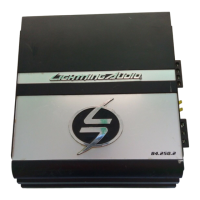
Lightning Audio LA1.150.2 - User Manual

Default Icon
28 pages
Print Icon
To Next Page IconTo Next Page
Loading...
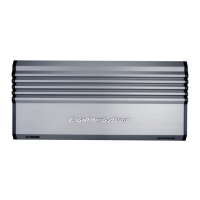
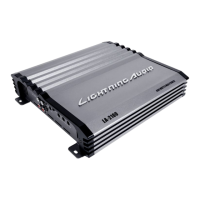
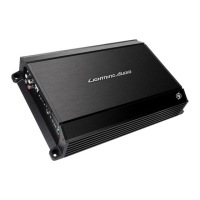
LA1.150.2
LA1.300.2
Installation and Operation
Installation et fonctionnement
Instalación y operación
AMPLIFIER

Questions and Answers

Summary

Design Features

High Level (Speaker) Inputs

Detachable connector for high-level speaker outputs, using 20 AWG leads.

RCA Input Jacks

Standard RCA jacks for line-level signal input, resistant to corrosion.

Gain Control

Adjusts input gain to match source unit output levels for optimal performance.

Crossover Filter Switch

Selects High Pass (HPF), All Pass (FULL), or Low Pass (LPF) filter modes.

Speaker Connections

Guidelines for connecting speakers, emphasizing correct polarity and avoiding grounds.

Power Connector Terminals

Terminals for connecting the amplifier's power, ground, and remote wires.

Power Fuse

Protects the unit; must be replaced with a fuse of the original value.

Adjustable Crossover Frequency

Adjusts the crossover frequency point from 40Hz to 400Hz.

Bass Boost Switch

Engages a 12dB boost at 50Hz for enhanced bass frequencies.

Pass Thru Outputs

Allows daisy-chaining to another amplifier using RCA cables.

Remote Level Control

Attenuates amplifier gain by up to -12dB, specific to LA1.300.2 model.

Installation

Installation Considerations

Overview of factors to consider before installing the amplifier, including tools.

Mounting Locations

Discusses how mounting position affects sound performance and cooling.

Passenger Compartment Mounting

Details mounting in the passenger compartment, requiring adequate air gap for cooling.

Battery and Charging

Explains the increased load on the vehicle's battery and suggests system checks.

Wiring the System

Provides instructions and cautions for wiring the amplifier system safely.

Remote Turn-on Wire Connection

Connects the remote turn-on wire to the amplifier and a switched 12V source.

Amplifier Mounting

Advises on securely mounting the amplifier to avoid vibration issues.

Signal Input Connection

Instructions for connecting RCA or high-level inputs to the amplifier.

Speaker Connection

Guides on connecting speakers, maintaining polarity, and avoiding grounds.

Final System Check

Recommends a final check of all connections for accuracy and security.

Remote Level Control

Mounting and Installation

Steps for finding a location and clipping the remote control for installation.

Using Passive Crossovers

Speaker Impedance Data

Table showing component values for different speaker impedances and crossover types.

Operation

Adjusting Gain

Procedure for adjusting the amplifier's gain setting to prevent distortion.

Adjusting Crossover (X-OVER)

How to set the crossover switch and adjustment knob for desired frequency.

Troubleshooting

Amplifier Not Turning On

Troubleshooting steps for when the amplifier fails to power on.

Amplifier Noise (Turn-On Pop)

Diagnosing and fixing amplifier noise or turn-on pops.

Engine Noise Issues

Identifying and resolving engine noise issues in the audio system.

Specifications

LA1.150.2 Specifications

Technical specifications for the LA1.150.2 amplifier model.

LA1.300.2 Specifications

Technical specifications for the LA1.300.2 amplifier model.

Limited Warranty Information

Warranty Length

Details warranty periods for speakers and amplifiers.

Warranty Coverage

Outlines what the warranty policy includes and who is covered.

Warranty Exclusions

Lists exclusions from the warranty coverage.

Obtaining Service

Provides instructions on how to get service and obtain an RA#.

Lightning Audio LA1.150.2 Specifications

General IconGeneral
BrandLightning Audio
ModelLA1.150.2
CategoryAmplifier
LanguageEnglish

Related product manuals