11
1. Overview 2. Daily Operation
3. Optional
Accessories
4. Troubleshooting
5. Warranty, Safety
& Specifications
PAIRING
POWER
REGISTRATION
ALD
LINK
REGISTR
POWER
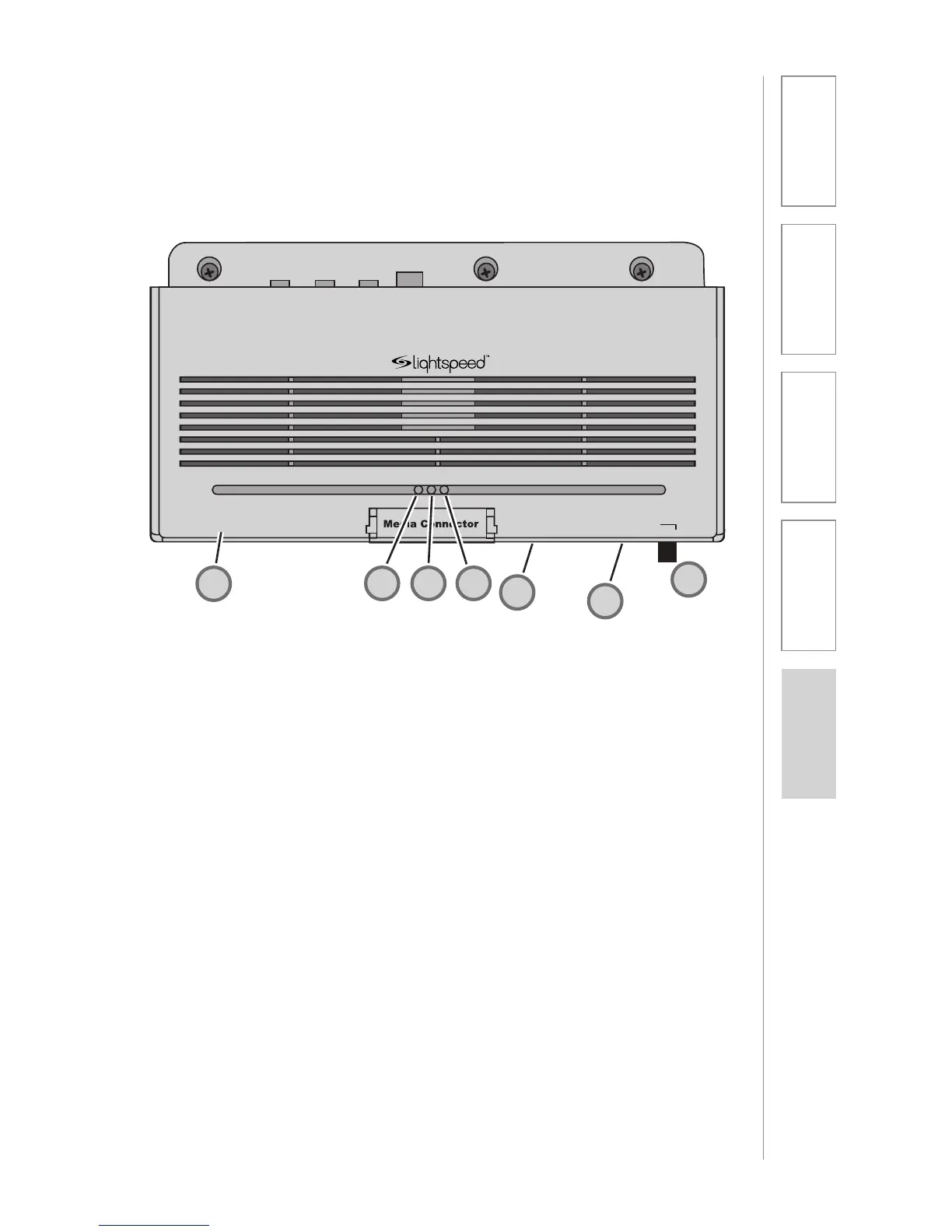
MEDIA CONNECTOR CONTROLS
AND CONNECTIONS CONT’D
1. SYSTEM POWER SWITCH:
System power is turned on or off
with this pushbutton. When power
is on, the blue power LED lights.
2. REGISTRATION PUSHBUTTON:
Pushing the registration button in
conjunction with the registration
button on the TOPCAT module
will cause the two modules to
synchronize as an operating
system. Refer to the Registration
Procedure in this manual.
3. ALD AUDIO OUTPUT: 3.5mm
stereo jack sends audio signal
to external equipment such as a
recorder or an assistive listening
device like Lightspeed’s 370
Personal FM System.
4. ALD AUDIO VOLUME
CONTROL: Adjusts the audio
signal level output through the
ALD audio output connector.
5. RF LINK LED: This LED is lit
anytime the RF link is established
between Media Connector and the
TOPCAT. This LED will glow green
while the system modules remain
linked.
6. REGISTRATION LED: The amber
LED blinks when a link is being
established. The registration LED
goes out and the link LED is solid
green when the link is established.
7. POWER LED: This LED glows blue
when the system is powered on.
3
4
2
2
5
2
6
2
7
1



 To Next Page