26
1. Overview 2. Daily Operation
3. Optional
Accessories
4. Troubleshooting
5. Warranty, Safety
& Specifications
The TOPCAT and Media Connector must be registered or synchronized with
each other before they will operate together. (These components come
pre-registered from the factory.) On occasion, one of these modules may be
replaced so the registration process will be needed.
Use the following table to determine if your TOPCAT and Media Connector are
registered.
NOTE: If the link LED on the Media Connector is continuous green, the
following procedure does not need to be done.
To register TOPCAT with its Media Connector:
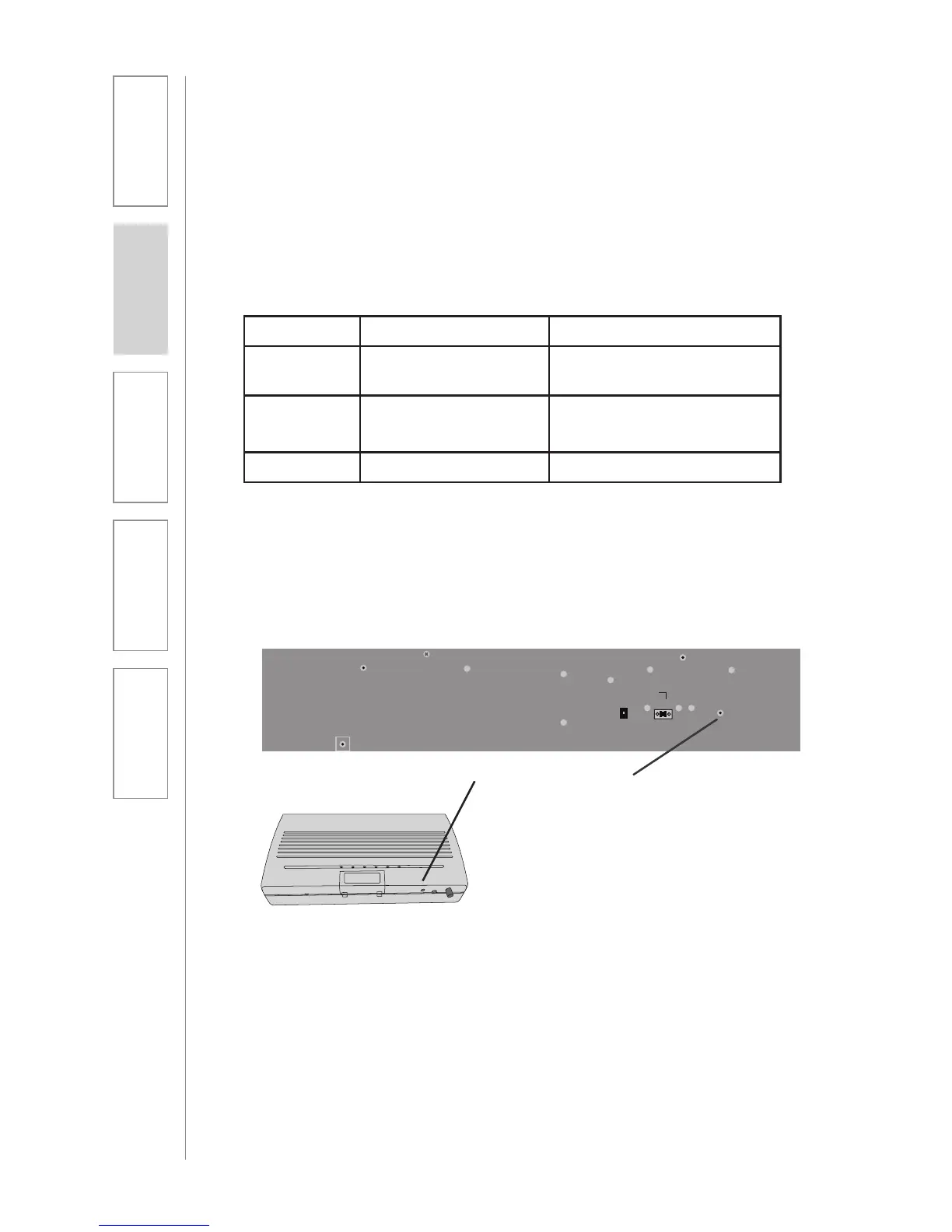
1. Locate the registration buttons on the TOPCAT and Media Connector.
2. Start the procedure by pushing
the registration button on the
TOPCAT. An amber LED will light.
You will have 20 seconds to push the
corresponding registration button
on the Media Connector.
3. Push the registration button on the
Media Connector. The amber LED
will begin to blink. When registration
is complete, the link LED will glow
green and the amber LED will go off.
TOPCAT AND MEDIA CONNECTOR
REGISTRATION
24V 2.5A
Paging
Input
Microphone
Registration
ADJ
CH B CH A
TOPCAT
Registration Buttons
NOTE: If after pushing the
Registration button on TOPCAT the
corresponding button on the Media
Connector is not pushed within 20
sec., the amber LED will go from
a slow blinking to a fast blinking.
This means the registration process
has timed out. Wait until the amber
LED stops blinking to start the
registration again.
Media Connector
MC Power MC LINK LED Status
OFF All LEDs Off Turn MC Power on Blue
LED is LIT
ON/
Unregistered
Blinking Green Not Linked - Needs to be
registered
ON Continuous Green Linked to TOPCAT



 To Next Page