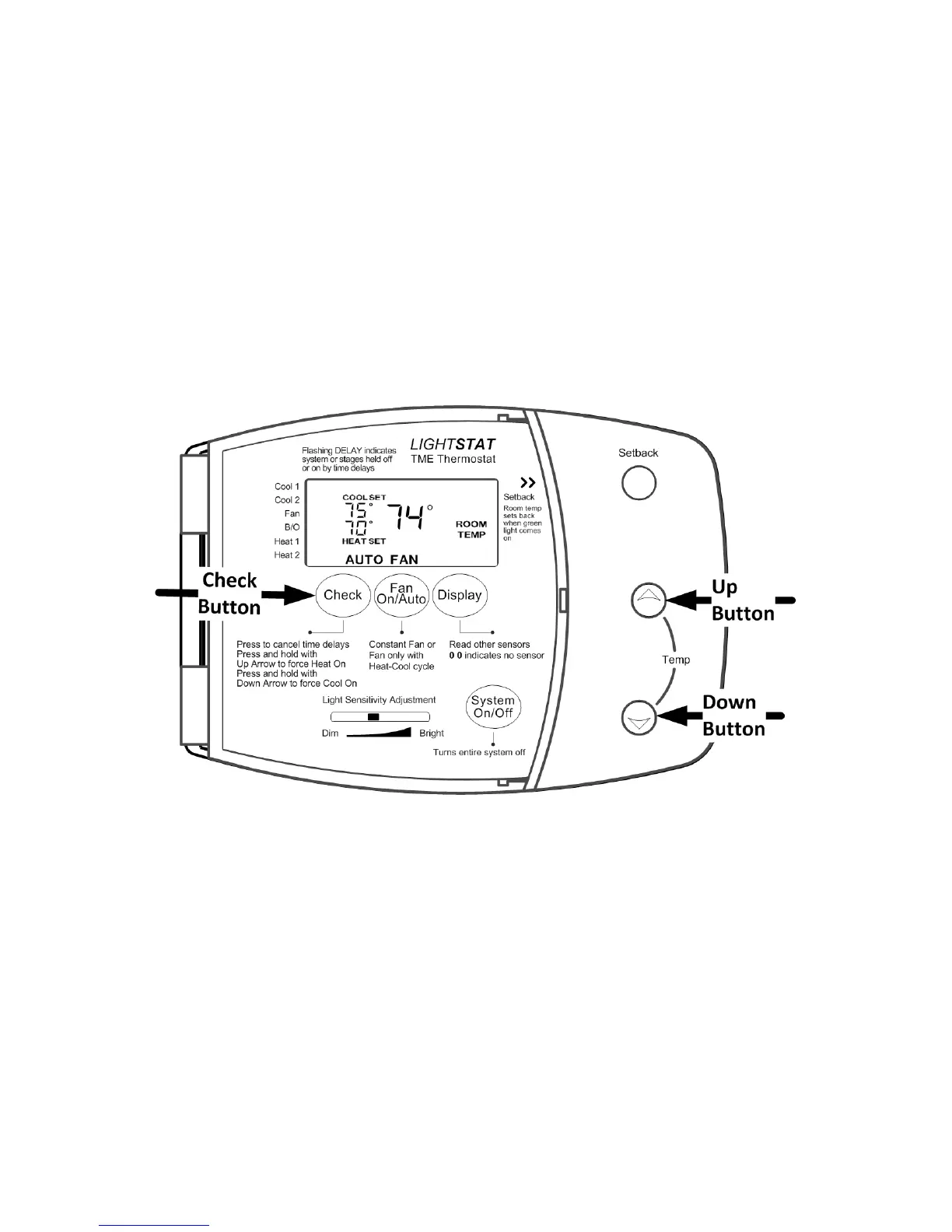
Checking Heating and Cooling Beyond Maximum Limits
Lightstat TMEs are designed to heat and cool to owner dened maximum limits.
The maximums for your particular Lightstat TME are shown during the power-up
sequence described on page 18.
While testing the HVAC system there may be times when you want to force
the Heating on during the summer when the room temperature is well above
the Heating Maximum. You do this by pushing and holding the Up Button and
the CHECK button at the same time. Outputs will only remain on while you are
pressing both buttons.
You can also force the Cooling on by pushing the Down Button and the CHECK
button at the same time. This will force the cooling on while you are pressing both
buttons.
Make sure that the Lightstat TME is in the occupied mode when you do this. The
Green Setback light should be Off.
24


 To Next Page