23
Output Status
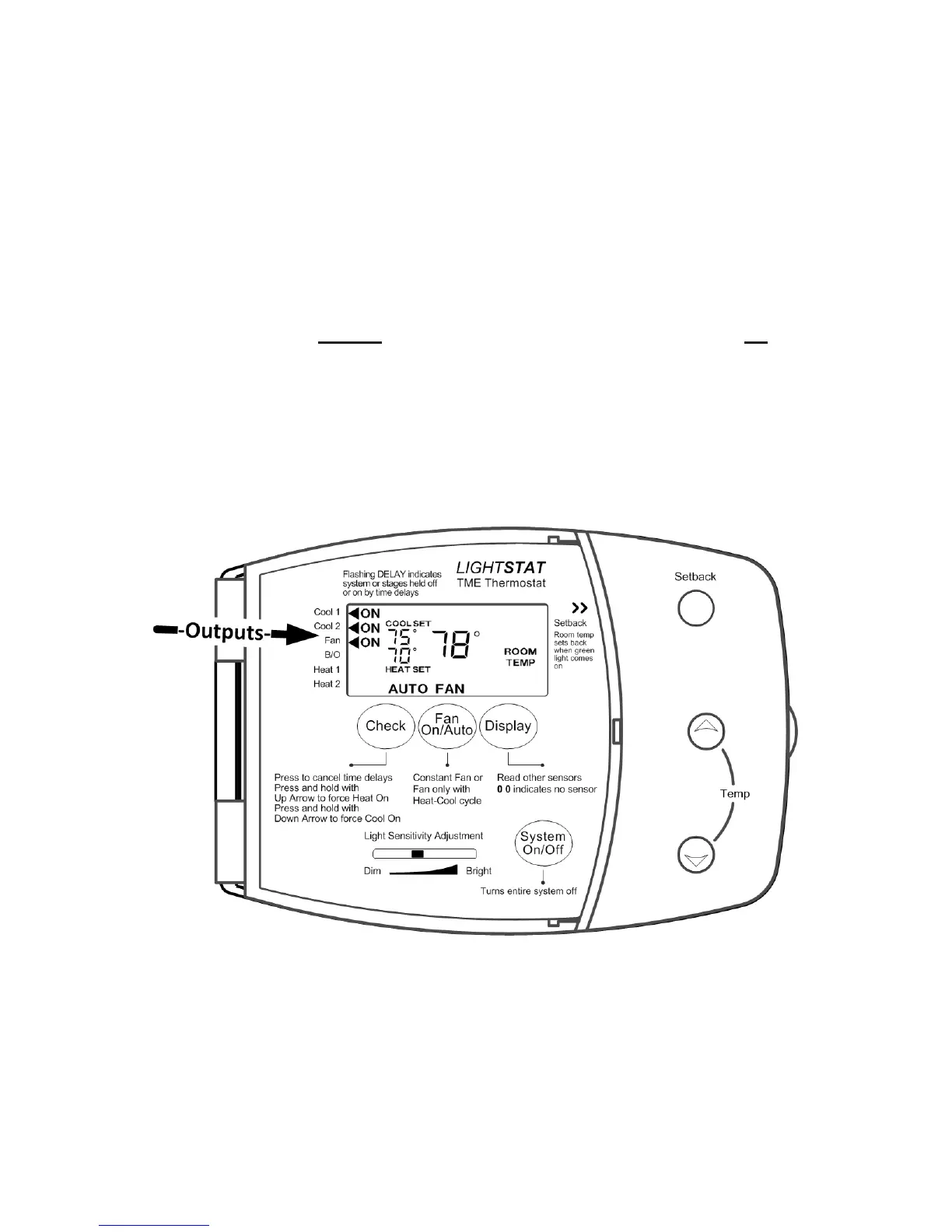
Your Lightstat TME will tell you what the output status of the HVAC
system is.
When you see the word ON in the display, the Lightstat TME is turning that
output On.
A ashing ◄ (arrow) next to the word ON means that the output is held on for a
minimum time period; for example, 3 minutes.
A ashing ◄ (arrow) without the word ON means the output is being held off for
a minimum time period.
Whenever a delay is in effect, the word DELAY will also ash above the
indicators.
Note: Use the CHECK button to cancel time delays for quicker checkout.
You can use the output indicators to help troubleshoot your HVAC system. If
the Cool 1 and Cool 2 output indicators are displayed, you should feel cool air
coming from the HVAC system. If a Supply Air Sensor is installed, you should
read the temperature of the cool air coming from the unit.
This tells you the HVAC system is working properly.


 To Next Page