Setting the clock
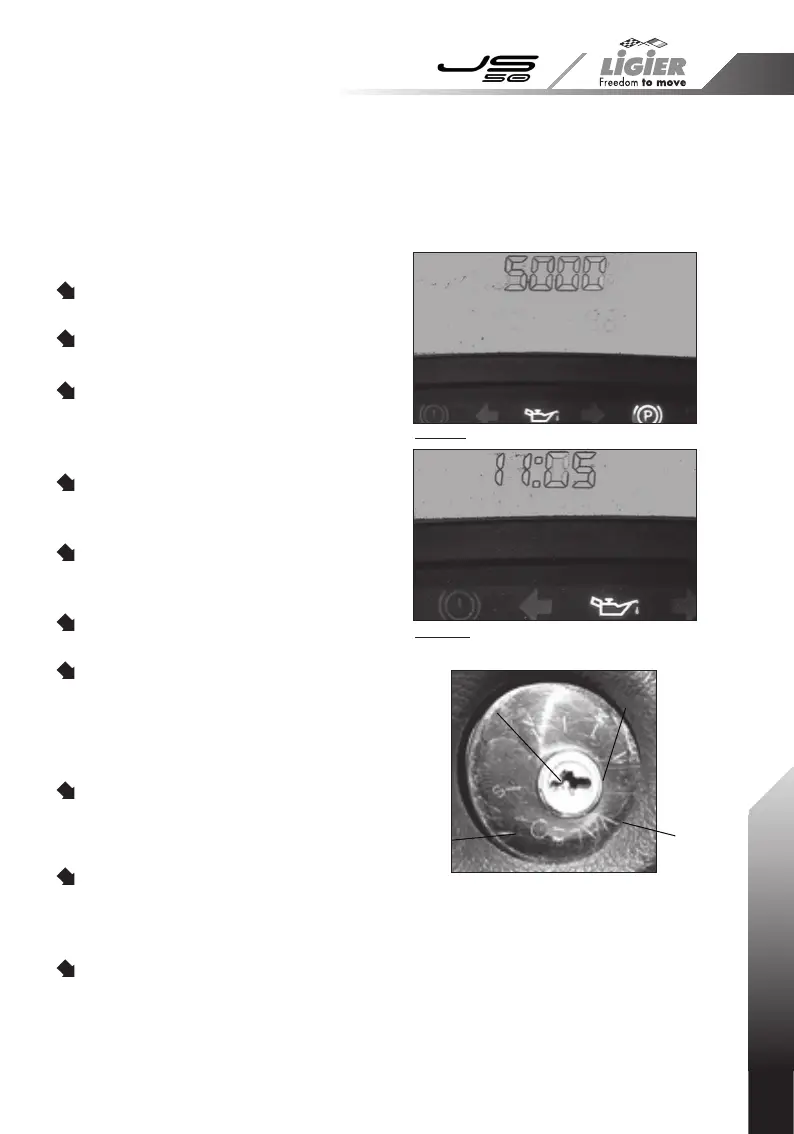
Turn the ignition key to the ACC
position (Accessory).
The number of kilometres to the next
oil change appears (photo 1).
Hold down button "23" on the
dashboard for 5 seconds:
the clock is
displayed and the numbers will ash
(photo 2).
One short press (less than 1 second)
on button "23" increments the hour
display.
One long press (more than 3
seconds) on button "23" will switch to
the ashing minutes display.
One short press on button "23" will
then increment the minutes display.
One long press will then conrm the
changes made.
Total kilometres and trip
counter
When the ignition key is in the APC
position (vehicle in operation), the
display shows the total kilometres of
the vehicle.
One short press on button "23"
on the dashboard will display the trip
counter. One long press on button "23"
will then reset the trip counter.
One short press returns to the total
kilometre display.
11
1. 2 - DIGITAL DASHBOARD
Neiman key positions
S. Engine stop
A. (ACC) Accessory
M. (APC) + after ignition
D. Start
D
M
A
S
Photo 1
Photo 2



 To Next Page