5. PARAMETERS
6. TROUBLE SHOOTING
1. Only black-and-white display:
Check whether the color saturation is properly setup or not.
2. Power on but no pictures:
Check whether the cables of
HDMI
are correctly connected or not. Please
use the standard power adapter coming with the product package.
Improper power input may cause damage.
3. Wrong or abnormal colors:
Check whether the cables are correctly and properly connected or not.
Broken or loose pins of the cables may cause a bad connection.
4. When on the picture shows size error:
Press “MENU → FUNCTION → Underscan” to zoom in/out pictures
automatically when receiving HDMI signals
5. Other problems:
Please press dial button and choose “MENU→SYSTEM→ Reset →ON”
6. According to the ISP, the machine cannot function properly:
ISP for program upgrades, non-professionals do not use. Please reboot
your device if press accidentally!
Note: due to constant effort to improve products and product
features, specifications may change without notice.
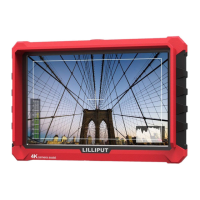
Panel 7” IPS
Physical Resolution 1920×1200 (324ppi)
Brightness 500 cd/㎡
Contrast 1000: 1
Viewing Angle 170°/ 170°(H/V)
Input Voltage DC 7-24V
Input Signal
HDMI
Output Signal
HDMI
Power Consumption ≤11W
Operating Temperature
-20
℃
~60
℃
Storage Temperature
-30
℃
~70
℃
Dimension (LWD) 182*124*20.5mm
Weight 320g


 To Next Page