8
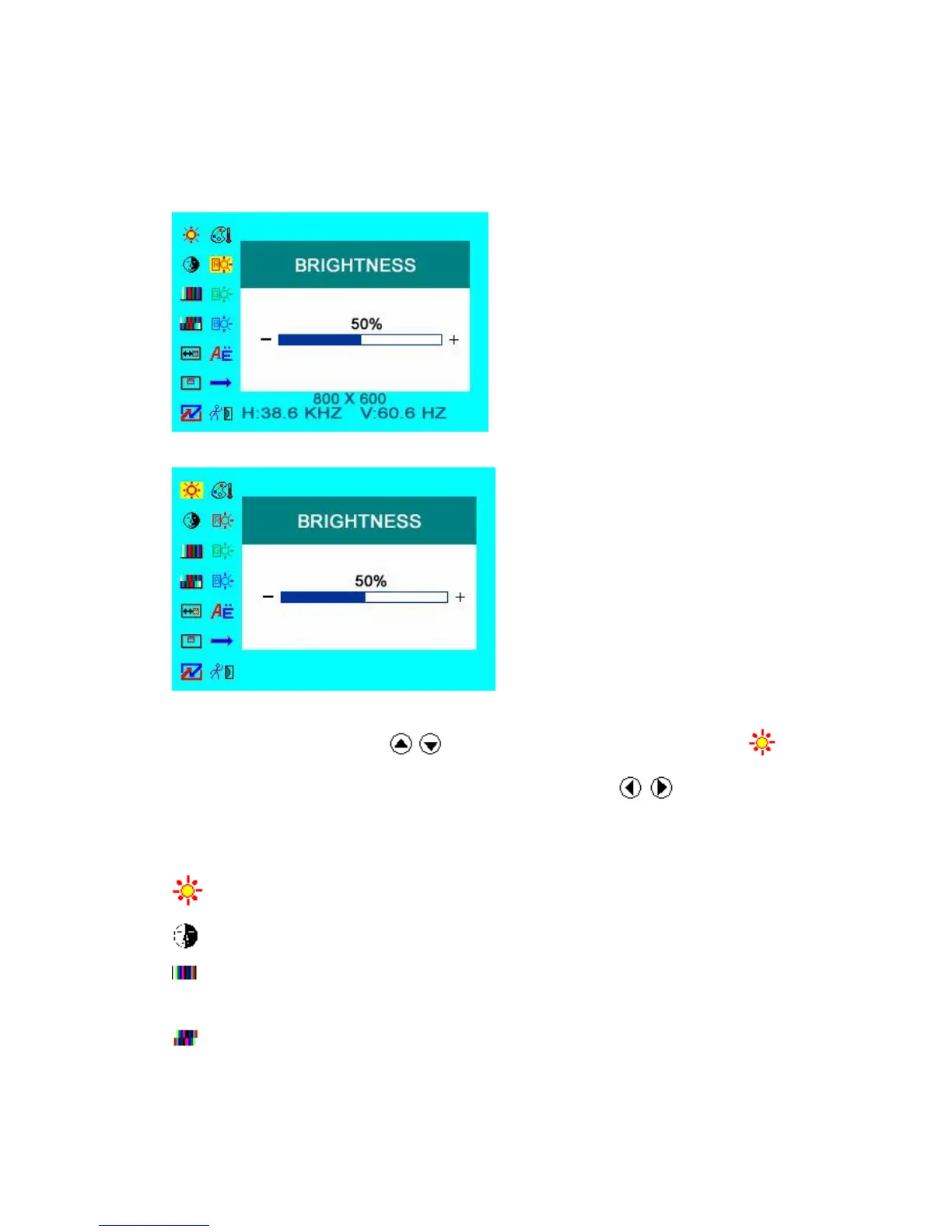
IN DVI & HDMI MODE
DVI MODE
HDMI MODE
Press “▲ / ▼”on the unit or “ / ” on the remote control to select item, eg. ,
and it will be highlighted; and then press “+ / -”on the unit or / on the remote
control to adjust the favorite values. It shows picture mode specifications below the
dialog box in DVI mode, but not in HDMI mode.
BRIGHTNESS: to adjust the luminance of brightness
CONTRAST:to adjust the level of contrast
SATURATION: to adjust the level of saturation (this function doesn’t work
under DVI/HDMI mode)
TINT: to adjust the hue of image (this function doesn’t work under DVI/HDMI
mode)


 To Next Page