Page 8 of 13
Stage
4
A
x4
C
x4
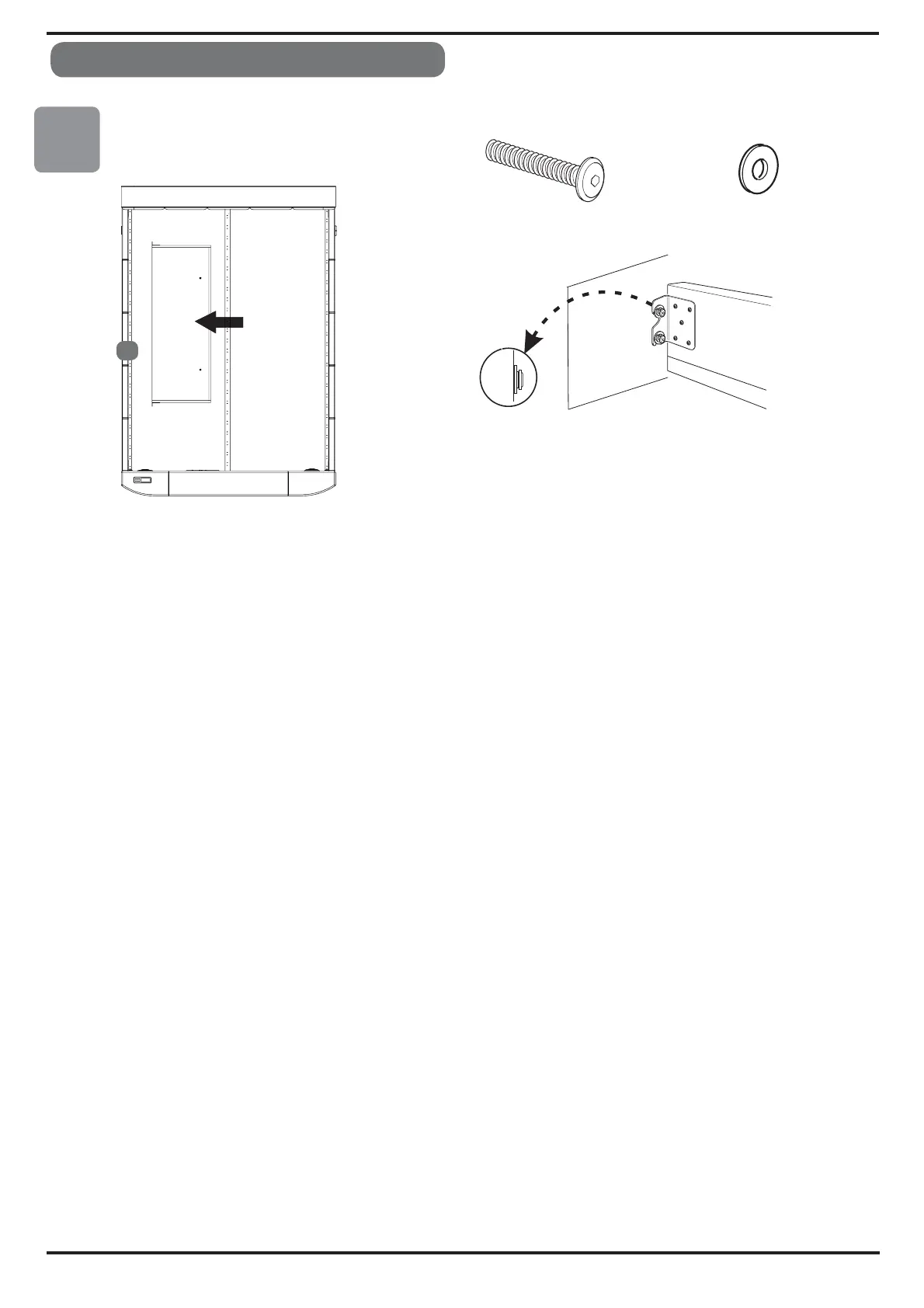
Push bolt (A (rehsawhguorht) C)
,
Hold tray firmly against
side panel (4)
as shown and screw
in
x4 bolts.
When all in place,
tighten all bolts 100%.
Adjust the feet (G) so bottom of tray is level.
4
Bed
Assembly
It is important that after the initial fitting of your TV, all cables including aerial-HDMI-TVpower
and any auxiliary cables that you fit yourself, are securely positioned close to the back of the TV
using the cable clips & cable ties provided.
The cable clips & cable ties are provided for your safety and the safety of the equipment.
These are to prevent any entrapment of cables dur
ing the operating of the TV lift when it is moving
ineithertheupordownmode.Theyareprovidedtohelpyoumakecertainthatcablescannot
get trapped.
Route the cables in straight lines where possible; tie the cables together then fit the self
-adhesive
cable clip close to back of the TV leading the cables down the duct on left or right side as
appropriate.
We cannot be held responsible
for any damage to TV or damage to cabling due to poor cable
management and therefore cables getting trapped because they are not installed correctly.
After you have finished the installation, there should be no loose cables at all- push any excess
cable carefully back down the relevant duct.
The TV will automatically turn off when it lowers into the foot board, then on again when it rises up



 To Next Page