P/N 1604010 Rev D (ECN 35207) 2-2 Multi-Control Operation Manual
Section 2 - Operation
Panel Controls
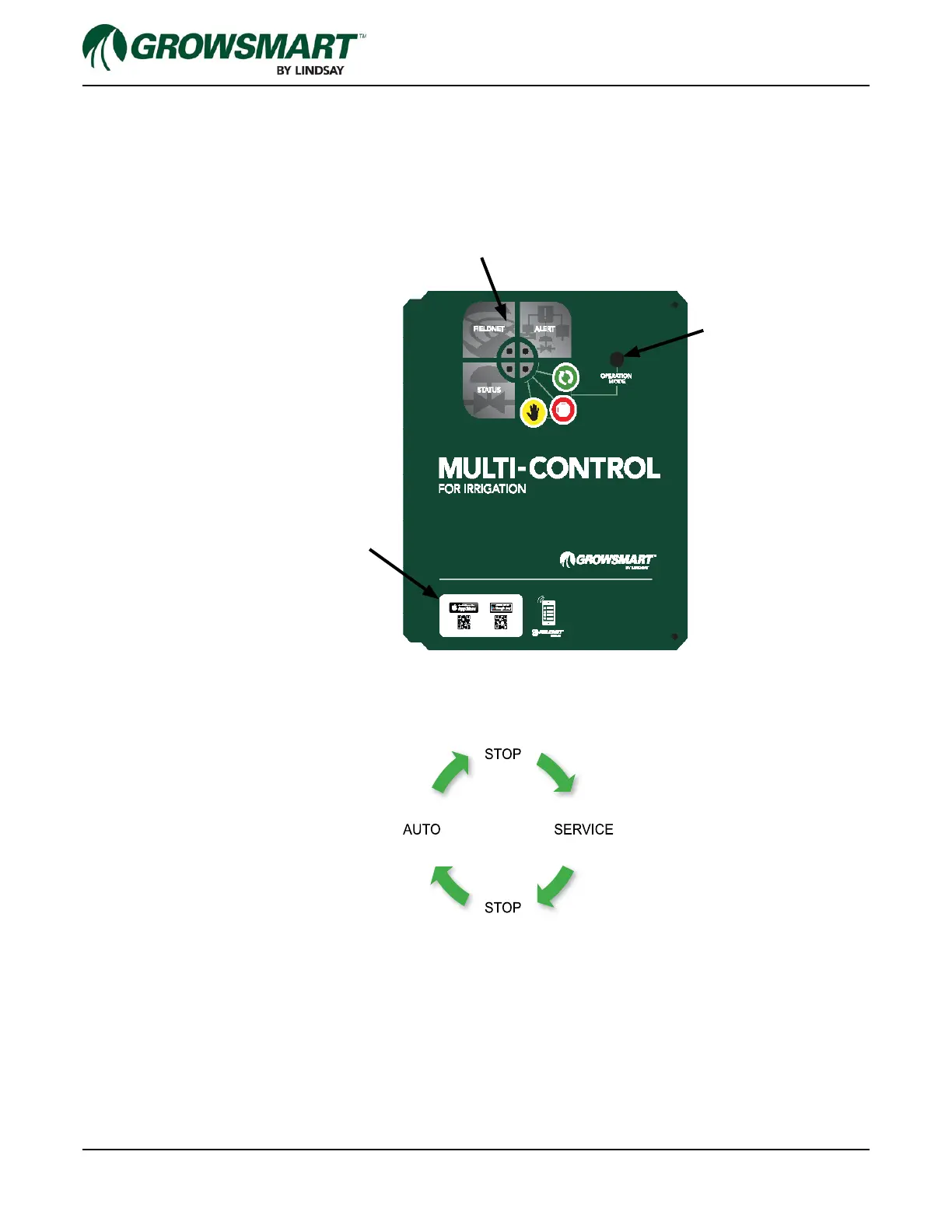
Upon opening the outer door to the Micro-Control panel, the following operator panel is available. Pressing the
Operation Mode button will toggle the control in a loop between Auto (Run), Stop, Service, Stop and back to Auto
again. Indicator lights in the “Mode” quadrant of the status center will illuminate with the proper status color when
the mode button is pressed (see the status center diagram shown later in this section).
The following diagram shows the sequence for stepping though the operation modes. One press of the mode but-
ton will advance through one step of the cycle.
Changing the mode will take effect after three seconds from the last button press. The mode can also be changed
remotely through the FieldNET interface.
Upon any reboot, the controller defaults to the Stop mode.
Status Center
Mode Button
QR Codes for installing the
FieldNET Mobile App



 To Next Page