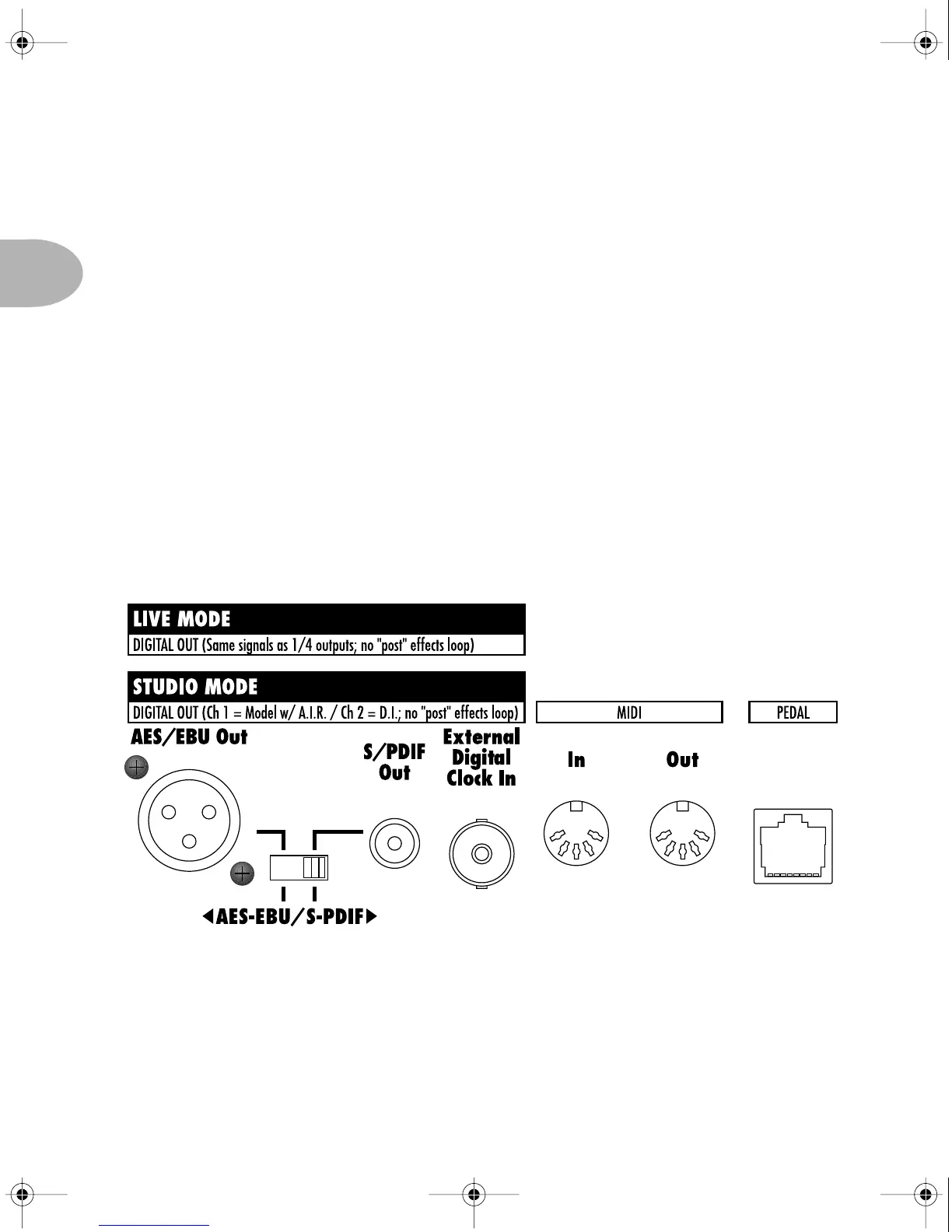
REAR PANEL CONNECTIONS
2 • 14
tool possible, whether you’re going to be in the studio or on stage, recording direct-
to-disk, or pumping a stadium full of sound through a wall of 4x12 cabs.
Studio Mode – Flick the Live/Studio switch to the Studio position, and you
get a pair of XLR balanced +4dBu outputs, as well as a pair of 1/4 inch
unbalanced -10dBV connections. Both carry the same signal – including the
A.I.R. processing for speaker/mic/room emulation – and you can use
whichever connections are most appropriate for interfacing with your
recording gear.
Live Mode – Move the Live/Studio switch to the Live position, and you get
independent signals on the 1/4 inch and XLR outputs:
• The 1/4 inch connections are now carrying your signal – without speaker/
mic/room simulation – to your on-stage power amp and cabinets. This lets
you drive your backline for a wall of stadium filling sound, or a more
modest power amp/cab setup for your personal on-stage pleasure.
POD Pro Manual Ch. 2 - Rev C Page 14 Monday, September 11, 2000 10:57 PM



 To Next Page