REAR PANEL CONNECTIONS
2 • 13
Pro end, and two mono quarter inch connectors for the two ins or outs of your
other device.
Note: If you use a mono cable, you will only get one side of the signal on the send, and
when using a mono cable for the return, the returned signal will only be fed to one of your
POD Pro’s outputs (the left one).
And Note: You probably won’t want to use stomp box-type effects in this loop, as they
aren’t usually designed to take line level signals. Most likely you’ll want to plug your
guitar straight into the stomp box, and then go from the stomp box to POD Pro’s front
panel guitar input.
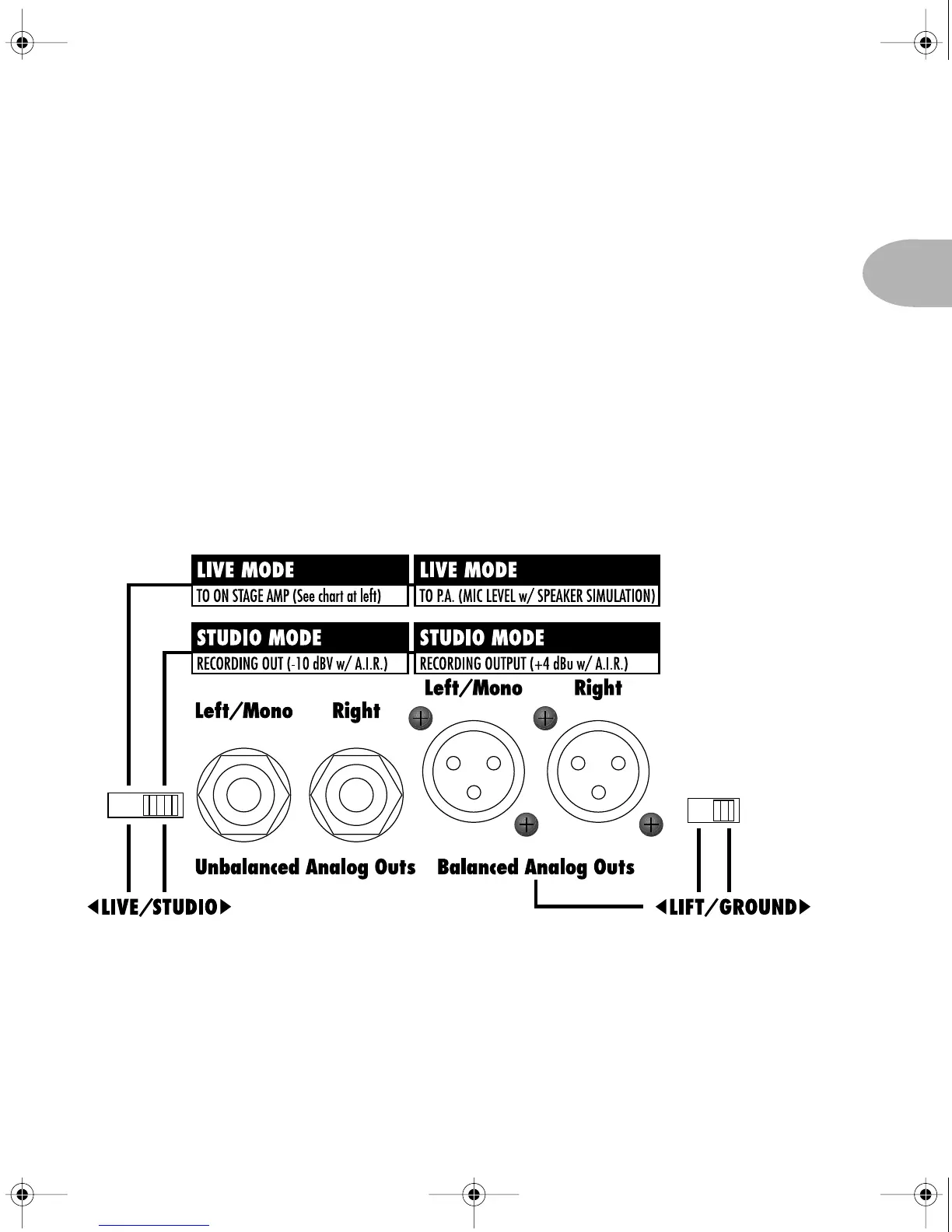
Live/Studio Mode, XLR & 1/4 inch Outputs - One of the
powerful features of your POD Pro is its Live/Studio Mode and associated XLR and
1/4 inch connections. We’ve designed these to give you the most versatile guitar
POD Pro Manual Ch. 2 - Rev C Page 13 Monday, September 11, 2000 10:57 PM



 To Next Page