GETTING SET UP • PODxt — In The Studio
3 • 2
PODXT — In The Studio
PODxt Pro users, fast forward to the PODXT Pro – Configurations & Connections
section at the end of this chapter.
To use the USB connector, visit www.line6.com to download PODxt USB Driver Software,
as well as Line 6 Edit Mac/Windows software or GuitarPort (Windows only) software.
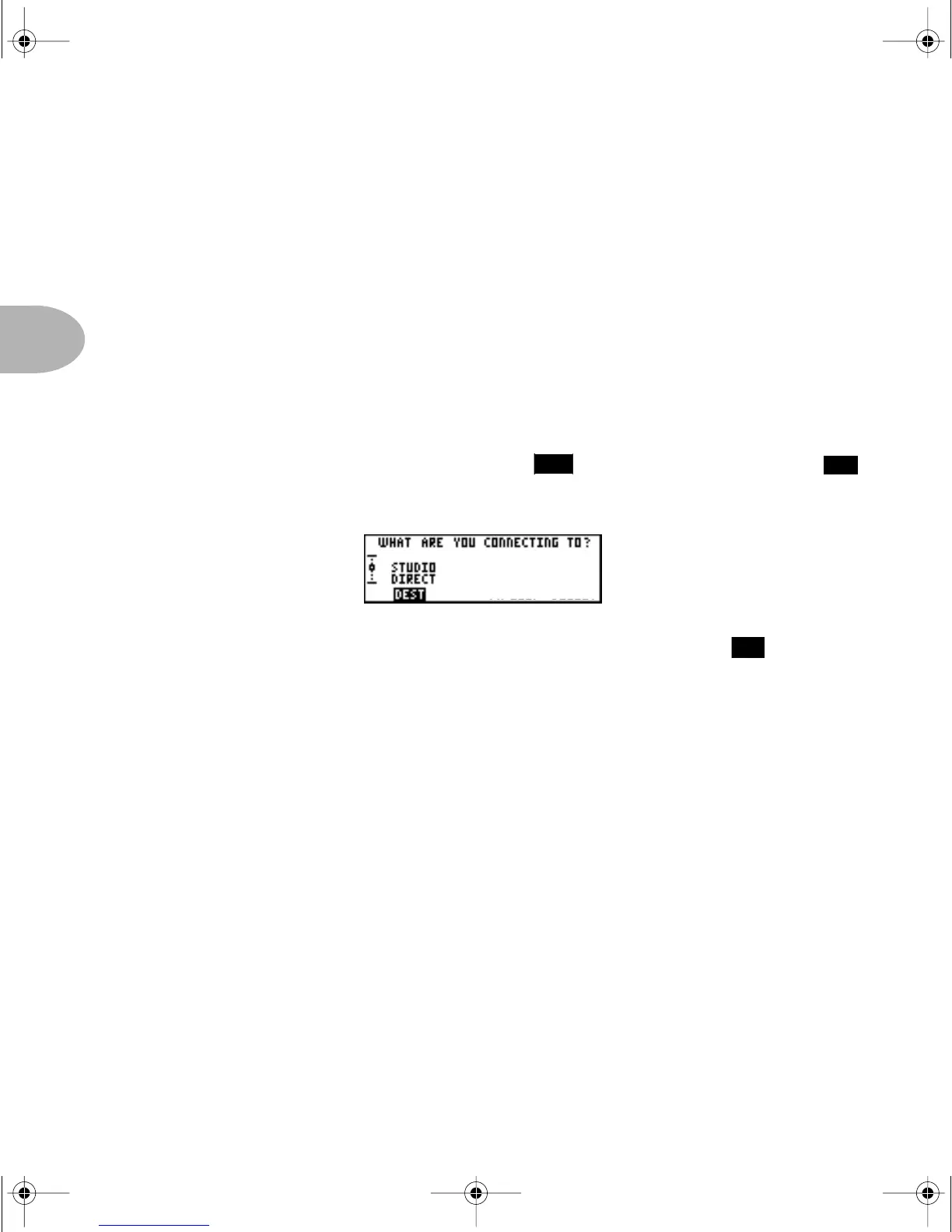
What are you connecting to?
Your PODXT needs to adjust itself to deliver the best possible sound depending on what
you’re connecting to. Press the T
UNE/SYSTEM button and turn the SELECT
knob clockwise until the display asks, “What are you connecting to?”
Press the Soft Button below
DEST and turn the EFFECT TWEAK knob to select
STUDIO: DIRECT mode. In this mode, Line 6’s exclusive A.I.R. II DSP is active, and
you are treated to a virtual speaker-cabinet-air-microphone experience that’s so good
you may never use a regular guitar amplifier and microphone set up again.
The
DEST setting you select will be remembered by your PODXT, so you don’t have to
re-set it every time you power up. If you change it to a different setting for a special
situation you come across, don’t forget to change it back again to the setting you
normally use once you get back to your standard setup. When you plug your
headphones into POD
XT, DEST will be automatically set to STUDIO: DIRECT, giving
you the best tone for private jamming.
The Ins and Outs of Great Tone
If you’re hooking your PODXT up to a recorder, mixer, or other equipment, be sure you
are plugging its outputs into line level inputs on your other gear, as opposed to
microphone level or guitar level inputs. This will insure that you get the best signal-to-
noise ratio (lots of juicy guitar tone, not too much hiss) with POD
XT. Some equipment
only gives you a single input for both mic & line level sources, allowing you to trim low
level signals (like mics) up to a high level at the inputs. If you are plugging your POD
XT
23
16
14
PODxt Manual Book RevC.book Page 2 Friday, August 29, 2003 5:43 PM



 To Next Page